
How to Concatenate String and Int in Python (Fix TypeError + All Methods)
To concatenate a string and an integer in Python, you must convert the integer to a string or use modern string formatting.
Recommended (best practice):
year = 2026
print(f"Year is {year}")
Alternative:
print("Year is " + str(2026))
What Causes the TypeError?
If you try:
string = "Year is "
year = 2026
print(string + year)You’ll get:
TypeError: can only concatenate str (not “int”) to str
Why This Happens
Python does not allow implicit type conversion when concatenating strings using +.
- “Year is ” is a string
- 2026 is an integer
- Python requires explicit conversion
This behavior prevents unexpected bugs and keeps type handling predictable.
What Is String Concatenation?
String concatenation is the process of combining two or more strings into a single string.
Example:
print("Hello " + "World")But when one value is an integer, conversion is required.
Best Methods to Concatenate String and Int in Python
Below are all modern and legacy approaches.
1. Using str() (Explicit Conversion)
string = "Year is "
year = 2026
print(string + str(year))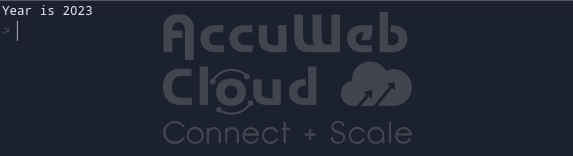
Why use this:
- Clear and simple
- Good for beginners
- Makes conversion explicit
2. Using f-Strings (Recommended in 2026)
year = 2026
print(f"Year is {year}")
Why this is the modern best practice:
- Clean and readable
- Faster than older formatting styles
- Supports expressions inside braces
- Automatically converts data types
Example with expression:
print(f”Next year will be {year + 1}”)
Best for almost all modern Python projects.
3. Using format()
string = "Year is "
year = 2026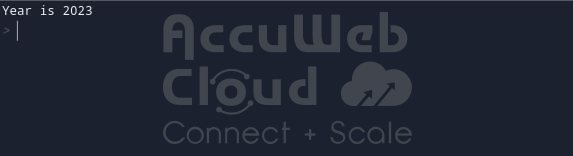
print("{}{}".format(string, year))Good when:
- Working with template-style formatting
- Supporting older Python codebases
4. Using % Formatting (Legacy Method)
string = "Year is "
year = 2026
print("%s%s" % (string, year))Mostly found in older Python projects.
Not recommended for new code.
5. Using join() (Multiple Values)
Useful when combining several values:
year = 2026
result = "".join(["Year is ", str(year)])
print(result)Better when building complex strings from lists.
6. Using print() with Commas
year = 2026
print("Year is", year)Important:
- print() automatically converts integers
- This does not create a combined string variable
- It simply prints separated values
7. Using repr() (For Debugging)
year = 2026
print("Year is " + repr(year))Useful in debugging and logging scenarios.
8. Using f-String Format Specifiers
You can format numbers directly:
year = 2026
print(f"Year is {year:04d}")This allows:
- Padding
- Decimal control
- Alignment
- Advanced numeric formatting
9. Using map() with Iterables
Common when converting lists of integers:
values = [1, 2, 3]
result = "Numbers: " + ", ".join(map(str, values))
print(result)This method is efficient and clean.
10. Using Template Strings (Advanced)
from string import Template
year = 2026
t = Template("Year is $year")
print(t.substitute(year=year))Used in:
- Configuration templates
- Dynamic content generation
11. Using format_map() with Dictionaries
data = {"year": 2026}
print("Year is {year}".format_map(data))Useful when formatting structured dictionary data.
Concatenation vs String Formatting
| Method | Type | Recommended |
| + with str() | Concatenation | Yes |
| f-strings | Formatting | Best |
| format() | Formatting | Yes |
| join() | Concatenation | Yes |
| % formatting | Formatting | Legacy |
Modern recommendation: Use f-strings whenever possible.
Implicit vs Explicit Type Conversion in Python
Python allows implicit conversion in numeric operations:
print(5 + 3.0)
But not in string concatenation:
print("5" + 3)Reason:
- Prevents ambiguity
- Improves type safety
- Avoids silent logical errors
Performance Considerations
In most cases, performance differences are minimal.
General efficiency ranking:
-
- f-strings
- + with str()
- format()
- % formatting
Avoid repeated + concatenation in loops.
Instead:
parts = []
for i in range(5):
parts.append(f"Value {i}")
result = "\n".join(parts)
print(result)Why?
Strings are immutable in Python. Each + creates a new string object.
Related Python Errors
You may also encounter:
- TypeError: must be str, not int
- TypeError: can only concatenate str (not “float”) to str
- TypeError: unsupported operand type(s)
All relate to type mismatch during operations.
Python Version Compatibility
All methods above work in:
- Python 3.6+
- Python 3.12
- Python 3.13
- Future 3.x versions
f-strings require Python 3.6 or newer.
FAQs
Q) What is the best way to concatenate string and int in Python?
A) Use f-strings. They are modern, readable, and efficient.
Q) Why doesn’t Python auto-convert int to string?
A) To prevent unintended behavior and maintain strict type safety.
Q) Can I concatenate float and string?
A) Yes. Use f-strings or convert using str().
Q) Is using + bad practice?
A) No, but f-strings are cleaner and preferred in modern Python.
Q) When should I use join() instead?
A) Use join() when combining multiple strings in loops for better performance.