
Environment Network Isolation
The Network Isolation feature helps control the default access rules within a single PaaS setup, regulating connectivity across different environments using the internal network.

So, every link within the platform has to undergo a thorough check before it’s given the green light. Essentially, we make sure that both the requesting and requested settings are part of the same isolated group.
Note: Additionally, we can manage how nodes connect by tweaking the container firewall rules, giving us a flexible method to handle access both within and outside the system.
Private Network Isolation
When the Network Isolation feature is turned on, each account is kept separate from the others as a default setting. This means that if you want to connect environments across different user accounts, you’ll need to set it up intentionally on both sides.
Moreover, this functionality allows developers to isolate groups of environments within a specific account. Simply activate the Network Isolation toggle in the Add/Edit Group interface.

The system brings together the internal addresses of containers and assigns a unique IP set to each isolated group. This setup enables the management of access between nodes: connections are allowed if IPs belong to the same set and are denied otherwise. Furthermore, the system monitors any changes to your account, such as deleting environments or scaling nodes, and modifies the IP settings accordingly to keep them current.
When handling Network Isolation, it’s important to keep in mind these specific points:
- Isolation can only be turned on for the main group, not for any subgroups.
- Groups with isolation activated will have a special shield icon
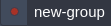 , making them easier to identify.
 - Collaborators cannot add shared environments to isolated groups.
- This feature is not intended to prevent other sources, such as public IP addresses, from accessing your containers.
Using Network Isolation
In short, Network Isolation is a valuable and user-friendly tool designed to protect your environment from unwanted access. It’s generally recommended to keep your applications separated from one another. For instance:
- When sharing access to your application or database with a third-party employee or company, you can rest assured that containers within the isolated group won’t be reachable via the platform’s internal network.
- Similarly, if you’re cloning a project that was initially isolated, it remains shielded from any alterations caused by the duplicate. For example, if the copied project inherited a “hardcoded” database access, the Network Isolation feature would deactivate it, ensuring the integrity of the actual production data.
With the Network Isolation feature, you can keep your projects separate within a single account, avoiding any unwanted connections between them.