
Resolving Network Connectivity Issues During Migration
Migrating a server, application, or entire infrastructure stack to a new platform is rarely a clean, uneventful process. Even with careful planning, one problem shows up more often than any other: the migrated environment simply cannot talk to the network the way it used to. Services that worked fine on the old platform suddenly time out, DNS lookups fail, containers lose internet access, or the application throws connection errors that make no sense at first glance.
Network connectivity issues during migration are frustrating precisely because they rarely announce themselves clearly. The application deploys successfully, the server boots, the services start, and then something as basic as reaching a database or resolving a hostname breaks. This article walks through why these issues happen, how to diagnose them methodically, and how to fix the most common causes, with practical steps you can try on a test server.
Why Connectivity Breaks After Migration
When you move a workload from one environment to another, whether that’s an old PaaS to a new IaaS platform, one cloud provider to another, or an on-premise server to a VPS, several things change at once: the IP addressing scheme, the network gateway, the firewall and routing rules, and often the underlying virtualization layer itself. Any application or service that was quietly relying on assumptions from the old environment will surface those assumptions as errors in the new one.
Most connectivity problems after migration fall into a handful of categories, and recognizing which one you’re dealing with saves a lot of time.
Common Causes of Post-Migration Connectivity Failures
Stale DNS resolvers:
This is one of the most common and easily missed issues. Servers migrated from a PaaS or managed environment often carry over internal DNS resolver entries in /etc/resolv.conf that pointed to the old platform’s internal DNS servers. Once the server is on new infrastructure, those resolvers are unreachable, but the OS keeps trying them first, adding several seconds of latency to every DNS lookup, or failing outright once the old network is decommissioned.
Missing NAT or MASQUERADE rules:
Containers and applications behind NAT rely on the host correctly rewriting outbound traffic. If Docker is started with –iptables=false, or if a firewall reload wipes out NAT rules without restoring them, containers can start up fine but lose all outbound internet access, breaking package installs, API calls, and DNS resolution from inside the container.
Firewall and security group mismatches:
The new platform almost always has its own firewall model. Rules that existed as simple port openings on the old platform need to be recreated as security groups, ACLs, or iptables rules on the new one. It’s easy to migrate the application but forget to open the exact ports it needs, especially non-standard ports used by internal services.
Hardcoded internal IPs in configuration files:
Database connection strings, message queue endpoints, Redis hosts, and internal API URLs frequently reference the old platform’s private IP addresses. After migration, these IPs no longer exist, and the application fails with connection timeouts or DNS errors that look like a network problem but are actually a configuration leftover.
Missing port forwarding or DNAT rules:
On IaaS platforms where instances sit behind a private network with public IP mapping, forgetting to configure the correct port forwarding rule means the service runs perfectly on the instance but is completely unreachable from outside.
Gateway not present at Layer 2:
In more advanced deployments, particularly when a new public IP block is added to a network, the gateway for that block needs to actually exist as a reachable device on the same VLAN. If the IP range is routable from the internet but the gateway itself isn’t answering ARP requests locally, everything above the network layer breaks, even though the IPs look correctly assigned on paper.
Building a Diagnostic Approach
Rather than guessing, it helps to work through connectivity in layers, starting from the lowest level and moving up.
Start with basic reachability using ping and traceroute to confirm whether packets are leaving the server at all and where they stop. Follow with dig or nslookup against both the configured resolver and a known public resolver like 8.8.8.8, to isolate whether the problem is DNS specific. Check ss -tulnp to confirm the service is actually listening on the expected interface and port, since a service bound to 127.0.0.1 instead of 0.0.0.0 will look like a network issue but isn’t. Review iptables -L -n -v and iptables -t nat -L -n -v to check whether NAT and forwarding rules are present and being hit, using the packet counters to see if traffic is actually reaching those rules. Finally, use curl -v against the target endpoint to see exactly where in the connection process things fail, whether that’s DNS resolution, TCP handshake, or an application-layer response.
This layered approach quickly narrows down whether you’re dealing with DNS, routing, firewall, or application configuration instead of changing things at random.
A Practical Walkthrough
Start by checking the current DNS resolver configuration:
cat /etc/resolv.conf
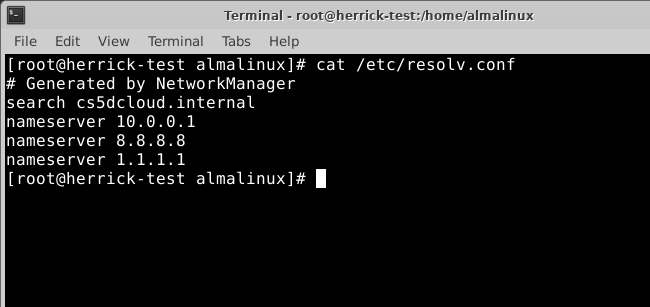
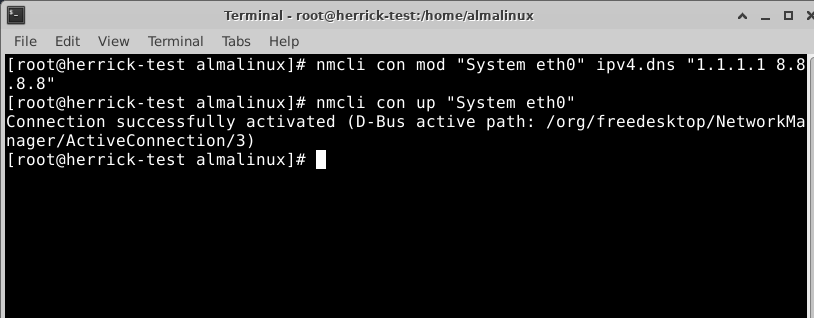
If this points to an internal IP range like 10.x.x.x that doesn’t belong to your current network, that’s a leftover from a previous environment. Replace it with a reliable resolver and make it persistent through NetworkManager rather than editing the file directly, since many distributions overwrite it on reboot:
nmcli con mod <connection-name> ipv4.dns “1.1.1.1 8.8.8.8”
nmcli con up <connection-name>
Next, confirm NAT is actually active if you’re running containers or forwarding traffic:
sysctl net.ipv4.ip_forward
iptables -t nat -L POSTROUTING -n -v
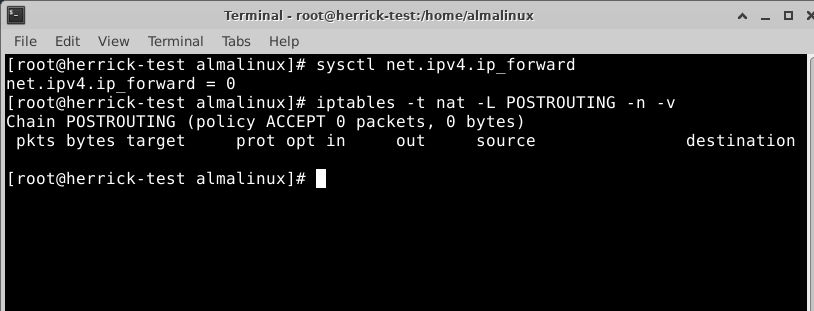
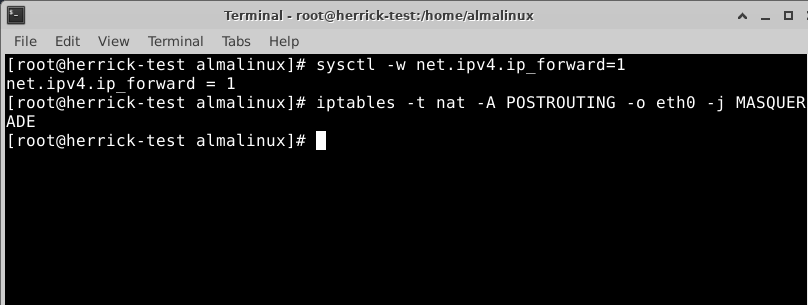
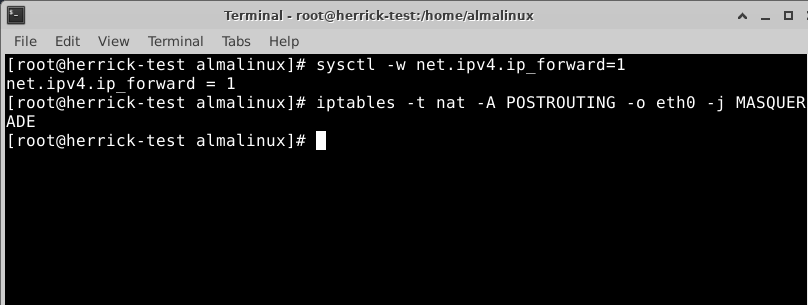
If ip_forward is set to 0, or the MASQUERADE rule for your outbound interface is missing, containers and forwarded traffic will silently lose connectivity. Enable forwarding and add the rule if needed:
sysctl -w net.ipv4.ip_forward=1
iptables -t nat -A POSTROUTING -o eth0 -j MASQUERADE
To simulate and catch a firewall port issue, try reaching a service from another machine while watching the counters:
firewall-cmd –list-all
tcpdump -i eth0 port <your-port> -n
If you see packets arriving in tcpdump but the connection still fails, the traffic is reaching the box but being dropped somewhere between the interface and the application, usually the firewall or an SELinux policy rather than routing.
Preventing These Issues Before They Happen
A few habits go a long way toward avoiding connectivity surprises during future migrations. Audit configuration files for hardcoded internal IPs before cutover, and replace them with hostnames or environment variables wherever possible. Document every firewall rule and port forwarding rule on the source platform before migration, so nothing gets missed on the destination. Test DNS resolution and outbound connectivity as one of the very first checks after a server comes up on new infrastructure, before assuming the migration itself succeeded. And when adding new IP ranges or network segments, verify gateway reachability at the network layer first, rather than only checking that the IPs respond from the internet.
Conclusion
Network connectivity issues during migration are almost never caused by one single failure. They’re usually a combination of small, overlooked details: a resolver pointing at a network that no longer exists, a NAT rule that didn’t carry over, a firewall rule that was never recreated, or a gateway that isn’t actually present where it’s expected to be. Working through the problem layer by layer, from basic reachability up to the application itself, turns what feels like a confusing, unpredictable failure into a straightforward checklist. With the right diagnostic habits in place, most post-migration connectivity issues can be identified and resolved within minutes rather than hours.