
How to Enable Two-Factor Authentication (2FA) in the New AccuWeb.Cloud Platform?
Account security should never be an afterthought, especially when you’re managing cloud infrastructure. A single compromised password can put your servers and applications at risk. That’s why we’ve added Two-Factor Authentication (2FA) support to the AccuWeb.Cloud platform, giving you an extra layer of protection beyond just your account password.
If you have not turned it on yet, now it is a good time. Here’s exactly how to do it.
What is 2FA and Why It Matters
Two-Factor Authentication adds a second verification step when you log in or make sensitive changes to your account. Even if someone gets hold of your password, they still can’t access your account without that second factor. It’s a small setup step that closes off one of the most common ways accounts get compromised.
Steps to Enable 2FA on AccuWeb.Cloud
Step 1: Log in to your Accuweb.cloud dashboard.
Head over to manage.accuweb.cloud and log in with your existing AccuWeb.Cloud credentials.

Step 2: Click on the profile icon, and here you can find “Profile” option. Click on it.

Step 3: Here in the left side panel, you will find the option “Authentication”.
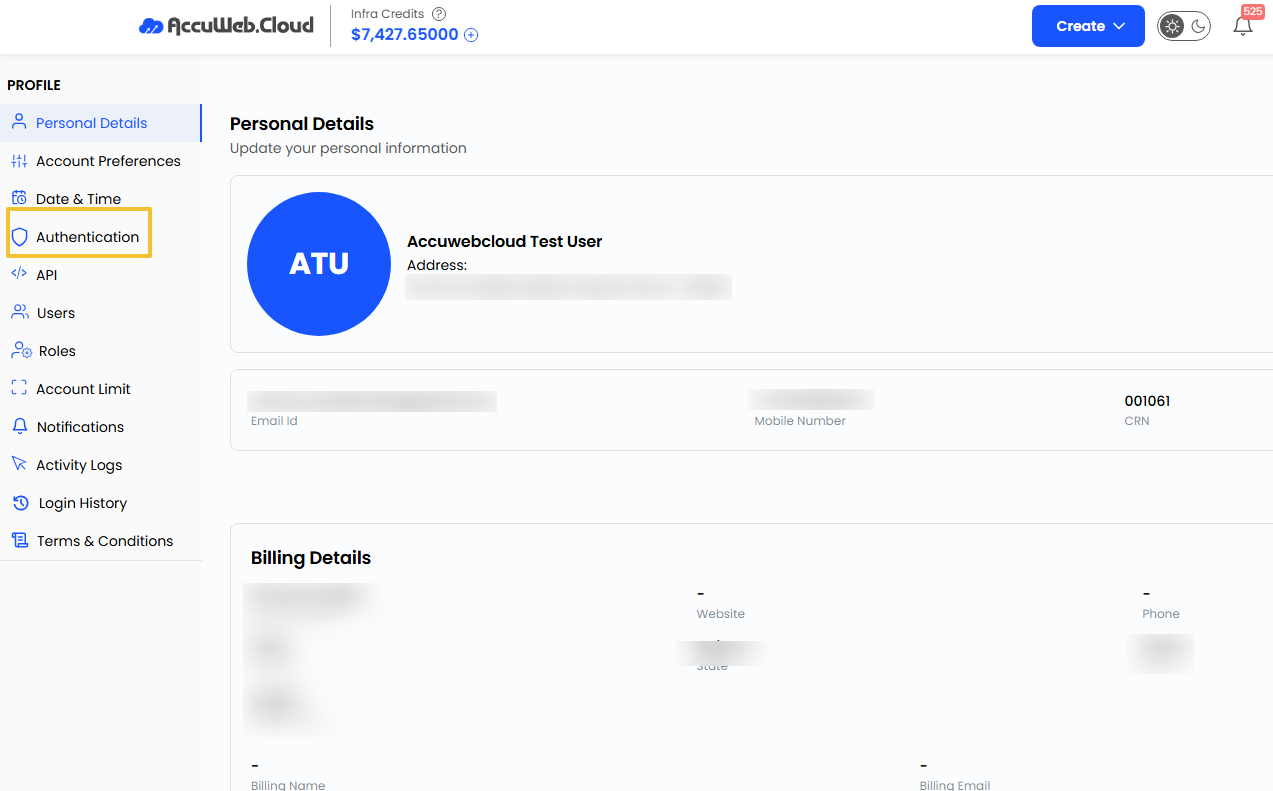
Step 4: Find the 2FA option. This section is where you’ll see the option to enable Two-Factor Authentication for your account.
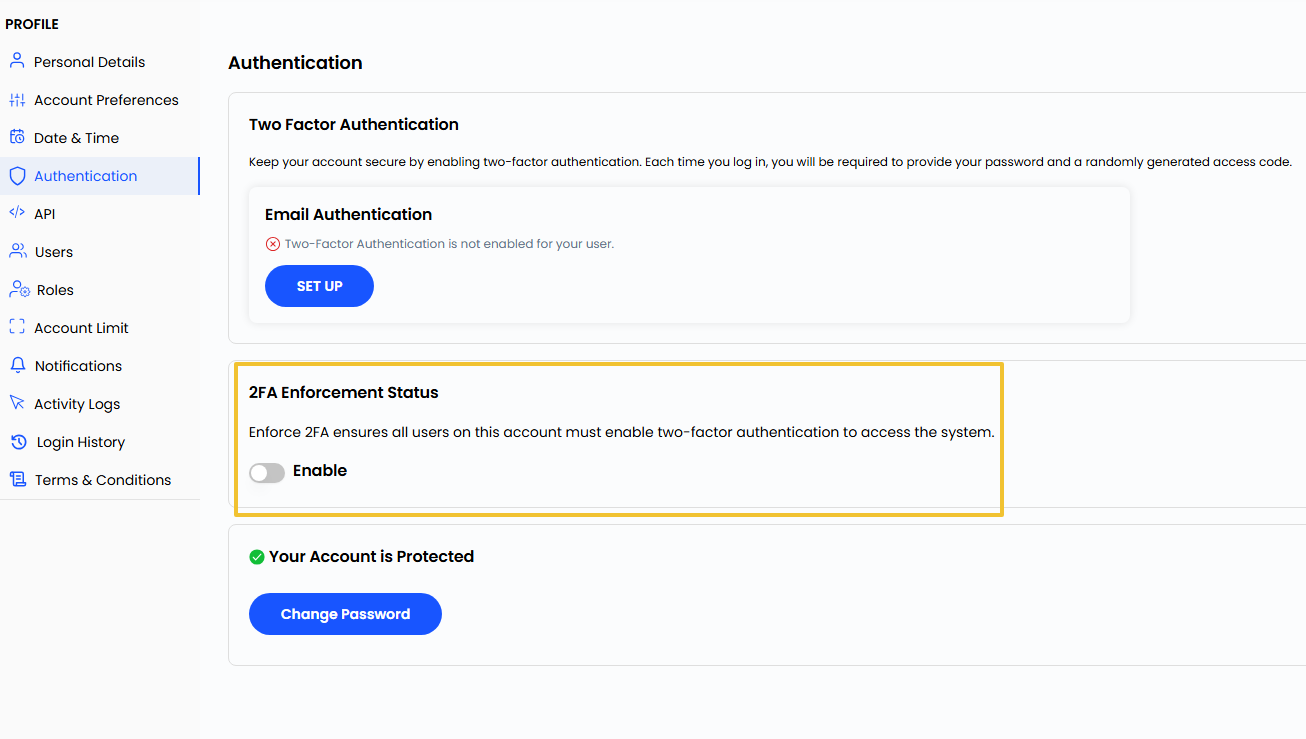
Step 5: To enable 2FA for your account, you will have to enter your password. After entering the password, click on “Enable”

That’s it, your account now has 2FA turned on. Now when you will login into your account again, you will be asked to enter 2FA code which you will get at your registered email address.
Conclusion
Turning on two-factor authentication only takes about a minute, but it goes a long way in keeping your AccuWeb.Cloud account secure. If you manage cloud servers, client environments, or any kind of production workload, this is one of those small changes that pays off in a big way. Take a moment today to turn it on and give your account the added security it deserves.
Haven’t registered yet?