
How to Create Coupons?
This article explains how Super Admins can create a Free Credit Coupon and how clients can redeem it to receive account credits.
Prerequisites
- Super Admin access to the platform.
- The client account must already exist before creating or redeeming a coupon.
Creating a Free Credit Coupon
Follow the steps below to create a new coupon from the Super Admin dashboard.
Step 1: Select the Client
- Log in to the Admin Dashboard.
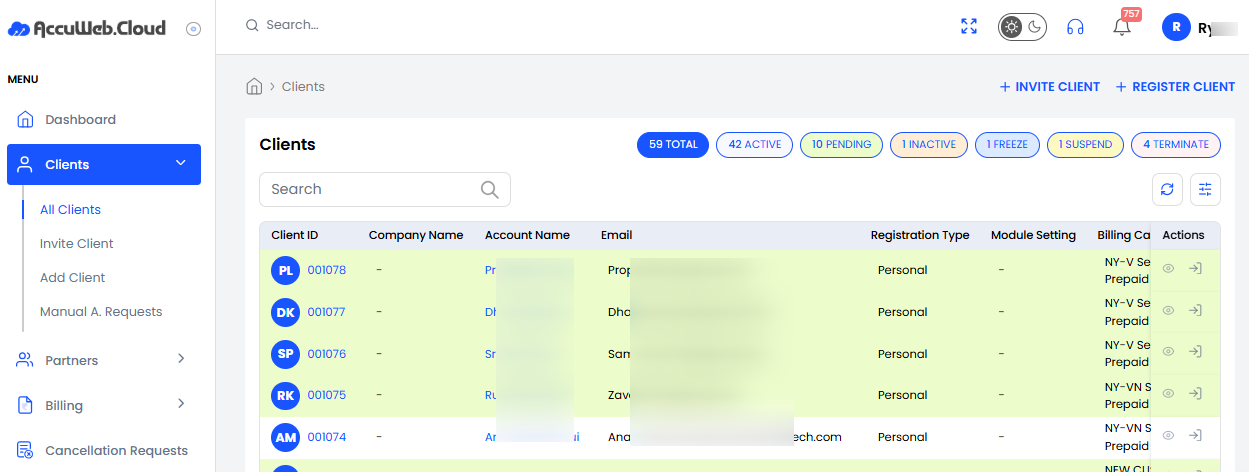
- Select the client for whom you want to create a coupon.
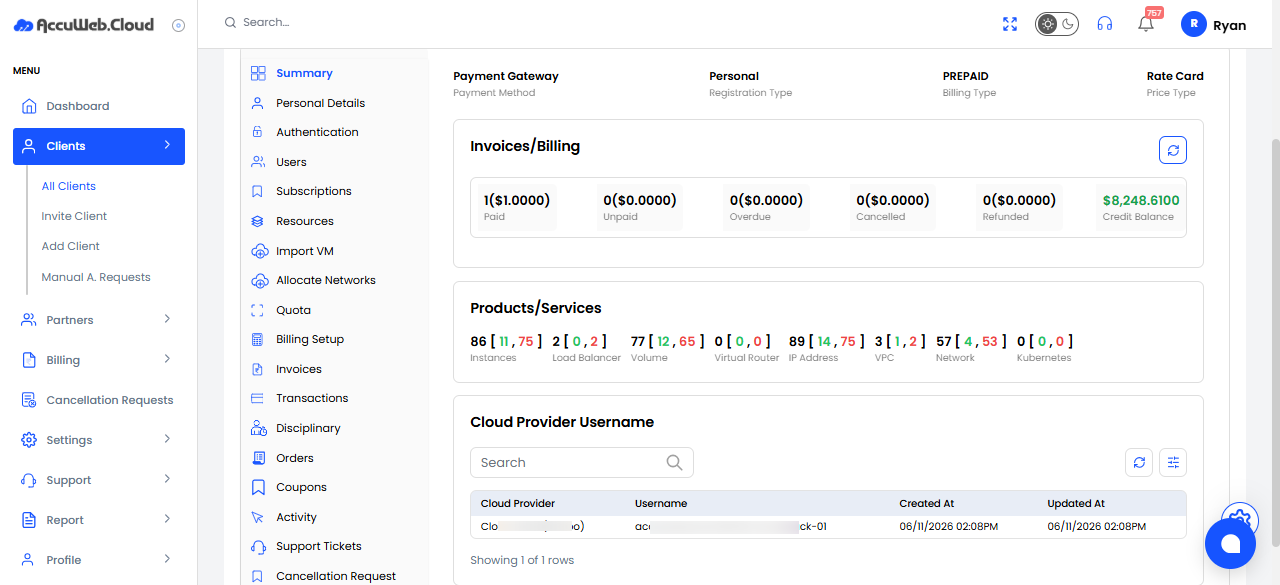
- Than click on Add coupon
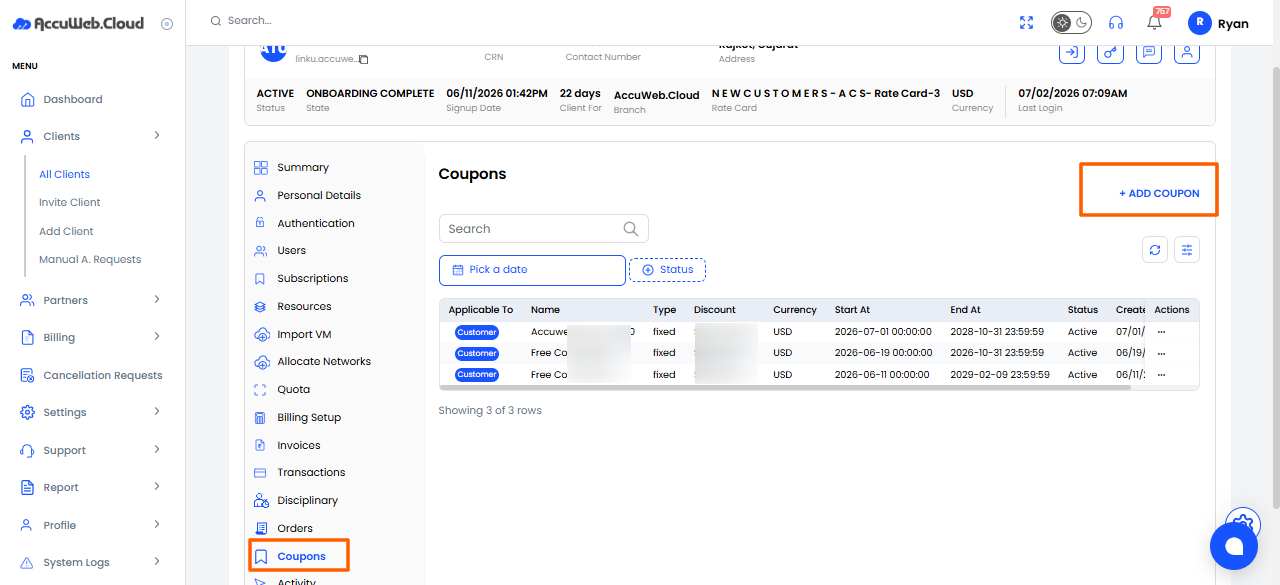
Step 2: Open the Coupon Section
- Click Coupon from the available options.
- Click the Add Coupon button.
Step 3: Fill in the Coupon Details
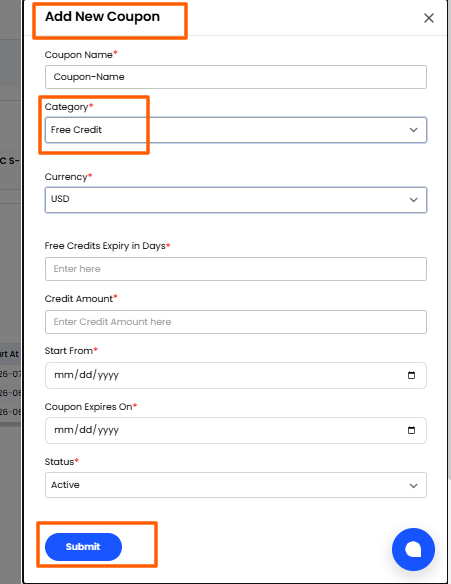
The Add New Coupon form will appear. Complete the required fields:
| Field | Description |
| Coupon Name | Enter a unique name for the coupon. |
| Category | Select Free Credit. |
| Currency | Choose the currency . |
| Free Credits Expiry in Days | Specify the number of days the free credits remain valid after redemption. |
| Credit Amount | Enter the amount of free credit to be added. |
| Start From | Select the date from which the coupon becomes active. |
| Coupon Expires On | Select the coupon expiration date. |
| Status | Set the coupon status. |
After entering all the required information, save the coupon.
The coupon is now ready for use.
Still don’t have an account?