
Traffic Distributor Overview
One common issue you could run into as your project expands is having to handle several environments. This can be required to handle growing capacity to accommodate every client or to handle several program versions.
In this case, dividing up the traffic among multiple project copies will probably be difficult. This covers things like configuring server loads and request routing strategies. Even for seasoned coders, solving these problems can be very difficult.
The platform offers a free and easy-to-use solution that uses an automatically configured load balancer to make resolving these issues simpler.
This solution is provided by a unique add-on called Traffic Distributor, which is easily deployed from the platform Marketplace with only one click. Adapting traffic routing to your unique needs is made possible by the Traffic Distributor.

By intelligently distributing the workload between two hosts, this approach offers a number of benefits and opportunities.
- High availability and sophisticated failover: To improve failure protection, split the workload across two copies of your application running on separate hardware.
- Deploying Blue-Green (zero downtime) applications: While one backend is being maintained, divert incoming requests to it.
A/B testing is still ongoing. Traffic is routed between two versions of the application to compare user experience and performance before choosing one for production. - Simple User Interface: The configuration form lets you specify the three routing types—Round Robin, Sticky Sessions, and Failover—as well as the major characteristics of your traffic distributor.
- Check-up on health: Automatically check both backends based on configurable criteria like frequency and timeout for a normal response (e.g., providing a 200 status code).
- Extensibility and flexibility: In addition to the primary distribution options found in the add-on’s graphical user interface, you have unrestricted manual control over other functions (such as caching, TCP mapping, and SNI) using NGINX configuration files.
Traffic Distributor expedites request processing, minimizes user response times, and concurrently handles numerous threads when compared to running a single server.
Routing Methods
You can choose from three different routing techniques with the Traffic Distributor solution, depending on which one best suits your requirements. When choosing, it’s important to consider the unique features and potential uses of each option:
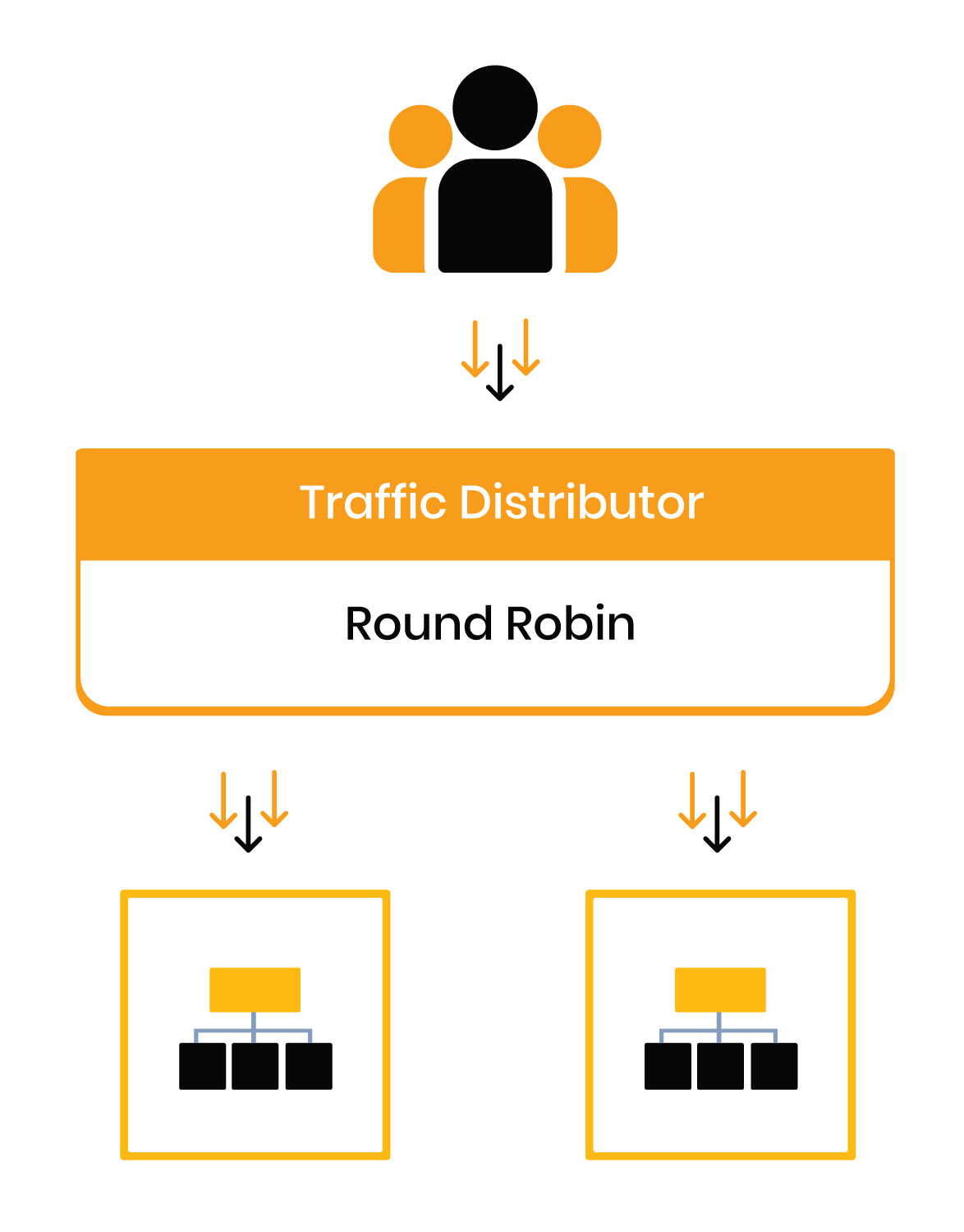
Round Robin: This is a simple and widely used routing technique that rotates each request to each environment according to the configured backend priorities, distributing traffic among them equally.
Sticky Sessions: This kind of routing works by “sticking” every user to a particular backend according to server weights. This guarantees that, starting from the user’s first visit to the app, every request from that specific user session will be processed by the same backend until the session ends.

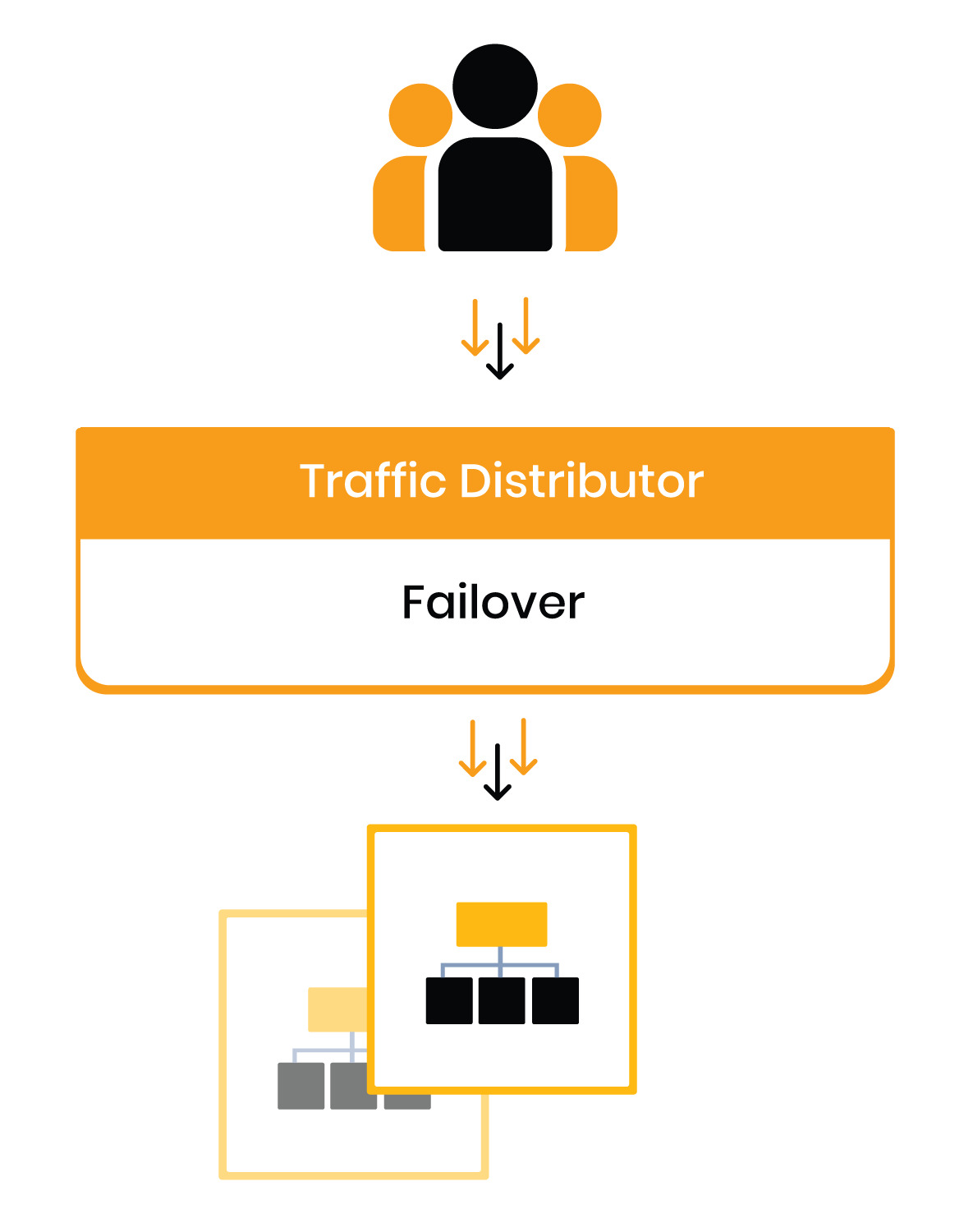
Failover: This kind of traffic routing entails putting up a standby backup copy of your primary server. All queries will be automatically redirected to the backup server in the event that there are problems with the primary backend. It is improbable that users will see any disruption in the functioning of the program throughout this phase.
TD Implementation
Just fill out the form with important details like traffic distribution ratio definitions, routing type selection, host selection for routing requests, and more to get started with your traffic distributor. Next, click once to begin the installation. After it is formed, the Traffic Distributor will show up as a separate environment with the necessary add-on deployed on top of a preset set of NGINX load balancer nodes.

You can choose an access point before starting the installation. This establishes whether queries will go via a public IP address directly or via a shared load balancer.
In this manner, you will be able to obtain an incredibly flexible Traffic Distributor tool that will help you accomplish a number of goals. This tool offers flexibility for a range of requirements, from managing simple scenarios like even server loads to implementing more sophisticated strategies like blue-green deployment for app updates with zero downtime, carrying out continuous A/B testing, or deploying advanced failover protection.