
PHP Developer’s Center
Most people agree that one of the most basic server-side programming languages is PHP. At 78.9%, its adoption rate for websites ranked in the top 10 million by Alexa rank is steadily rising. Almost all other servers run on PHP, which indicates how popular the PHP engine is with users of our platform (based on internal statistics).
Let’s now examine PHP cloud hosting on the platform, including its key attributes, benefits, and wide range of functionalities for effectively executing programs.

You can utilize the table of contents below to locate the information you need more quickly in the guide:
- PHP Versions
- PHP Application Servers
- PHP Application Deployment
- Domains Management
- Automatic Vertical Scaling
- Manual Horizontal Scaling
- Automatic Horizontal Scaling
- PHP Clustering
- Database Connection to PHP Application
- Modules and Accelerators
- PHP Security
PHP Versions
In keeping with modern technology, the platform is compatible with the most recent versions of the PHP engine, which are as follows:
- 8.0.30
- 8.1.25
- 8.2.18
- 8.3.6
During environment construction, you can choose the PHP engine version that you need, and you can easily switch between them later utilizing the platform’s user-friendly user interface.

PHP Application Servers
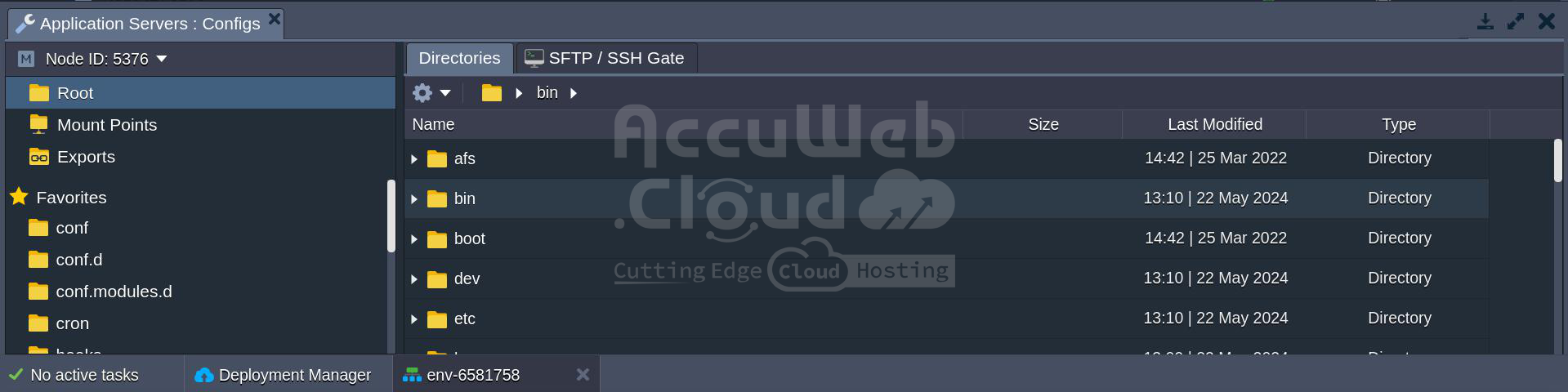
The platform team regularly supports the two default PHP application servers that are provided by the platform. Updates like version upgrades and template security patches fall under this category.
Please refer to the article titled “PHP App Server Configuration” for a list of editable configuration files and comprehensive options for each server.
PHP Application Deployment
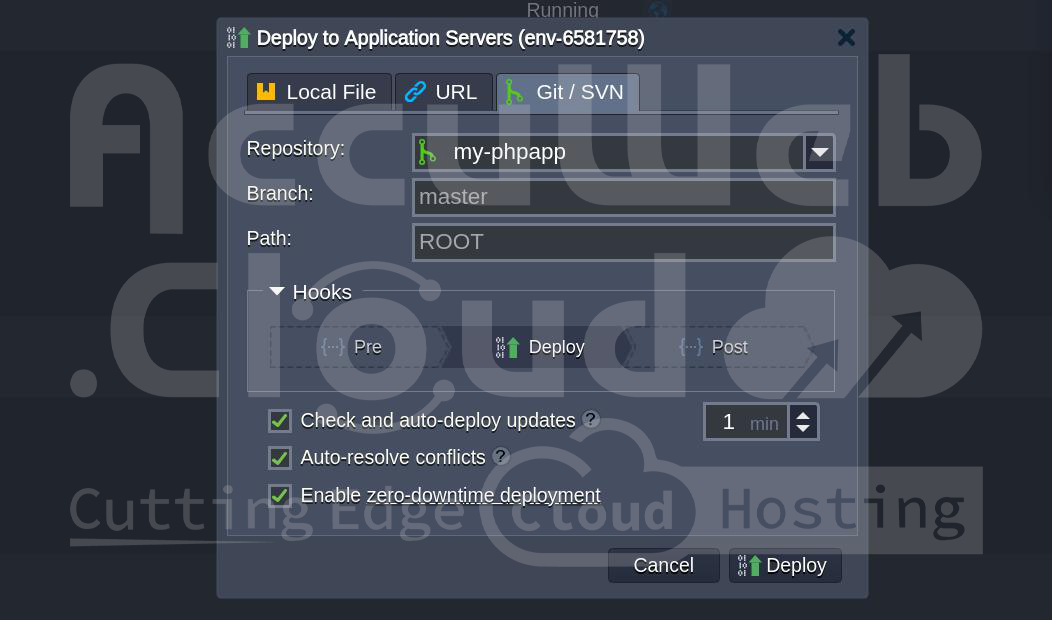
Seamless updates for both cloud-native and older apps are guaranteed via zero downtime deployment. You have multiple choices to deploy your PHP projects to the platform environment, including GIT/SVN, Bitbucket projects, and Archive/URL.
Additionally, you may configure the repository to automatically reload updates periodically, only when new code modifications are identified.
Furthermore, Composer dependency manager is pre-installed on all platform-certified PHP nodes. This lets you quickly install the packages you need for your deployed project and makes sure they stay up to current.
Domains Management
Instead of using the environment domain that comes with your application by default, you can link an external domain name to it for production use. To find out how to accomplish this, see the instructions for custom domains.
When you deploy a new version of your application, you can be sure that end users won’t experience any downtime by using the domain swaping option. With a few mouse clicks, you can quickly switch URLs between the test and production environments after staging your updated version in the former.

Using multiple domains on a single PHP server not only increases the scalability, efficiency, and usability of the program but also lowers expenses by removing the requirement to install separate instances.
Automatic Vertical Scaling
Because of the platform’s automatic vertical scaling, server resources like RAM and CPU may be constantly adjusted to meet demand. Doing away with the need for manual load adjustments guarantees you won’t be overpaying for resources that aren’t being used.
Use the environment topology wizard to establish the highest limit for cloudlets (each equal to 128 MiB and 400 MHz) using the slider. This will enable your PHP server to automatically scale its resources.

Within these bounds, your program runs, adjusting resource consumption according to workload. In other words, you only pay for the resources that you utilize. See the documentation on automated vertical scaling for more information.
Manual Horizontal Scaling
To manually add additional PHP servers, navigate to “Change Environment Topology,” then click the “+” button in the wizard, and specify the desired number of instances to add.

The hosting provider’s settings usually cap the number of servers of the same type inside one environment layer, usually at 16 nodes.
Usually, you may change this limit by getting in touch with support. Additionally, load balancing is turned on by default when you add more servers.
Automatic Horizontal Scaling
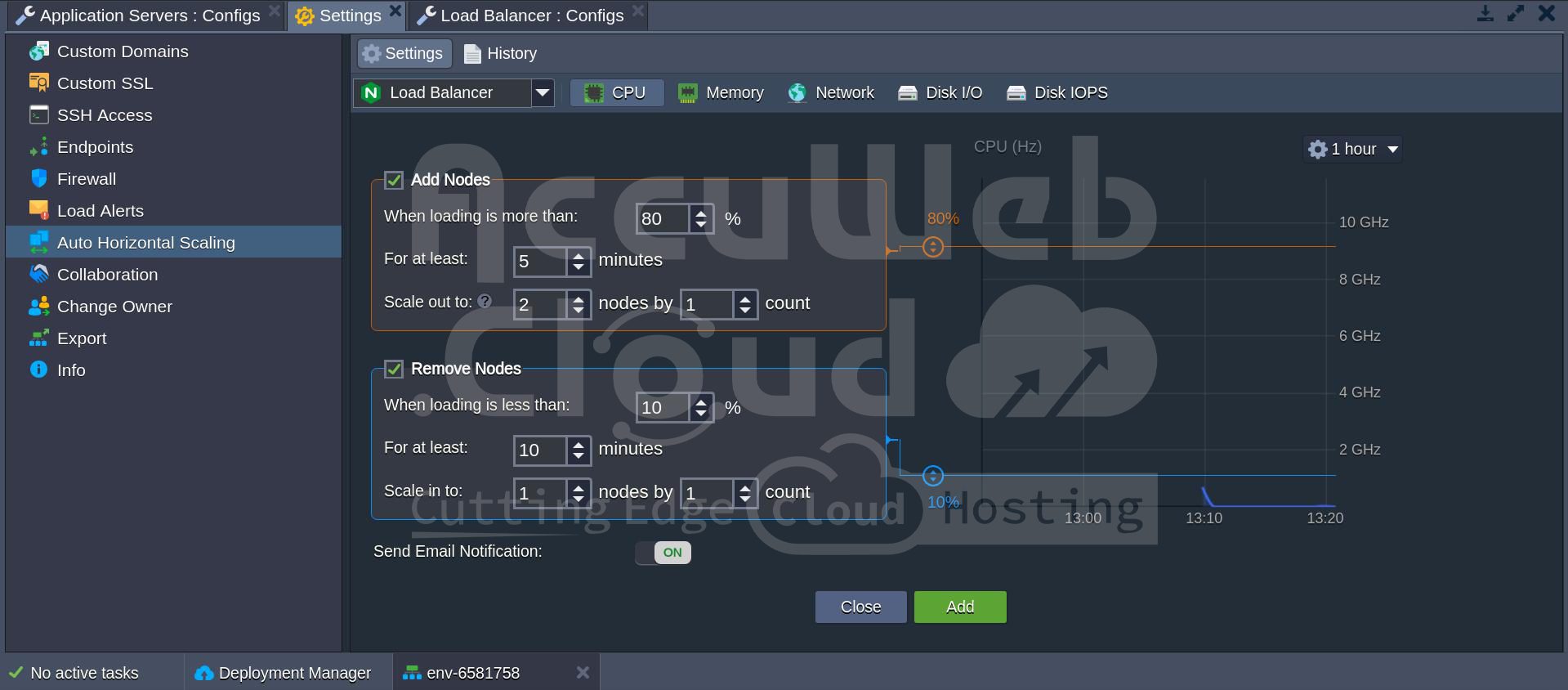
Using configurable triggers, automatic horizontal scaling modifies node counts in response to variations in application load.
Go to Settings > Monitoring > Auto Horizontal Scaling and click the Add button to configure a trigger for automatic horizontal scaling.
This lets you set up triggers for individual resources in your environment, such as CPU, RAM, Network, and Disk. Just apply the modifications and define the scaling criteria.
Please, find more details about automatic horizontal scaling in the corresponding document.
PHP Clustering
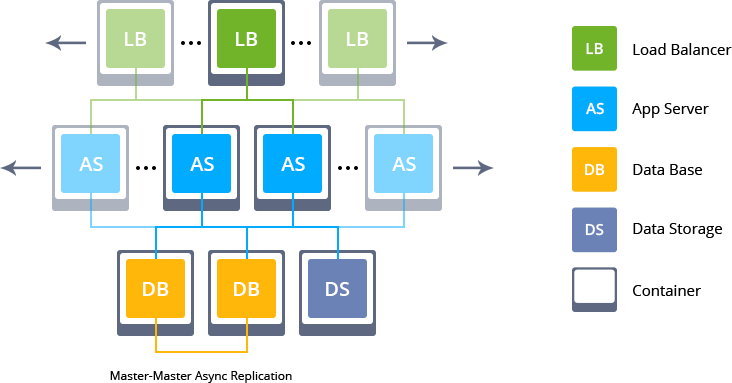
Your application’s availability and failover capabilities can be greatly improved by turning on PHP session clustering, which uses sticky sessions across several app server nodes. The ability to keep backups of processed sessions is dependent on a Memcached node, which must be deployed to your system.
Because data synchronization is built in, you get an exact copy of the deployed application with all configurations and files when you scale out your PHP server.
To ensure the operation of your service, the platform also provides pre-packaged auto-scalable WordPress Cluster and Magento Cluster, which can be installed with a single click. Additionally, any PHP program can be packaged in a similar way to automate clustered installation.
Database Connection to PHP Application
The platform provides a selection of easily installable and fully controllable database servers that are scalable and completely functional within the PHP environment.
To connect, modify your program in accordance with the guidelines depending on the necessary database:
- MySQL/MariaDB Connection
- PostgreSQL Connection
- MongoDB Connection
Modules and Accelerators
As you work with the platform, you can configure various PHP extensions on the relevant application servers to improve the environment’s functionality. You have the option to upload your custom extensions or select and activate the default ones. The PHP Module instruction explains both of these operations.
Another kind of PHP extension that can improve the speed of your application is a PHP accelerator. It works by caching portions of PHP code that have already been built, making it possible for user requests to be executed quickly.
NGINX and Apache PHP servers both have a built-in set of modules. Furthermore, many instructions for configuring different modules are available:
- Adding Custom Apache Modules
- Apache WebDav Module
- Apache Statistics Module
- NGINX WebDav Module
- New Relic Monitoring
PHP Security
Secure Sockets Layer/Transport Layer Security, or SSL/TLS, is a popular security technique that allows web servers and browsers to establish encrypted connections. The platform provides complete support for it, guaranteeing that all transferred data is kept private and secret and inaccessible to outside parties.
You can improve the security of your application by making changes to the primary PHP configuration file, php.ini, in addition to the normal security precautions. Depending on the needs of your application, you can add custom configurations or change the default parameters using this file.
Consult the documentation for each application server to get further instructions on additional setup options:
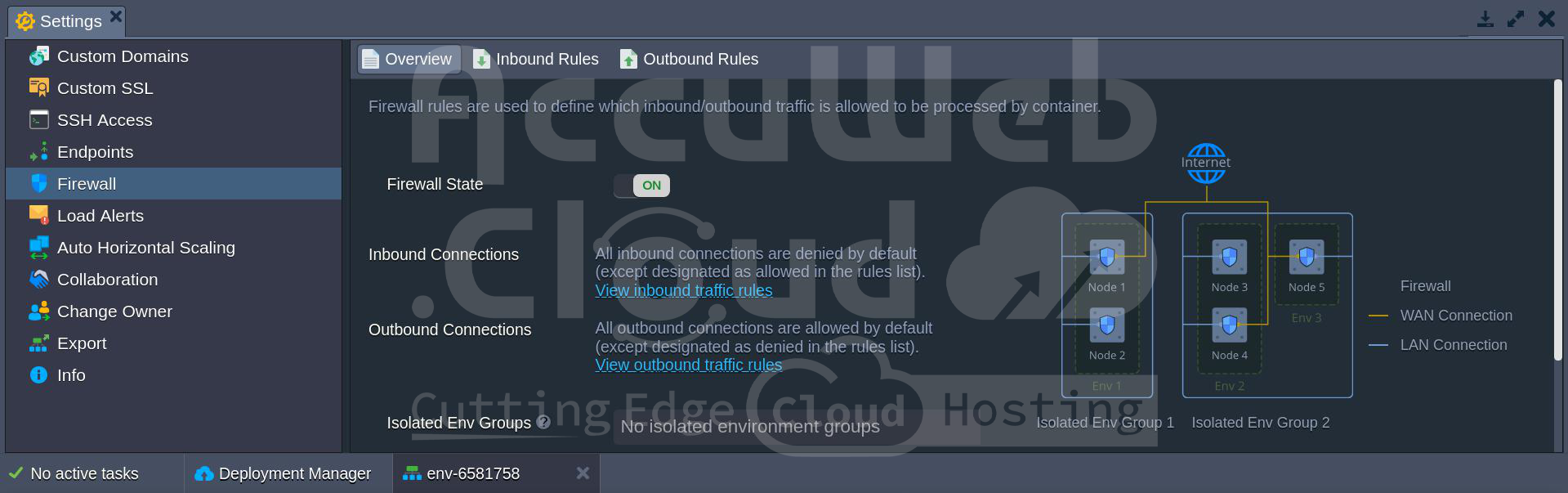
The use of the container firewall functionality is an additional way to improve application security. You can control node accessibility using this functionality from within and outside the platform.
Discover the boundless potential of PHP with our platform.