
How to Optimize Python/MySQL Application Session Handling With Redis On Ubuntu?
Authentication is the process of checking if users are who they say they are during login. Users provide a username and password, which the application compares with stored information in a database. If the details match, users are granted access to the system.
Using a relational database like MySQL or PostgreSQL to store login details is common, but it has some drawbacks:
Database Overload: Each login request requires the application to check the database. Since the database also handles other tasks, this can slow it down.
Scalability Issues: Traditional disk-based databases struggle to handle thousands of login requests per second efficiently.
To solve these issues, you can use Redis, a fast data storage system, to cache login information. With Redis, your application can avoid repeatedly accessing the main database for each login. Redis stores data in your computer’s memory, making it extremely fast. In this guide, we’ll show how to use Redis to improve session handling in a Python/MySQL application on an Ubuntu 20.04 server.
Prerequisites
Before starting this tutorial, make sure you have:
– Ubuntu 20.04 or a newer version
– Root access to your system
– MySQL and Redis servers already installed
Accessing the Ubuntu Server from the AccuWeb.Cloud Dashboard
There are two ways to access your Ubuntu server from the AccuWeb.Cloud dashboard:
1. Through Web SSH.
2. Using an SSH client like PuTTY, rdesktop, etc.
Accessing the Ubuntu Server through Web SSH
To access the Ubuntu server using Web SSH, follow these steps:
Step 1: Log in to your AccuWeb.Cloud dashboard.
Step 2: Select the environment where you installed the Ubuntu server.
Step 3: Go to the Elastic VPS section and click on the Web SSH icon.
The Web SSH window will appear at the bottom of the screen.

Accessing the Ubuntu Server through an SSH Client
To access the server using an SSH client, you’ll need the following information:
– Server IP address
– Server SSH Port number
– Server username
– Server password
Installing Python Database Drivers for Redis and MySQL
This application stores user details, like names and passwords, in a MySQL database. When a user logs in, a Python script checks the MySQL database for matching details. After that, the script saves the login information in Redis to speed up future requests.
To make this process work, Python needs database drivers (modules) to connect with MySQL and Redis. Follow these steps to install them:
Step 1: Install python3-pip
Update the package index and install python3-pip, a tool to manage Python packages:
# sudo apt install python3-pip
Step 2: Install the MySQL driver
Use pip to install the MySQL driver for Python:
# pip install mysql-connector-python
Step 3: Install the Redis driver
Use pip to install the Redis driver for Python:
# pip install redis
Once the drivers are installed, you can move to the next step and set up a MySQL database.
Setting Up a Sample MySQL Database
For this guide, you need a MySQL table. In real applications, you may have many tables serving different purposes. Follow these steps to set up a database and create the required table:
Step 1: Log in to MySQL as the root user:
# mysql -u root -p
Step 2: Enter your root password and press ENTER. Then, create a database and a user account by running:
CREATE DATABASE db_name;
CREATE USER 'db_user'@'localhost' IDENTIFIED WITH mysql_native_password BY 'db_user_password';
GRANT ALL PRIVILEGES ON db_name.* TO 'db_user'@'localhost';
FLUSH PRIVILEGES;
Note: Replacedb_user_passwordwith a strong password.
Step 3: Switch to the new database:
USE db_name;
Step 4: Create a table named system_users to store user details:
CREATE TABLE system_users (
  user_id BIGINT NOT NULL AUTO_INCREMENT PRIMARY KEY,
  username VARCHAR(50),
  first_name VARCHAR(50),
  last_name VARCHAR(50),
  password VARCHAR(50)
) ENGINE = InnoDB;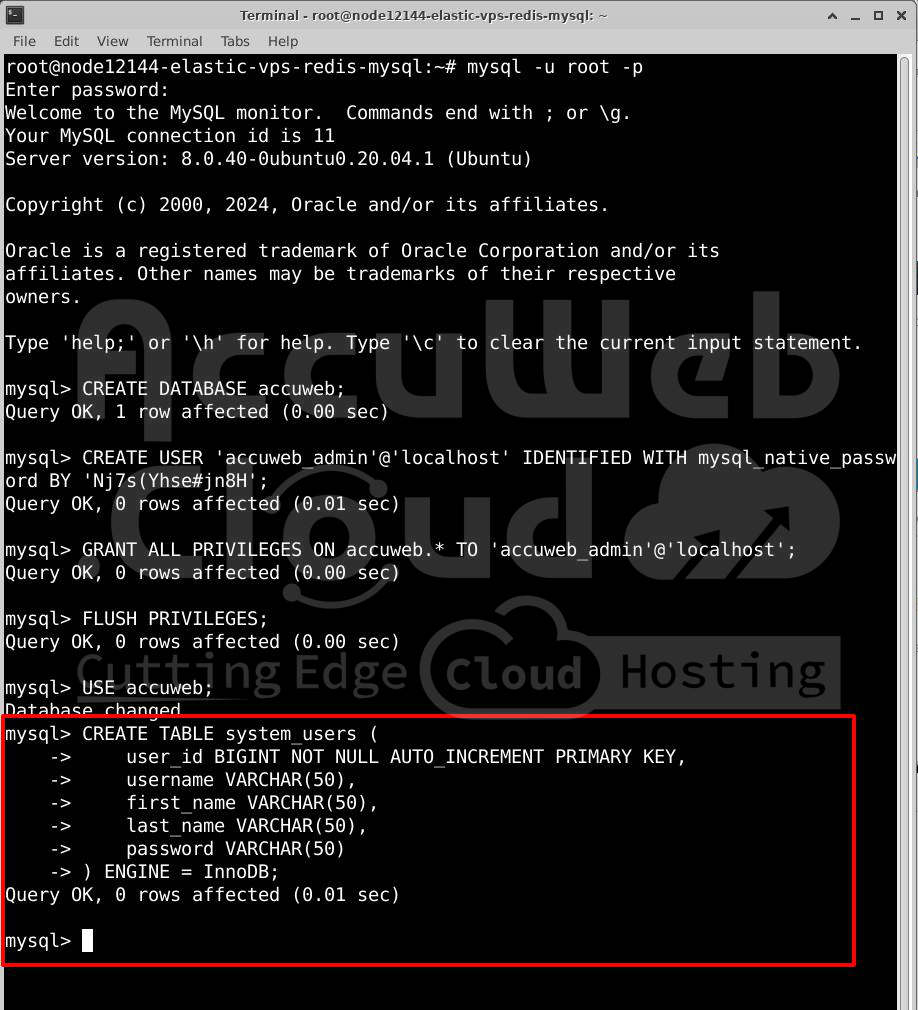
Step 5: Add some sample data to the system_users table. Use the MD5 function to hash passwords:
INSERT INTO system_users (username, first_name, last_name, password) VALUES
(‘randy’, ‘Randy’, ‘Worley’, MD5(‘password_1’)),
(‘jorge’, ‘Jorge’, ‘Hurley’, MD5(‘password_2’)),
(‘john’, ‘John’, ‘Yates’, MD5(‘password_3’));

Step 6: Check the data in the table to confirm it’s stored correctly:
SELECT user_id, first_name, last_name, password FROM system_users;

Step 7: Exit the MySQL shell:
QUIT;
Your MySQL database is now ready. In the next step, you’ll build a Python module to connect with this database.
Creating a MySQL Gateway Module for Python
When building Python projects, it’s a good idea to create separate modules for different tasks to make your code reusable. In this step, you’ll create a module to handle connections and queries to your MySQL database. Follow these steps:
Step 1: Create a project directory to keep your Python code organized. Here, we use accuweb-project as an example. You can use the project name as per your requirements or choice.
# mkdir accuweb-project
Step 2: Move into the project directory:
# cd accuweb-project
Step 3: Open a new file named mysql_db.py using a text editor like Nano. This file will contain the module that interacts with MySQL:
# nano mysql_db.pyStep 4: Add the following code to mysql_db.py. Replace db-password with the correct password for the db_user account:
import mysql.connector
class MysqlDb:
  def db_con(self):
    mysql_con = mysql.connector.connect(
      host="localhost",
      user="db_user",
      password="db-password",
      database="db_name",
      port="3306"
    )
    return mysql_con
  def query(self, username, password):
    db = self.db_con()
    db_cursor = db.cursor()
    db_query = "SELECT username, password FROM system_users WHERE username = %s AND password = MD5(%s)"
    db_cursor.execute(db_query, (username, password))
    result = db_cursor.fetchone()
    row_count = db_cursor.rowcount
    if row_count < 1:
      return False
    else:
      return result[1]
Step 5: Save the file and exit the editor.
The mysql_db.py file contains:
–MysqlDb class:A class to handle database interactions.
–db_con(self) method:Connects to the MySQL database and returns a reusable connection.
–query(self, username, password) method:Checks the system_users table to see if the username and hashed password match.
– Returns False if no match is found.
– Returns the user’s password if a match is found.
With this MySQL module ready, you can now move to the next step to set up a Redis module for connecting to the Redis key-value store.
Creating a Redis Module for Python
In this step, you’ll create a Python module to connect to the Redis server. Follow these steps:
Step 1: Open a new file named redis_db.py using a text editor:
# nano redis_db.pyStep 2: Add the following code to the file. Replace example-redis-password with your Redis server’s actual password:
import redis
class RedisDb:
  def db_con(self):
    r_host = 'localhost'
    r_port = 6379
    r_pass = 'example-redis-password'
    redis_con = redis.Redis(host=r_host, port=r_port, password=r_pass)
    return redis_con
Step 3: Save and close the file.
The redis_db.py file includes:
–RedisDb class:A class for connecting to the Redis server.
–db_con(self) method:Establishes a connection to the Redis server using the provided credentials and returns it for reuse.
With the Redis module ready, you can now create the main file for your project in the next step.
Creating the Application’s Entry Point
Every Python application needs an entry point, or main file, that runs when the application starts. In this file, you’ll create code to show the server’s current time for authenticated users. This file will use the MySQL and Redis modules you created earlier to check user credentials. Follow these steps:
Step 1: Open a new file called index.py:
# nano index.pyStep 2: Add the following code to index.py:
from encodings import utf_8
import base64
from hashlib import md5
import json
import datetime
import http.server
from http import HTTPStatus
import socketserver
import mysql_db
import redis_db
class HttpHandler(http.server.SimpleHTTPRequestHandler):
  def do_GET(self):
    self.send_response(HTTPStatus.OK)
    self.send_header('Content-type', 'application/json')
    self.end_headers()
    authHeader = self.headers.get('Authorization').split(' ')
    auth_user, auth_password = base64.b64decode(authHeader[1]).decode('utf8').split(':')
    mysql_server = mysql_db.MysqlDb()
    redis_server = redis_db.RedisDb()
    redis_client = redis_server.db_con()
    now = datetime.datetime.now()
    current_time = now.strftime("%Y-%m-%d %H:%M:%S")
    resp = {}
    if redis_client.exists(auth_user):
      if md5(auth_password.encode('utf8')).hexdigest() != redis_client.get(auth_user).decode('utf8'):
        resp = {"error": "Invalid username/password."}
      else:
        resp = {"time": current_time, "authorized by": "Redis server"}
    else:
      mysql_resp = mysql_server.query(auth_user, auth_password)
      if mysql_resp == False:
        resp = {"error": "Invalid username/password."}
      else:
        resp = {"time": current_time, "authorized by": "MySQL server"}
        redis_client.set(auth_user, mysql_resp)
    self.wfile.write(bytes(json.dumps(resp, indent = 2) + "\r\n", "utf8"))
httpd = socketserver.TCPServer(('', 8080), HttpHandler)
print("Web server is running on port 8080...")
try:
  httpd.serve_forever()
except KeyboardInterrupt:
  httpd.server_close()
  print("Web server has stopped running.")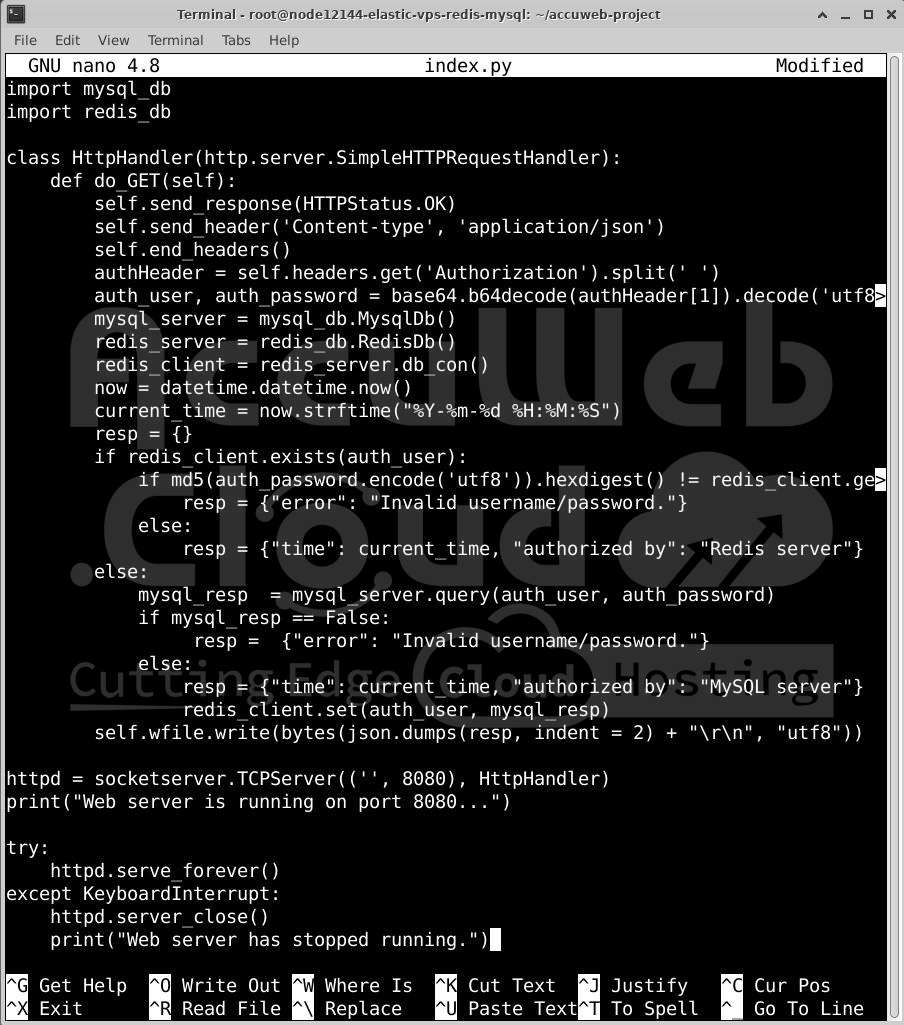
Step 3: Save and close the index.py file.
In the index.py file:
Imports:
– Modules like utf_8, base64, md5, and json help with encoding, hashing, and data formatting.
– http.server, HTTPStatus, and socketserver are used to create the web server.
– DateTime is used to get the current date and time.
– mysql_db and redis_db are the custom modules you made earlier to access MySQL and Redis.
HttpHandler class: Handles HTTP GET requests:
– The do_GET(self) method processes the request, checks the user’s credentials, and returns the current server time if the user is authenticated.
Authentication Logic:
– First, it checks if the user’s credentials are in Redis. If found and the password matches, it returns the current time with “Redis server” as the authentication source.
– If the user is not found in Redis, it checks the MySQL database. If the credentials are correct, it returns the current time with “MySQL server” as the source and stores the credentials in Redis for future use.
– If authentication fails, it returns an error message.
You’ve now set up the main file for your application. The next step is to test the application.
Testing the Application
Now, you’ll test your application to confirm that the Redis caching system works. Follow these steps:
Step 1: Run the application using the following command:
# python3 index.py
Step 2: Check that the application’s custom web server is running.
Step 3: Open a new terminal window and connect to your server via SSH. Then, send four GET requests using Randy’s credentials. Run the following curl command:
curl -X GET -u randy:password_1 http://localhost:8080/[1-4]Step 4: Verify the output:
Example Output:
[1/4]
{
 "time": "2024-12-07 10:04:38",
 "authorized by": "MySQL server"
}
[2/4]
{
 "time": "2024-12-07 10:04:38",
 "authorized by": "Redis server"
}
[3/4]
{
 "time": "2024-12-07 10:04:38",
 "authorized by": "Redis server"
}
[4/4]
{
 "time": "2024-12-07 10:04:38",
 "authorized by": "Redis server"
}
– The first request should show the MySQL server serves the response.
– The next three requests should indicate that the Redis server serves the response.
Conclusion
You’ve successfully built and tested a Python application that uses Redis to cache login credentials. Redis is a powerful and fast database capable of handling thousands of requests per second, significantly reducing the load on your backend database. With this caching mechanism, your application can manage traffic more efficiently.