
How to Install ERPNext on AccuWeb Cloud? (One-Click Docker Setup)
Installing ERPNext manually can be time-consuming, especially when dealing with Docker, dependencies, and server configuration.
In this guide, you will learn how to install ERPNext using a one-click cloud deployment, without manual setup or complex commands.
This approach is ideal for businesses and developers who want ERPNext up and running quickly on a secure, scalable cloud environment.
How to Install ERPNext Quickly?
ERPNext can be installed instantly using a one-click cloud deployment with AccuWeb.Cloud that automatically configures Docker containers, MariaDB, Redis, HTTPS, and backups, without manual server setup.
What Is ERPNext and Who Should Use It?
ERPNext is an open-source Enterprise Resource Planning (ERP) solution built on the Frappe Framework, a robust, full-stack web application framework written in Python, MariaDB, and JavaScript.
ERPNext is designed for complete business automation, offering integrated modules for:
- Accounting and financial management
- CRM and sales pipeline tracking
- Inventory and purchase control
- Manufacturing and production planning
- HR, payroll, and attendance
- Projects and tasks
- Website and e-commerce
Being open source, ERPNext provides source-level control, API access, and customization flexibility, allowing businesses to modify workflows, forms, and reports to fit their exact needs.
One-Click ERPNext Installation on AccuWeb.Cloud Servers
AccuWeb Cloud automates the entire ERPNext installation. The platform provisions and configures:
- A full Docker-based ERPNext environment
- Preinstalled MariaDB, Redis, Nginx, and SocketIO
- Environment variables and inter-container networking
Deployment is completed in less than five minutes, giving you a production-ready ERPNext setup without touching a single command.
Step-by-Step: Installing ERPNext from AccuWeb Cloud Marketplace
With AccuWeb.Cloud, launching ERPNext is as simple as deploying any modern web app.
1. Log in to Your AccuWeb.Cloud Account
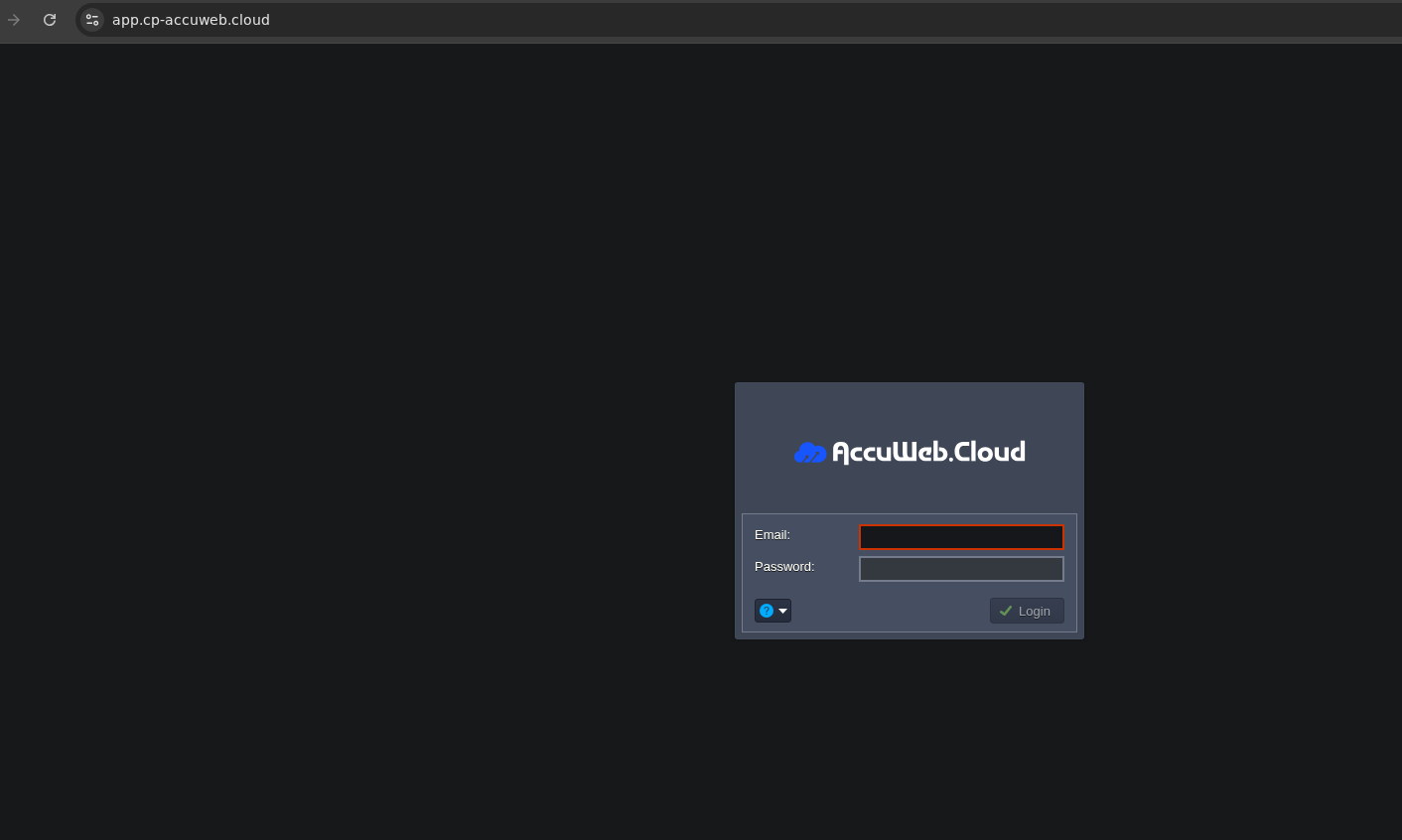
Go to https://app.cp-accuweb.cloud/ and log in with your credentials.
If you’re a new user, sign up for a free trial to get $100 in credits.
Log in to AccuWeb.Cloud
2. Open the Marketplace
From your cloud dashboard, click Marketplace on the left sidebar.
Open Marketplace

3. Search for “ERPNext”
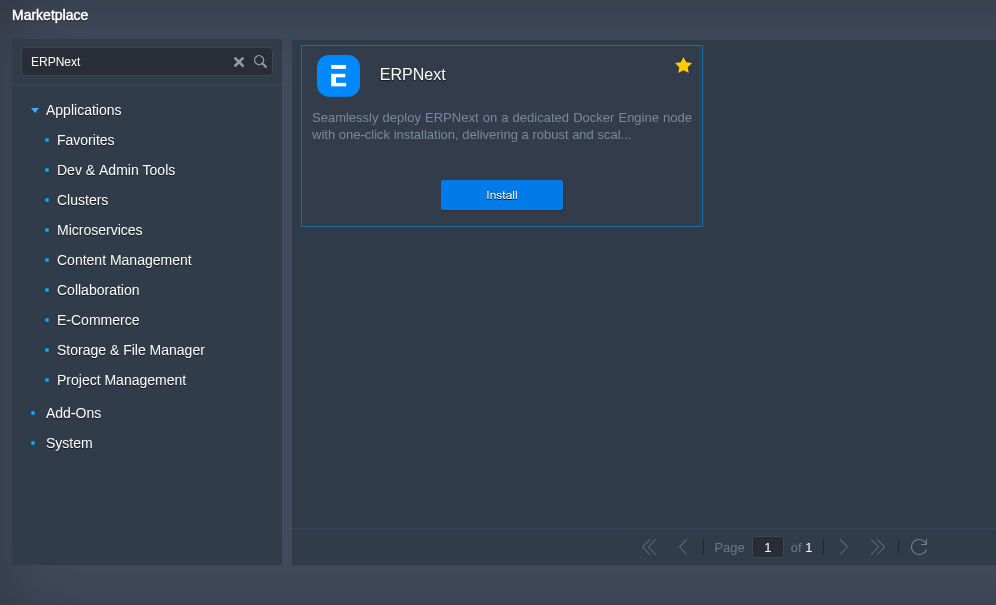
Type ERPNext in the search bar.
You’ll see the official ERPNext One-Click App powered by Docker and Frappe.
Search ERPNext
4. Click Install
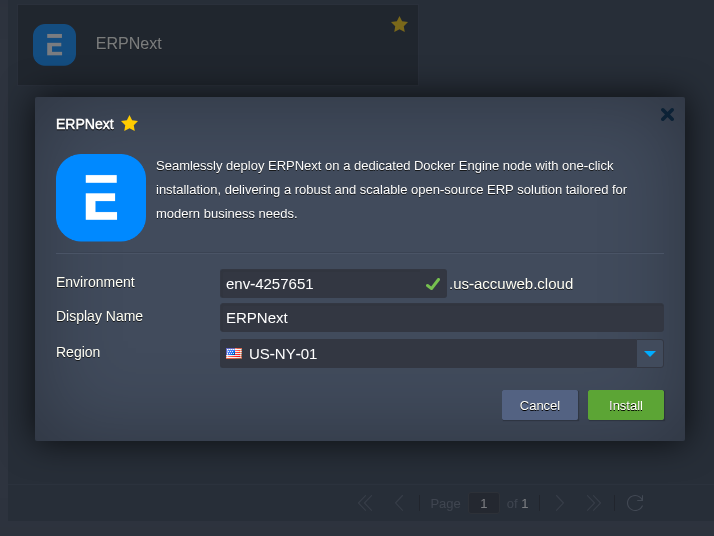
Select ERPNext and click Install.
Choose your preferred region, plan size (CPU, RAM, and storage), and enable optional features like daily backups or monitoring.
Install ERPNext
5. Access ERPNext Dashboard
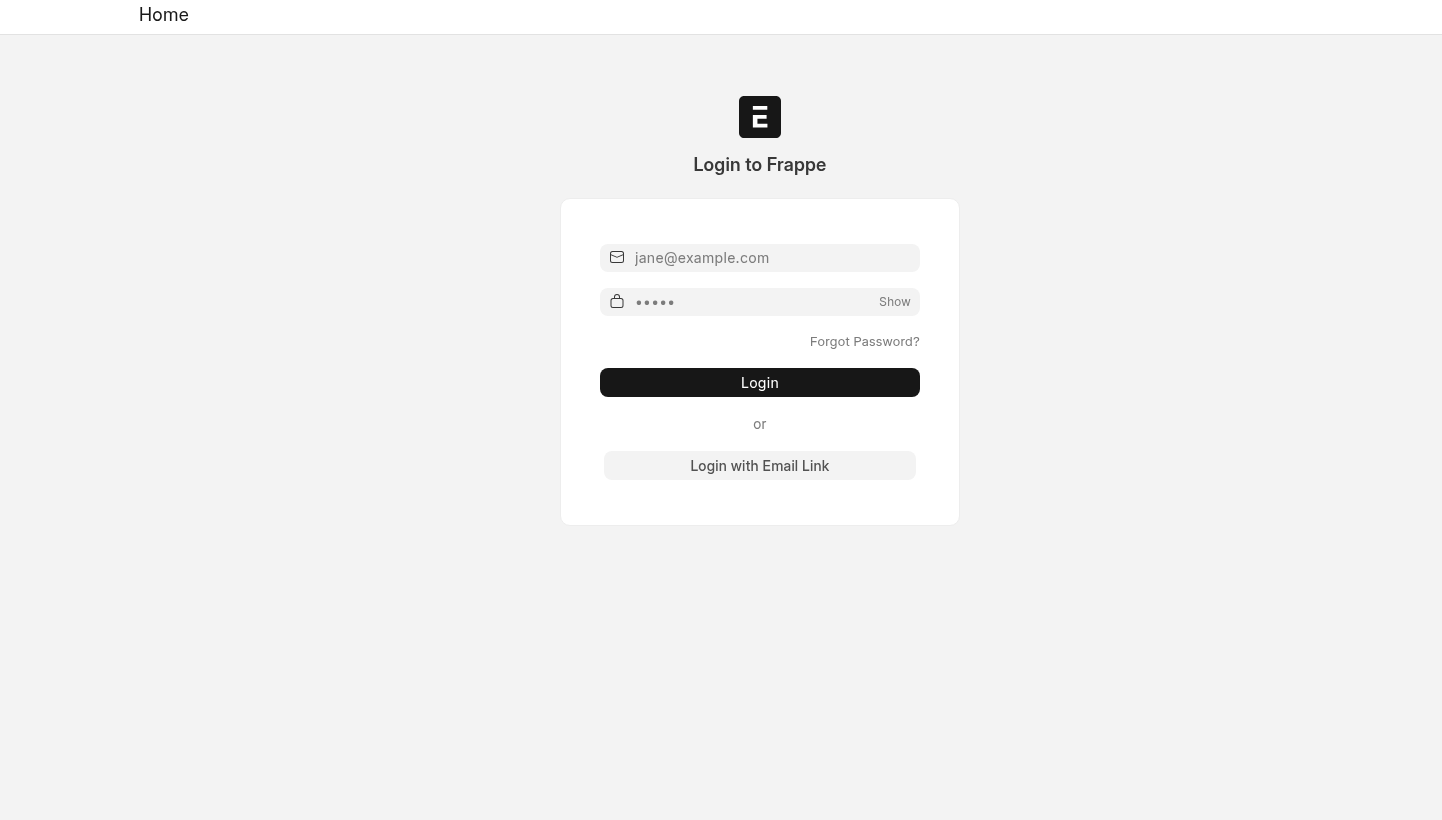
After deployment, AccuWeb Cloud will send your ERPNext URL and admin credentials via email.
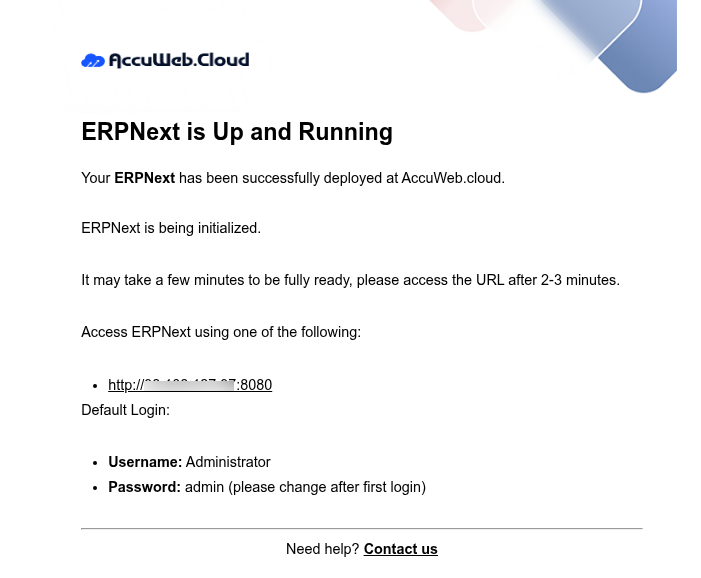
Log in through your browser and complete the setup wizard by entering company information, fiscal year, and administrator details.
Your ERPNext instance is now live and fully functional.
ERPNext Docker Architecture Explained
ERPNext runs on multiple Docker containers to ensure scalability, fault tolerance, and performance. Below is a simplified breakdown of each component and its role.
ERPNext is built on the Frappe Framework and follows a microservice-style Docker architecture.
When deployed using the official Frappe Docker setup, the ERPNext environment runs multiple containers, each serving a dedicated role — ensuring modularity, scalability, and reliability.
Below is an overview of the default container stack from a typical ERPNext deployment (docker ps output reference).
| Container Name | Image | Purpose |
| frappe_docker-frontend-1 | frappe/erpnext:v15.x.x | Runs Nginx as the web frontend. It serves static files, handles HTTP/HTTPS requests, and proxies them to the backend container. |
| frappe_docker-backend-1 | frappe/erpnext:v15.x.x | The main Frappe backend running the ERPNext application. It handles API calls, web requests, and background logic. |
| frappe_docker-scheduler-1 | frappe/erpnext:v15.x.x | Executes scheduled jobs such as notifications, auto-emails, and background data syncs. Equivalent to a cron scheduler in ERPNext. |
| frappe_docker-queue-short-1 | frappe/erpnext:v15.x.x | Worker handling short background tasks, including quick API responses, email triggers, or document updates. |
| frappe_docker-queue-long-1 | frappe/erpnext:v15.x.x | Worker for long-running tasks, such as report generation, bulk updates, or data imports. |
| frappe_docker-websocket-1 | frappe/erpnext:v15.x.x | Runs the SocketIO service for real-time communication, chat, and live notifications in ERPNext. |
| frappe_docker-db-1 | mariadb:10.6 | Primary MariaDB database container, storing all site data, users, transactions, and configurations. |
| frappe_docker-redis-cache-1 | redis:6.2-alpine | Provides caching for faster response times and session storage. |
| frappe_docker-redis-queue-1 | redis:6.2-alpine | Handles task queue management for background workers. |
| frappe_docker-redis-socketio-1 | redis:6.2-alpine | Supports SocketIO message queuing and live event handling between clients and the server. |
Example: Real ERPNext Docker Deployment
A sample container list might look like this:
| Container ID | Image | Command | Status | Ports | Names |
| 658c87e54f47 | frappe/erpnext:v15.85.0 | “nginx-entrypoint.sh” | Up 14 minutes | 0.0.0.0:8080->8080/tcp, :::8080->8080/tcp | frappe_docker-frontend-1 |
| c60ab4d83b83 | mariadb:10.6 | “docker-entrypoint.s…” | Up 14 minutes | 3306/tcp | frappe_docker-db-1 |
| f2245f2f2913 | frappe/erpnext:v15.85.0 | “bench worker –queu…” | Up 14 minutes | frappe_docker-queue-short-1 | |
| cf1aa0dc83c9 | frappe/erpnext:v15.85.0 | “bench worker –queu…” | Up 14 minutes | frappe_docker-queue-long-1 | |
| 50c9ce9b17ce | frappe/erpnext:v15.85.0 | “bench schedule” | Up 14 minutes | frappe_docker-scheduler-1 | |
| fdc835a6b9a1 | frappe/erpnext:v15.85.0 | “/home/frappe/frappe…” | Up 14 minutes | frappe_docker-backend-1 | |
| 38a7ec4474f0 | frappe/erpnext:v15.85.0 | “node /home/frappe/f…” | Up 14 minutes | frappe_docker-websocket-1 | |
| 442e1a45dcb9 | redis:6.2-alpine | “docker-entrypoint.s…” | Up 14 minutes | 6379/tcp | frappe_docker-redis-cache-1 |
| 7d6c34f30e1e | redis:6.2-alpine | “docker-entrypoint.s…” | Up 14 minutes | 6379/tcp | frappe_docker-redis-queue-1 |

How ERPNext Scaling and High Availability Works
- Horizontal Scaling: You can run multiple worker containers (queue-short, queue-long) across nodes to handle larger workloads.
- Service Isolation: Each container performs a specific task, ensuring that backend issues do not affect cache or database performance.
- Efficient Resource Management: Redis caching and task queues distribute load efficiently between services.
- Production Flexibility: You can attach Nginx to a load balancer or scale the backend containers for high-traffic ERP environments.
ERPNext One-Click Installation vs Manual Installation
| Feature | One-Click ERPNext Installation(with AccuWeb.Cloud) | Manual ERPNext Installation |
| Setup Time | Ready in a few minutes | Several hours to days |
| Technical Skills Required | No ERPNext or Docker expertise needed | Requires strong Linux, Docker, and ERPNext knowledge |
| Docker Configuration | Automatically handled | Must be configured manually |
| Dependency Management | Pre-configured and optimized | Manual installation of MariaDB, Redis, Node.js, Python |
| HTTPS & Security | Automatically enabled | Manual SSL setup required |
| Updates & Maintenance | Simplified and managed | Requires manual updates and troubleshooting |
| Scalability | Built-in cloud scaling support | Manual scaling and optimization |
| Backup Management | Automated backups | Manual backup configuration |
| Error Handling | Platform-managed recovery | Debugging and fixing errors manually |
Which ERPNext Installation Method Should You Choose?
- Choose one-click installation if you want ERPNext running quickly without dealing with server configuration, Docker commands, or dependency issues.
- Choose manual installation if you need deep customization, custom server architecture, or want full control over every component.
Advanced Features of ERPNext
1. Multi-Site Support
ERPNext allows you to host and manage multiple sites (or companies) from a single Frappe bench. Each site can have its own database, domain, and configuration, while sharing the same backend codebase.
For example:
- site1.example.com → Company A
- site2.example.com → Company B
AccuWeb Cloud’s containerized setup supports multi-site ERPNext natively. You can easily add new sites through the bench CLI.
2. REST API and Integration Ready
ERPNext offers a fully-documented REST API, making it easy to integrate with third-party systems such as CRMs, payment gateways, and analytics tools.
Using the API, you can:
- Create or update invoices and customers
- Fetch reports or stock levels
- Automate workflows using external scripts
This makes ERPNext suitable for connecting with tools like Zapier, Shopify, and custom Python or Node.js applications.
3. Role-Based Permissions and Security
ERPNext provides granular control over user access through role-based permissions.
Admins can define which roles can read, write, or modify specific modules, ensuring data privacy and compliance.
With HTTPS enabled by default on AccuWeb Cloud, all data between the client and ERP is encrypted.
4. Scalability and Performance
When hosted on AccuWeb Cloud, ERPNext benefits from elastic scaling, meaning you can easily increase CPU, RAM, or storage as your business grows.
Redis caching and MariaDB optimizations ensure smooth performance even for thousands of transactions per day.
Why Developers and Businesses Choose AccuWeb Cloud
- True open-source ERPNext stack using official Frappe Docker images
- One-click setup with automated environment configuration
- Secure, isolated containers
- Always updated to the latest stable ERPNext release
- Scalable and high-performance hosting
- Multi-site and API-ready environment
- Full SSH access for developers and system admins
Conclusion
If you want the power of open-source ERPNext without the challenges of manual Docker setup, AccuWeb Cloud is the ideal solution.
It offers the same transparent, open-source ERP environment used by developers globally, with automated deployment, scaling, and security built in.
In short, ERPNext on AccuWeb Cloud gives you everything: performance, flexibility, and simplicity, all in one click.