
How to set billing alerts in AccuWeb.Cloud new platform?
1 – Log in to the dashboard at: manage.accuweb.cloud

2 – On the dashboard page, locate the profile icon in the top-right corner and click on it.

3 – From the dropdown list in the profile menu, select Notifications.

4 – In the Notifications tab, you will find the Billing Notification section.
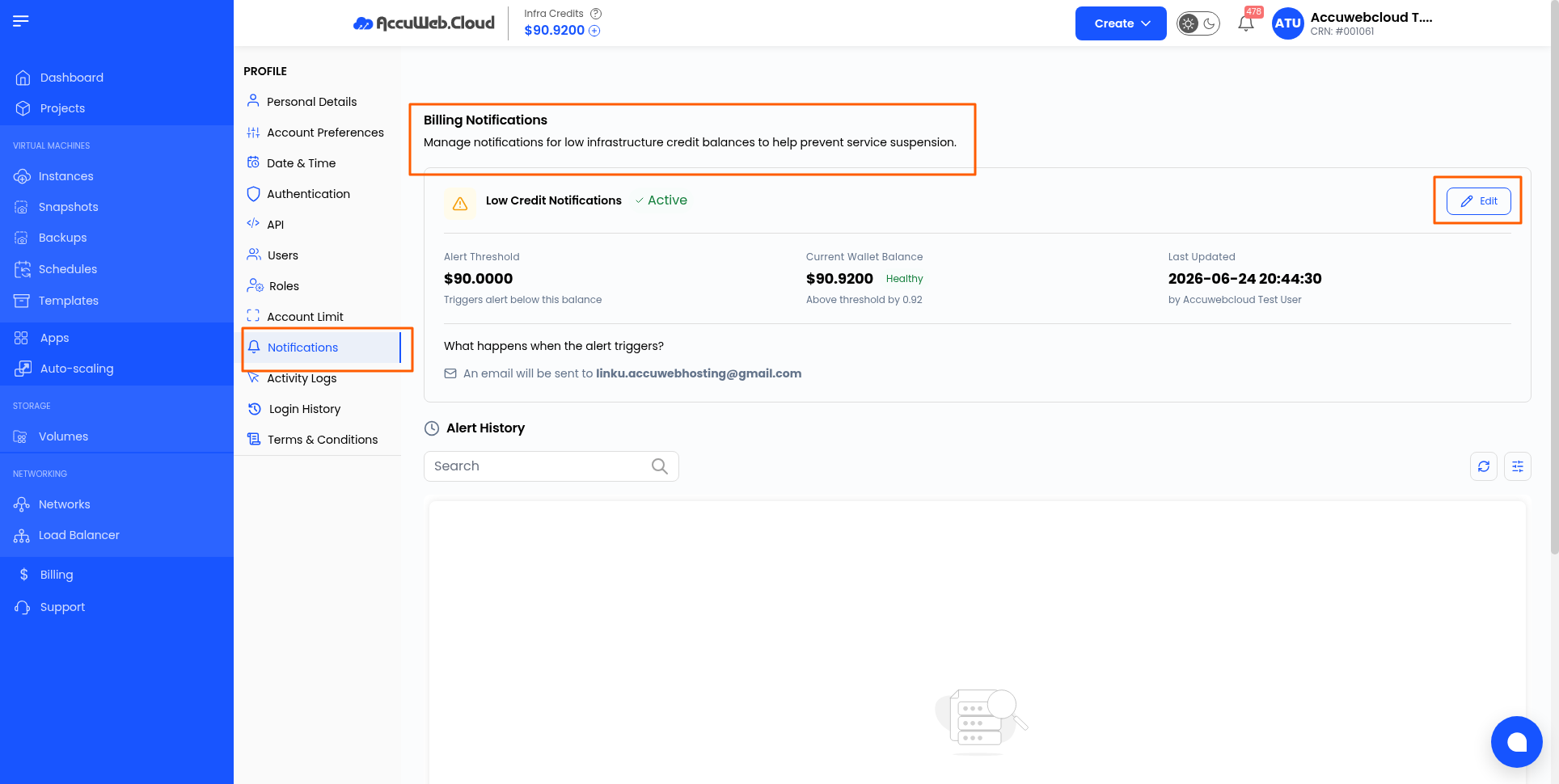
5 – Click the Edit button to set the threshold amount as required, then save the configuration
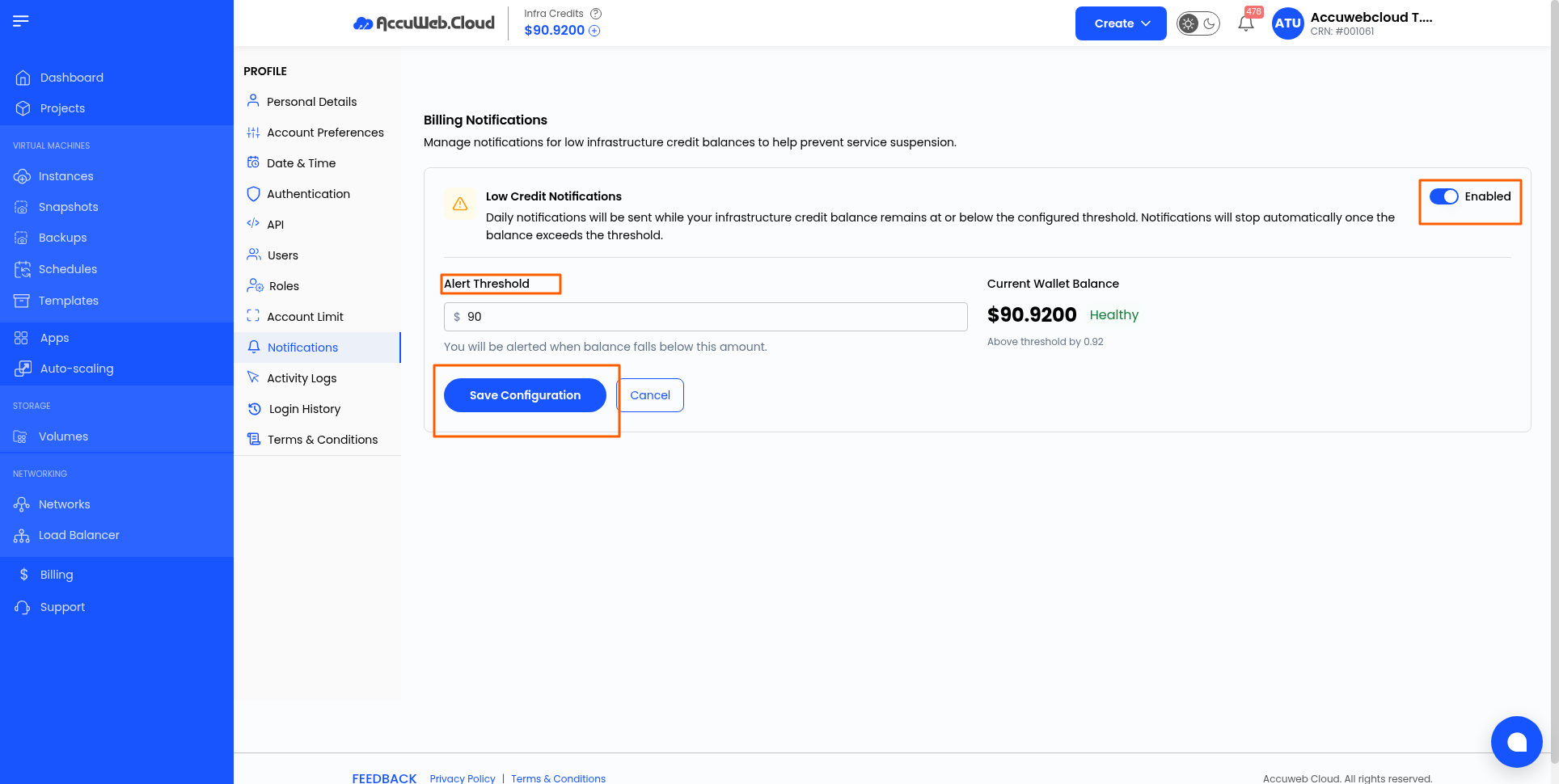
6 – That’s it — your alerts are now successfully configured.
7 – Once the balance drops below the threshold amount you have set, you will receive an email notification on your registered email address.