
How to Troubleshoot Domain Propagation Issues?
When you update your domain’s DNS settings, like changing nameservers or editing A/CNAME records, the update doesn’t show up everywhere right away. This delay is called DNS propagation. In most cases, it takes a few minutes, but it can sometimes take up to 24–48 hours depending on TTL values, record type, and how different ISPs refresh their cache.
This guide will help you understand what’s happening and how to troubleshoot if your domain isn’t updating properly.
Before you start
Make sure you already have:
- Access to your domain registrar or DNS control panel
- The exact DNS changes you recently made
- An active (not expired) domain
Step 1: Confirm Your DNS Changes
Verify that the changes were saved correctly.
Check whether you updated:
- Nameservers
- A Record
- CNAME Record
Ensure there are no typing errors in the values you entered.
Step 2: Check Domain Propagation
Use an online DNS propagation checker to verify whether your DNS changes have propagated across different locations worldwide.
If the changes appear only in some locations, the propagation process is still in progress.
Step 3: Verify the DNS Records
Use the following commands to check your domain’s DNS records.
Check A Record
nslookup yourdomain.com
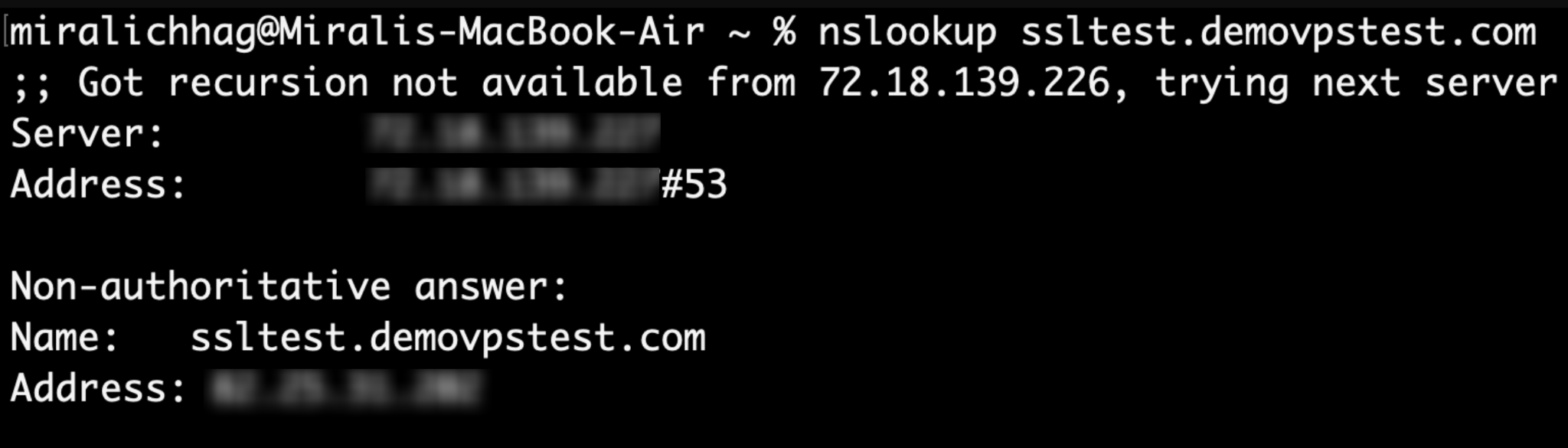
or
dig yourdomain.com

Check Nameservers
dig NS yourdomain.com
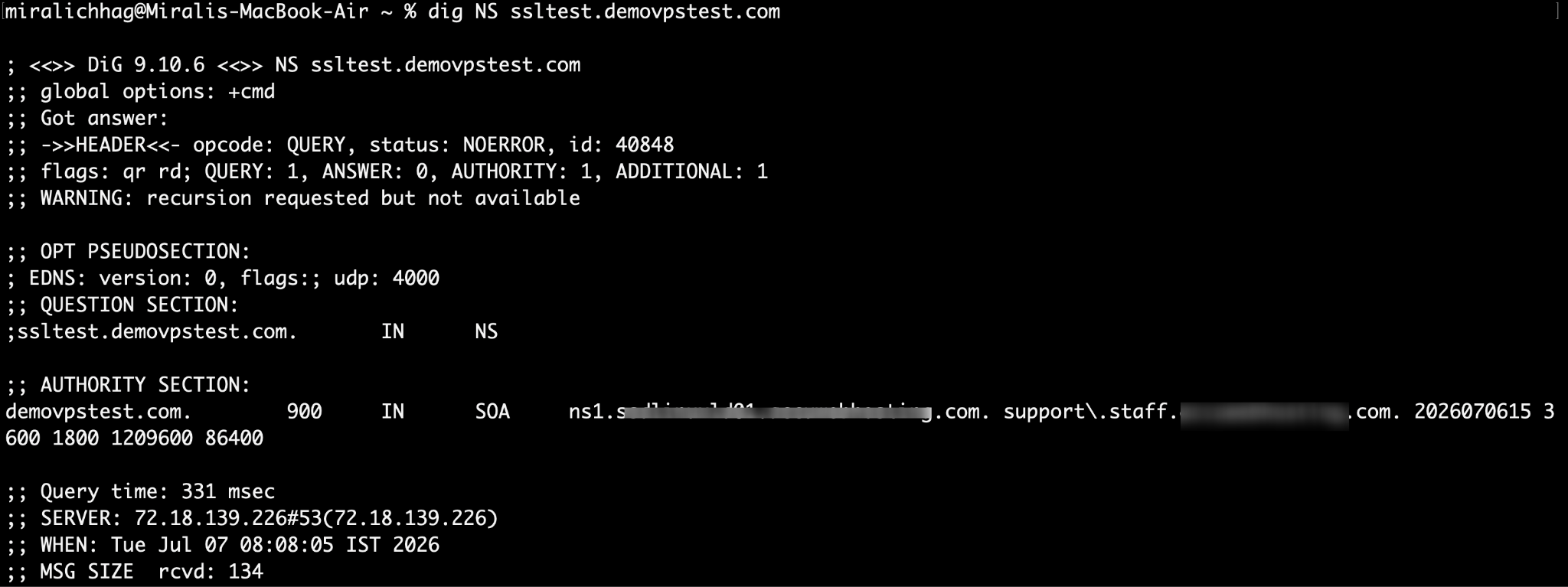
Replace yourdomain.com with your actual domain name.
Compare the returned values with the DNS records configured in your DNS management panel.
Step 4: Clear Your Local DNS Cache
Sometimes your computer stores old DNS information.
Clear the local DNS cache and try accessing the website again.
Windows
ipconfig /flushdns
Linux (systemd)
sudo resolvectl flush-caches
macOS
sudo killall -HUP mDNSResponder
Step 5: Test from a Different Network
If your website still loads the old server:
- Try another internet connection.
- Test using a mobile network.
- Use another browser or an Incognito/Private window.
This helps determine whether the issue is caused by local DNS caching.
Step 6: Verify Nameservers
If you recently changed nameservers, confirm that they are correctly assigned at your domain registrar.
An incorrect or incomplete nameserver configuration can prevent your domain from resolving properly.
Step 7: Check the DNS Record TTL
Every DNS record has a Time to Live (TTL) value that determines how long DNS resolvers cache the record.
If the previous TTL was high (for example, several hours), DNS changes may take longer to become visible even after updating the records.
Common Domain Propagation Issues
| Issue | Possible Cause | Solution |
| Website loads the old server | DNS propagation is still in progress | Wait for propagation to complete. |
| Domain does not resolve | Incorrect A record or nameservers | Verify the DNS configuration. |
| SSL certificate errors | Domain still points to the previous server | Wait until DNS propagation completes. |
| Some users can access the site while others cannot | DNS cache varies by ISP | Allow additional time for global propagation. |
Troubleshooting Tips
- Wait up to 24–48 hours for global DNS propagation.
- Verify that the domain has not expired.
- Ensure there are no conflicting DNS records.
- Double-check that the correct nameservers are assigned.
- Clear your local DNS cache after making changes.
- Confirm that your hosting server is online and serving the website.
Conclusion
DNS propagation is a normal process that occurs whenever you update your domain’s DNS settings. Most propagation issues are resolved automatically once DNS caches refresh across the internet. By verifying your DNS records, checking nameservers, clearing local DNS caches, and allowing sufficient propagation time, you can quickly determine whether the issue is configuration-related or simply due to DNS propagation delays.