
What is n8n? The Complete Guide to Workflow Automation
Modern businesses are drowning in repetitive tasks.
Leads need to be added to CRMs. Alerts need to be sent. Data needs to move between tools. APIs need to talk to each other. And someone, somewhere, is still copying and pasting data manually.
That is where n8n comes in.
If you have ever searched for “how to automate workflows,” “Zapier alternative,” or “self-hosted automation tools,” you are in the right place.
This guide explains everything you need to know about n8n in a way that is simple, practical, and powerful enough for enterprise use.
What is n8n?
n8n is a workflow automation platform that lets you connect apps, APIs, and databases to automate tasks using a visual builder, with the option to write custom code when needed.
In short:
👉 It replaces manual work with automated workflows
👉 It connects tools that do not naturally talk to each other
👉 It gives you full control over your automation infrastructure
Why n8n is Gaining Massive Popularity
Most automation tools look great… until you hit limits.
n8n is different.
Here is why teams are switching:
Full Control with Self-Hosting
Unlike many tools, n8n can run on your own server. This means:
- Your data stays with you
- No dependency on third-party platforms
- Full compliance with internal policies
Built for Both No-Code and Developers
You can:
- Drag and drop workflows visually
- Or write custom JavaScript for complex logic
This hybrid approach makes n8n powerful for both beginners and engineers.
Cost Efficiency at Scale
Many automation platforms charge per task or step.
n8n lets you control costs by running it on your own infrastructure.
How n8n Works (Without the Complexity)
Think of n8n as a digital assembly line.
Each workflow is made up of nodes, and each node has a job.
Step 1: Trigger (Start the Workflow)
A workflow begins when something happens:
- A webhook receives data
- A new email arrives
- A schedule runs (cron job)
- An API sends a request
Step 2: Process (Do the Logic)
This is where the magic happens:
- Transform data
- Filter results
- Call APIs
- Run custom scripts
Step 3: Action (Deliver the Result)
Finally, n8n performs an action:
- Send a Slack message
- Update a database
- Trigger another API
- Send an email
💡 Example:
A user fills out a form → data is enriched via API → saved to CRM → notification sent to Slack.
All of this happens automatically.
Key Features That Make n8n Powerful
Visual Workflow Builder
You can build workflows using a drag-and-drop interface.
No complex coding required to get started.
300+ Integrations and Unlimited API Support
n8n connects with tools like:
- Google Workspace
- Slack
- GitHub
- MySQL and PostgreSQL
And if something is missing?
Use the HTTP node to connect any API.
Self-Hosted or Cloud Deployment
You can run n8n:
- On your own server
- Inside Docker
- On Kubernetes
- Or use managed hosting
Custom Code Support
For advanced workflows:
- Write JavaScript inside workflows
- Extend logic beyond basic automation
AI and LLM Integrations
n8n is increasingly used for:
- AI chatbots
- Content generation workflows
- Document processing
- Intelligent automation pipelines
Real-World Use Cases of n8n
Let’s make this practical.
Business Automation
- Automatically create invoices
- Sync CRM data
- Send customer notifications
DevOps Automation
- Trigger alerts on deployment failures
- Monitor infrastructure
- Automate CI/CD notifications
Marketing Automation
- Capture and nurture leads
- Send automated email campaigns
- Schedule social media posts
Data Synchronization
- Sync SaaS tools with databases
- Keep internal systems updated
- Automate reporting pipelines
AI Workflow Automation
- Summarize documents
- Generate content
- Build AI-powered assistants
n8n vs Other Automation Tools
Tools like Zapier and Make are popular, but they come with limitations.
Here is how n8n stands out:
| Feature | n8n | Traditional Tools |
| Self-hosting | Yes | Limited |
| Custom code | Full support | Restricted |
| Data ownership | Full control | Vendor controlled |
| Pricing | Infrastructure-based | Per task/step |
- If you want simplicity, go with SaaS tools
- If you want power and control, n8n wins
Get Started with n8n Instantly on AccuWeb.Cloud (1-Click Deployment)
1️⃣ Launch from Marketplace
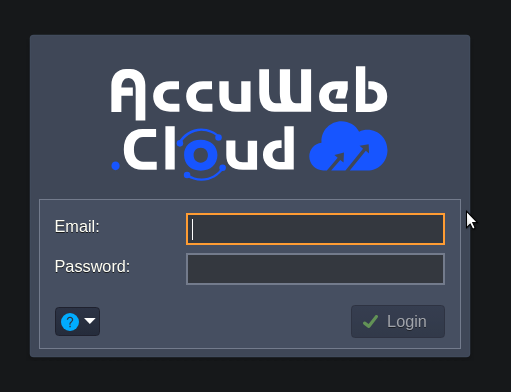
Log in to your AccuWeb.Cloud dashboard
2️⃣ Go To Marketplace
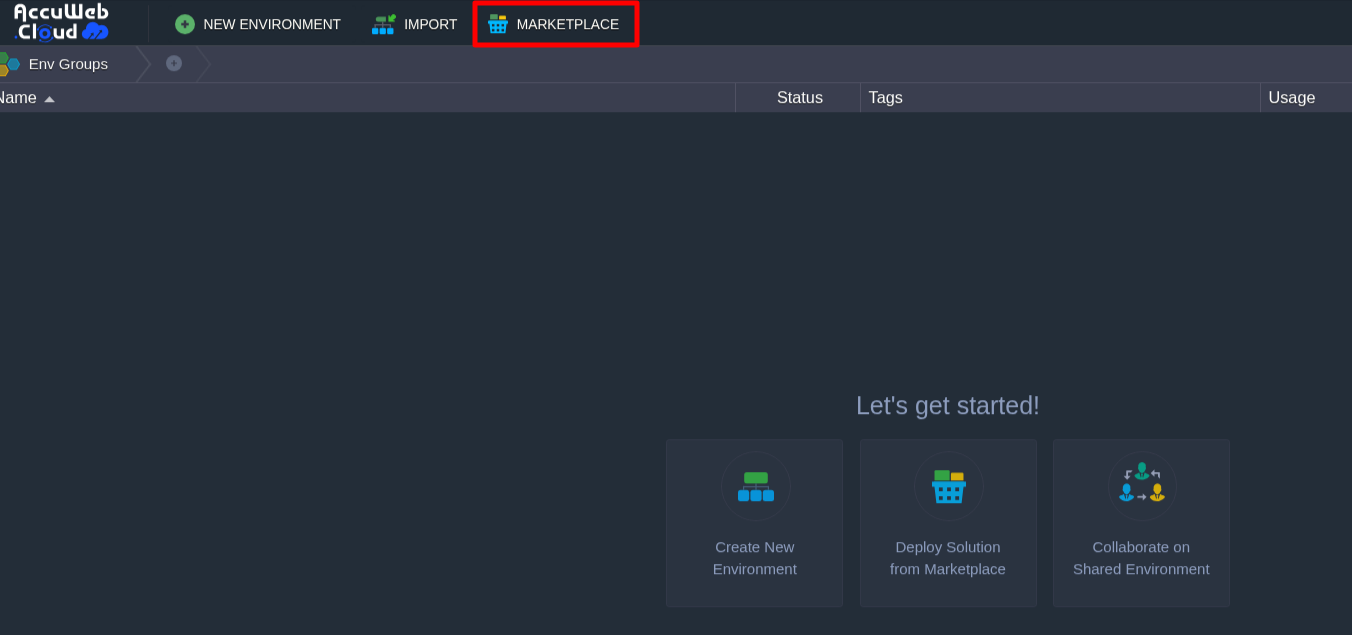
Navigate to Marketplace
3️⃣ Select n8n
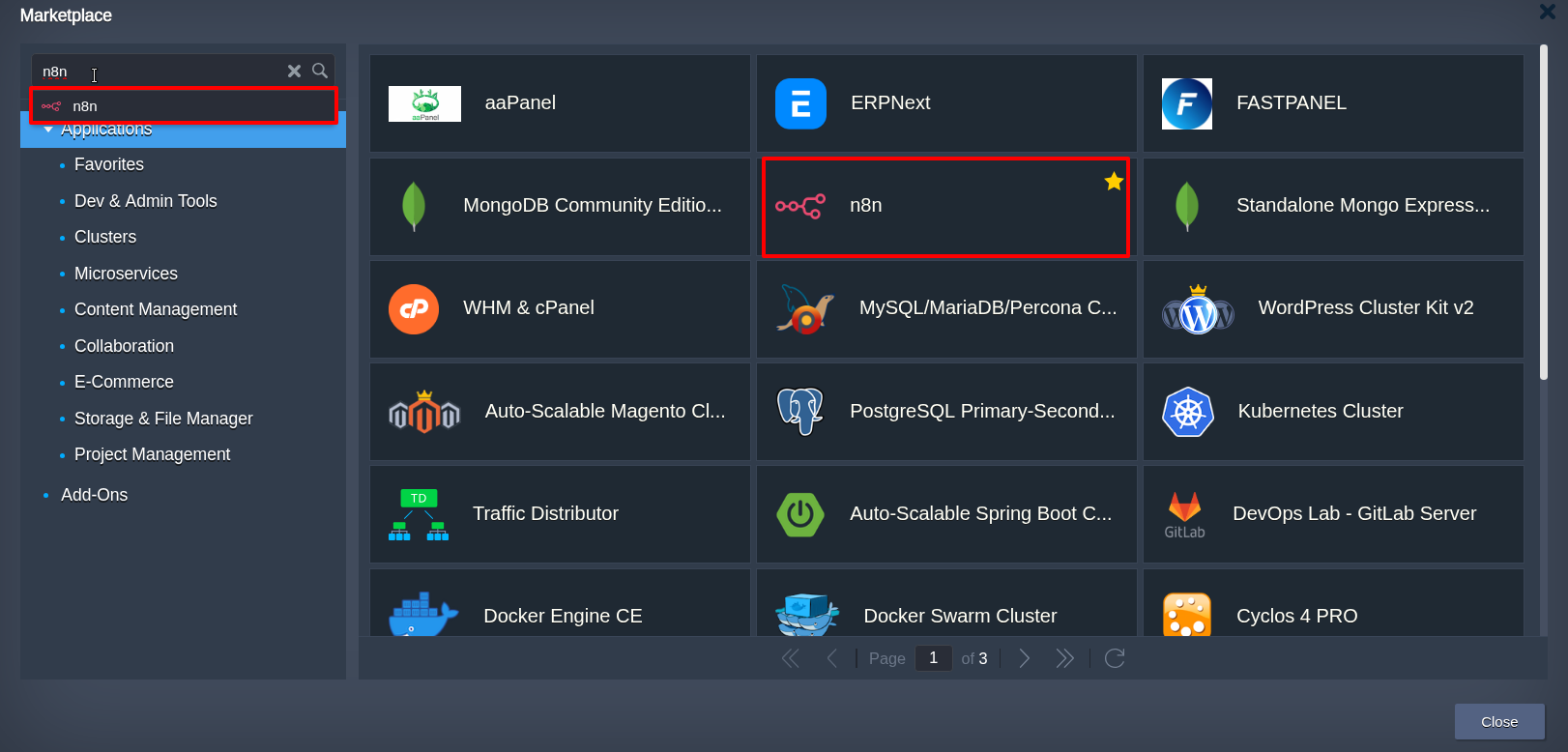
Search for the n8n One-Click application and select it.
4️⃣ Deploy Instantly
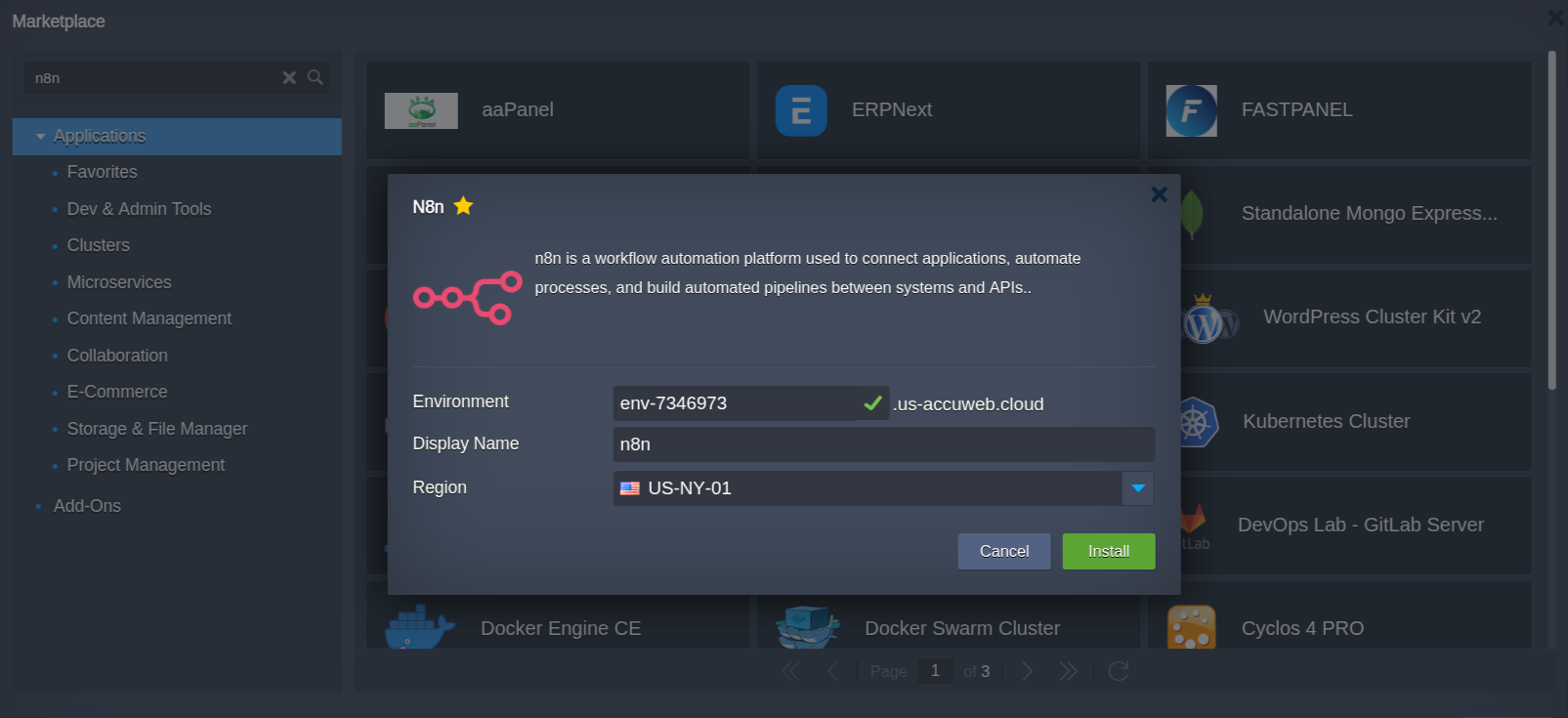
Create and configure your n8n environment
5️⃣ Build Your First Workflow
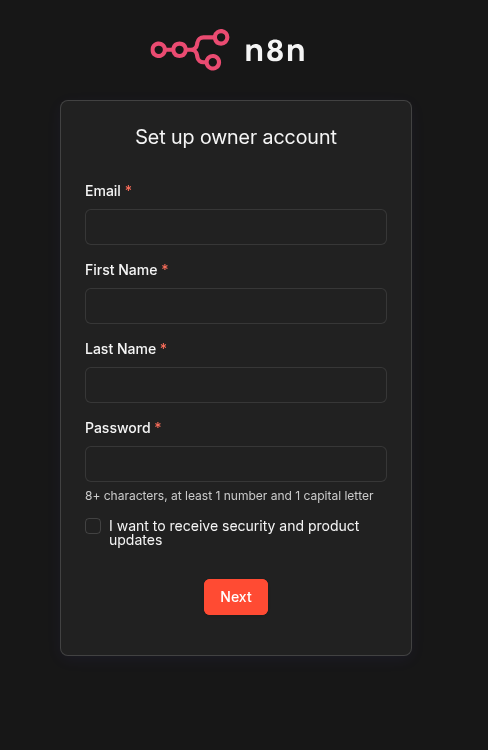
Use the visual builder to create your first automation. Add triggers, connect apps, and define actions in minutes.
Alternative: Manual Installation (For Advanced Users)
If you prefer full infrastructure control, you can install n8n manually.
This approach is ideal for developers and teams that need deep customization.
Common deployment options:
- Docker
- Docker Compose
- Kubernetes
Basic Docker example:
docker run -it --rm \
-p 5678:5678 \
n8nio/n8nThis will start n8n locally, accessible via your browser.
Best Practices for Production Deployment
To ensure stability and security:
- Use HTTPS
- Enable authentication
- Restrict public access
- Use PostgreSQL instead of SQLite
- Monitor workflow logs
- Keep the system updated
FAQs
Q) What is n8n in simple terms?
A) n8n is a workflow automation tool that connects apps, APIs, and databases to automate tasks using a visual builder with optional custom code.
Q) What is n8n used for?
A) n8n is used to automate repetitive tasks, integrate applications, sync data, and build custom automation workflows across systems.
Q) Is n8n better than Zapier?
A) n8n is better for users who need self-hosting, custom code, and full data control, while Zapier is easier for beginners but has limitations in flexibility.
Q) Can I self-host n8n?
A) Yes, n8n can be self-hosted on your own server using Docker, Kubernetes, or cloud platforms, giving you full control over data and workflows.
Q) How do I deploy n8n quickly?
A) You can deploy n8n instantly using one-click solutions like AccuWeb.Cloud, or manually using Docker and Kubernetes.
Q) Does n8n require coding?
A) No, n8n offers a no-code visual builder, but developers can add custom logic using JavaScript for advanced workflows.
Q) Can n8n connect to any API?
A) Yes, n8n can connect to almost any API using its HTTP Request node, making it highly flexible for integrations.
Q) Is n8n free to use?
A) n8n offers a fair-code license, allowing free self-hosting, while paid options are available for managed cloud usage.
Q) What are the best use cases for n8n?
A) Common use cases include business automation, DevOps workflows, marketing automation, data synchronization, and AI-driven automation.
Q) Is n8n suitable for enterprise use?
A) Yes, n8n is suitable for enterprises due to its scalability, security controls, and self-hosting capabilities.
Q) How is n8n different from other automation tools?
A) n8n provides more flexibility, supports custom code, and allows self-hosting, unlike many traditional automation platforms.
Q) Can n8n be used with AI tools?
A) Yes, n8n can integrate with AI and LLM APIs to build workflows for chatbots, content generation, and intelligent automation.
Q) What is the difference between n8n cloud and self-hosted?
A) n8n cloud is a managed service with no setup required, while self-hosted n8n gives you full control over infrastructure and data.
Q) Is n8n secure?
A) Yes, n8n is secure when deployed properly using HTTPS, authentication, and controlled access to workflows and credentials.
Q) How long does it take to set up n8n?
A) With one-click deployment platforms like AccuWeb.Cloud, n8n can be set up in minutes, while manual installation may take longer.
Final Thoughts
Automation is no longer optional. It is essential.
But the real advantage comes from how you automate.
With n8n, you are not limited to predefined workflows or rigid systems. You can design automation exactly the way your business needs it, whether it’s simple task automation or complex, AI-driven pipelines.
What makes the difference is how quickly and efficiently you can get started.
Platforms like AccuWeb.Cloud remove the complexity of setup and infrastructure, allowing you to deploy n8n instantly and focus purely on building workflows that deliver real business value.
Start small. Automate one process. Then scale.
Because once automation starts working for you, everything moves faster.