
How to Make a WordPress Private Page?
Learn why creating hidden pages is useful: Private pages in WordPress are like secret websites. They are efficient because they allow you to create pages that can only be viewed by specific people. These pages are hidden from the public. They are like a secret club where only people with special access can see the content.
Making WordPress posts private or restricting content can be a bit confusing. WordPress has many choices, and each has its best uses, pros, and cons. This guide explores ways to limit who can see your content in WordPress. This includes simple things like password-protected pages and more complex things like creating membership sites in WordPress.
Private Pages Are Often Needed For The Following Reasons
In WordPress, personal pages are commonly used for blogs and content management systems. Having many blog posts or pages can attract more visitors to your website, improving your website’s reputation in terms of SEO. However, you might wonder why someone would want to keep their website pages private and hidden from the public.
Applicable Situations for Admins: There are several situations where private pages and posts are very useful for administrators. Here are some popular reasons:
- Draft Pages for Design and Content: Private pages work well when you share content with colleagues or team members while making content and page design edits.
Private Forums and Communities: Private pages are great for exclusive forums and online communities with content protected by passwords or only accessible to specific member groups and registered users.
Sharing Content with Specific Customers: Sometimes, you must show your customers a preview of the content, like photos needing approval or specific content pieces.
Guidelines and Knowledge Base: You can use private pages and posts to share knowledge base content such as guidelines, training material, and other information intended for internal company use, not for public access.
Private User Blogs: Some people use blogs for personal journaling. These blogs are private and meant for personal use, so they don’t need to be available to the general public, but you still have the option to share them with friends and family.
Premium Content for Subscribers: Private pages can also be used for premium content that people must pay to access. This could include digital products like eBooks, courses, songs, or downloadable files.

These are just a few examples, but there are certainly more use cases. Now, let’s explore how to set up private pages on your WordPress website.
First & Easy Method
Keep Your WordPress Pages and Posts Private Without Any External Plugin
Let’s keep things simple. If you want to hide some of your WordPress pages so that only certain people can see them, you can do this without adding any extra tools. WordPress has a feature that lets you make pages private and lock them with passwords.
Creating a Page with a Password in WordPress
Imagine using a password like a key to a locked door. It’s handy when you want to control who can see specific stuff on your website. When you use a password on a page, visitors to your website can see the page’s title, but they can’t check out the content inside unless they type in the right password.
So, by making password-protected pages, only the folks who really need to see these private WordPress pages, whether registered or not, can access them. This is an excellent way to protect a few pages if that’s all you need.
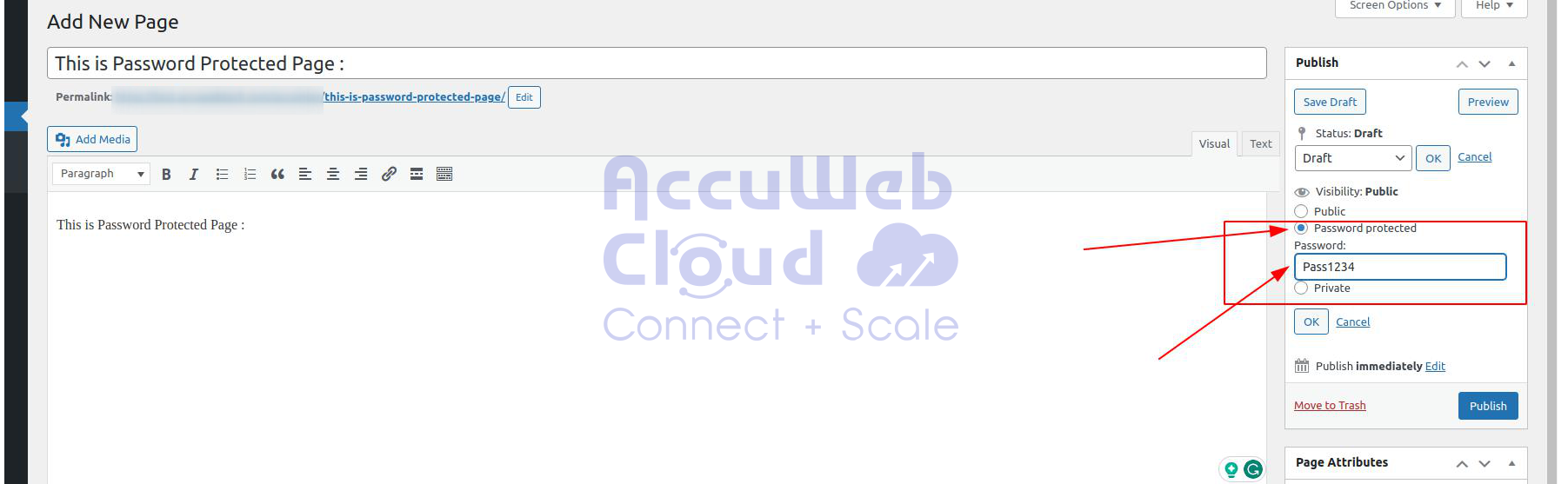
Setup Private Page in WordPress
Here’s another easy and standard option in WordPress. It lets you make a page private when you publish it. These pages are like secrets hidden from regular users. While password-protected pages still appear on lists of WordPress posts, private pages don’t. Even if someone has the link to the protected page, they can’t see it.

WordPress private pages can only be viewed by editors and administrators. However, modifying this behavior and allowing other specific user roles is possible. For example, you can use a plugin for this. But the fact is that once you make your pages private, your visitors will no longer see them.
Second Method
Limit access to WordPress sites to registered users With Plugin
Although WordPress is very flexible, it has limited integration options for restricting site access. These options are primarily intended for administrators and editors, and only users with administrator-level access can see and control them.
But what if we want to limit access to content to only our registered users? And what if we restrict access to specific users and subscribers and not others based on different rules, user types, and privileges? Luckily, WordPress offers many plugins that provide more advanced content access management solutions. Let’s explore different situations where these content restrictions can be helpful.
Restrict access to pages based on user roles
Although restricted pages can be used for content lock based on user roles, this is not practical. As they are intended for admin use only, they are often set to be hidden in your posts lists and can’t be used as teasers. Therefore, unless your users log in, they won’t know about the existence of these pages.
You can use a different WordPress plugin, such as the Ultimate Member. This Plugin creates a membership section on your WordPress site. Hence, you automatically have the private content aspect without the hassle of modifying the WordPress-protected pages.
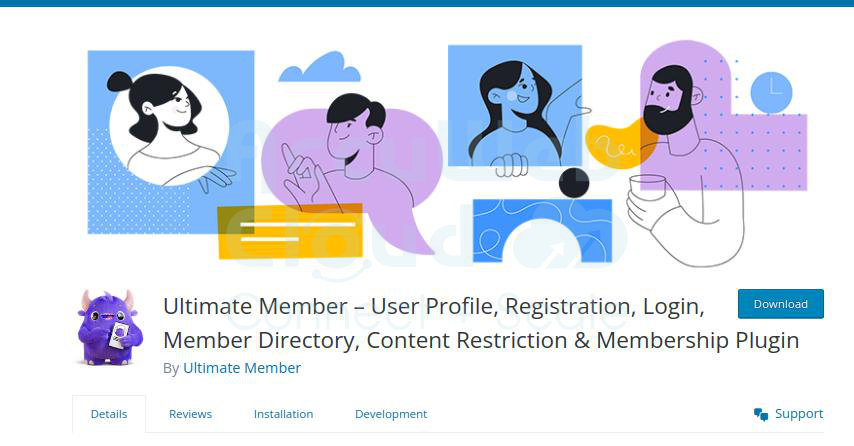
We can install this Plugin from the wordpress directory for free; once this Plugin is installed and activated, we get an easy small box below your content section to keep pages private.
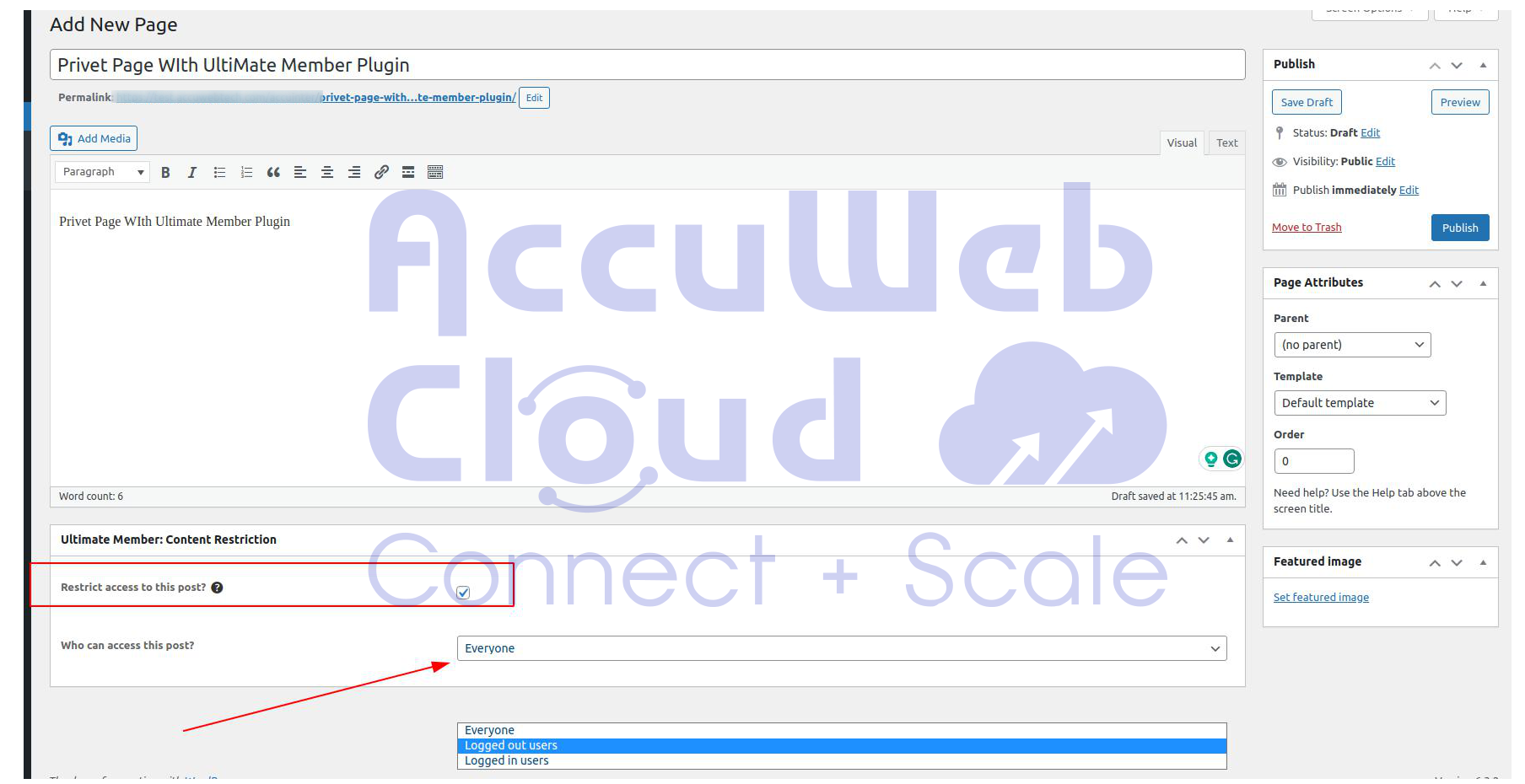
You get the option to select the page accessed based on Role Setup in your WordPress website
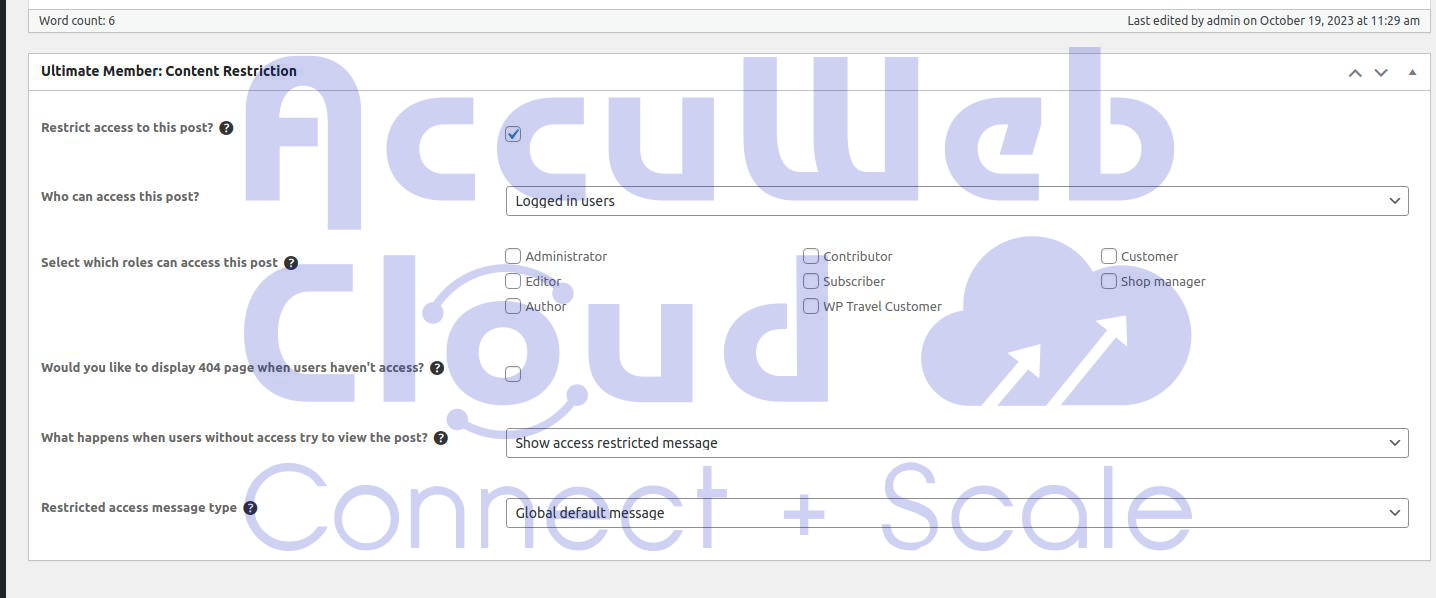
That’s it; once you activate this checkbox and the published page, it’s accessible for the user who registers on the site.
Conclusion
In this guide, we have presented various methods for creating private pages in WordPress and explained how to add password protection to your content. We have examined each method in detail, highlighting their advantages and disadvantages. We utilized the Ultimate Member plugin to create private pages with role-based access.
Blogging for monetization and earning sometimes requires content privacy, and all the tips shared above can make it easy for newcomers using WordPress nowadays.