
Deploy FastPanel on VPS in Minutes (AccuWeb.Cloud One-Click Guide)
Setting up a web hosting server manually can take hours. You normally need to install a web server, configure PHP, create databases, adjust firewall rules, and then install a control panel.
For beginners and developers alike, this process can be complex and time-consuming.
To simplify server management, FastPanel provides an easy-to-use web hosting control panel, and AccuWeb.Cloud allows you to deploy FastPanel on a VPS instantly using a one-click installation.
With the FastPanel one-click deployment, the platform automatically prepares a complete hosting environment so you can start managing websites immediately.
Instead of running manual commands, the entire FastPanel VPS setup is completed automatically within minutes.
What is FastPanel?
FastPanel is a free web hosting control panel designed for Linux servers, primarily used for managing websites, domains, databases, SSL certificates, and server resources from a graphical interface.
It is widely used by:
- Web developers
- Hosting providers
- Digital agencies
- System administrators
- Website owners
Instead of managing a server through SSH commands, FastPanel allows you to control everything through a simple browser-based dashboard.
Key FastPanel Features
- Website and domain management
- One-click SSL installation (Let’s Encrypt)
- MySQL / MariaDB database management
- FTP account creation
- Email hosting configuration
- File manager inside the panel
- Performance optimization tools
Because of its lightweight architecture, FastPanel performs well even on small VPS servers.
Why Deploy FastPanel on a VPS?
Running FastPanel on a VPS gives you full control over your hosting environment while keeping server management simple.
Benefits of Using FastPanel on a VPS
Complete server control
You can manage domains, databases, SSL, and server resources from one interface.
Cost-effective hosting
FastPanel is free, making it ideal for developers and businesses looking for an affordable hosting panel.
Beginner-friendly interface
Even users with limited Linux knowledge can manage websites easily.
Lightweight performance
FastPanel consumes fewer resources compared to many traditional hosting panels.
Suitable for multiple websites
You can host multiple domains and projects on the same VPS server.
Why Use AccuWeb.Cloud for FastPanel Deployment?
Installing FastPanel manually requires several configuration steps.
You need to:
- Prepare an Ubuntu server
- Configure networking
- Install required dependencies
- Run installation scripts
- Configure firewall rules
This process can be difficult for beginners.
AccuWeb.Cloud simplifies everything using a one-click FastPanel deployment system.
When you deploy FastPanel through the AccuWeb.Cloud Marketplace, the platform automatically handles the entire setup.
What Happens During FastPanel One-Click Deployment?
When you launch FastPanel from the AccuWeb.Cloud Marketplace, the platform performs multiple automated tasks.
The system automatically:
- Creates a new Ubuntu VPS server
- Configures hostname and networking
- Installs required system dependencies
- Prepares the web hosting stack (Nginx, Apache, PHP, MariaDB)
- Applies firewall rules for hosting services
- Installs the FastPanel control panel
- Assigns a public IP address
- Generates the FastPanel login URL
Because everything is automated, you do not need to run any Linux installation commands manually.
Within a few minutes, your FastPanel VPS hosting environment is ready to use.
Step-by-Step Guide: Deploy FastPanel on AccuWeb.Cloud
Follow these simple steps to launch your FastPanel VPS server.
Step 1: Login to AccuWeb.Cloud Dashboard
Open the AccuWeb.Cloud dashboard and sign in with your account credentials.
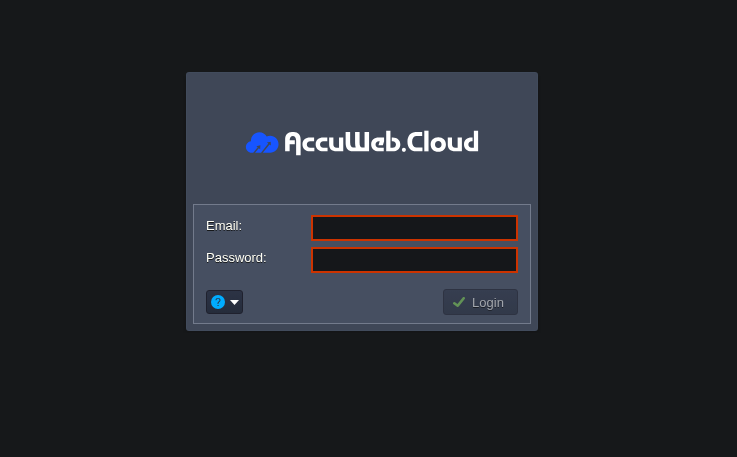
Once logged in, you will see the main control panel where you can deploy environments and manage your cloud resources.
Step 2: Open the Marketplace
Navigate to the Marketplace section.
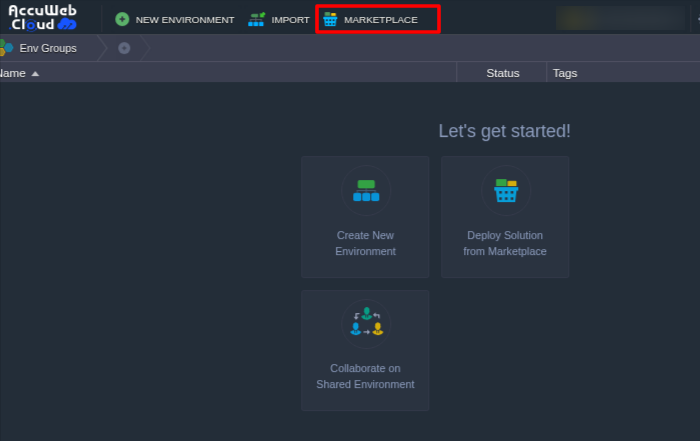
The Marketplace contains several ready-to-deploy applications and control panels, including FastPanel.
Step 3: Search for FastPanel
Use the search bar and type:
FastPanel
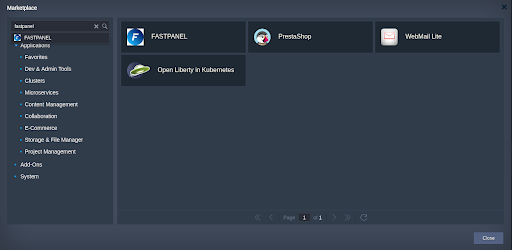
The FastPanel deployment package will appear in the results.
Click the FastPanel option to begin installation.
Step 4: Configure the FastPanel Environment
Enter the required deployment details.
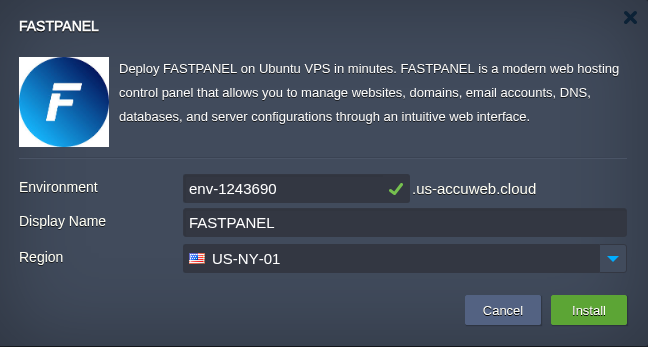
Environment Name
This is the name used to identify your server environment.
Region
Select the server location closest to your users to improve performance and reduce latency.
After entering the details, click Install.
Step 5: Automatic FastPanel Installation Begins
The platform will now start provisioning your FastPanel VPS server.

During installation, the system will automatically:
- Deploy an Ubuntu VPS
- Configure networking and server hostname
- Install FastPanel and required packages
- Prepare the hosting stack
- Apply security configurations
The entire process usually takes only a few minutes.
Step 6: Access the FastPanel Control Panel
After installation is completed, a confirmation window will appear.
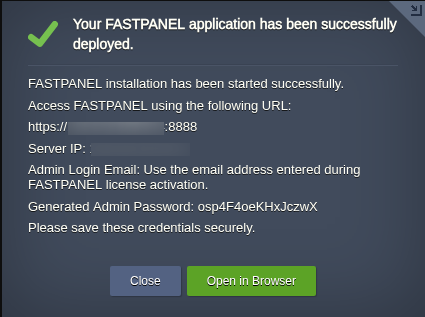
It will display:
- FastPanel access URL
- Server public IP address
Click Open in Browser to access the FastPanel login page.
Step 7: Activate FastPanel License
When you open the FastPanel panel for the first time, you will be asked to enter your email address.
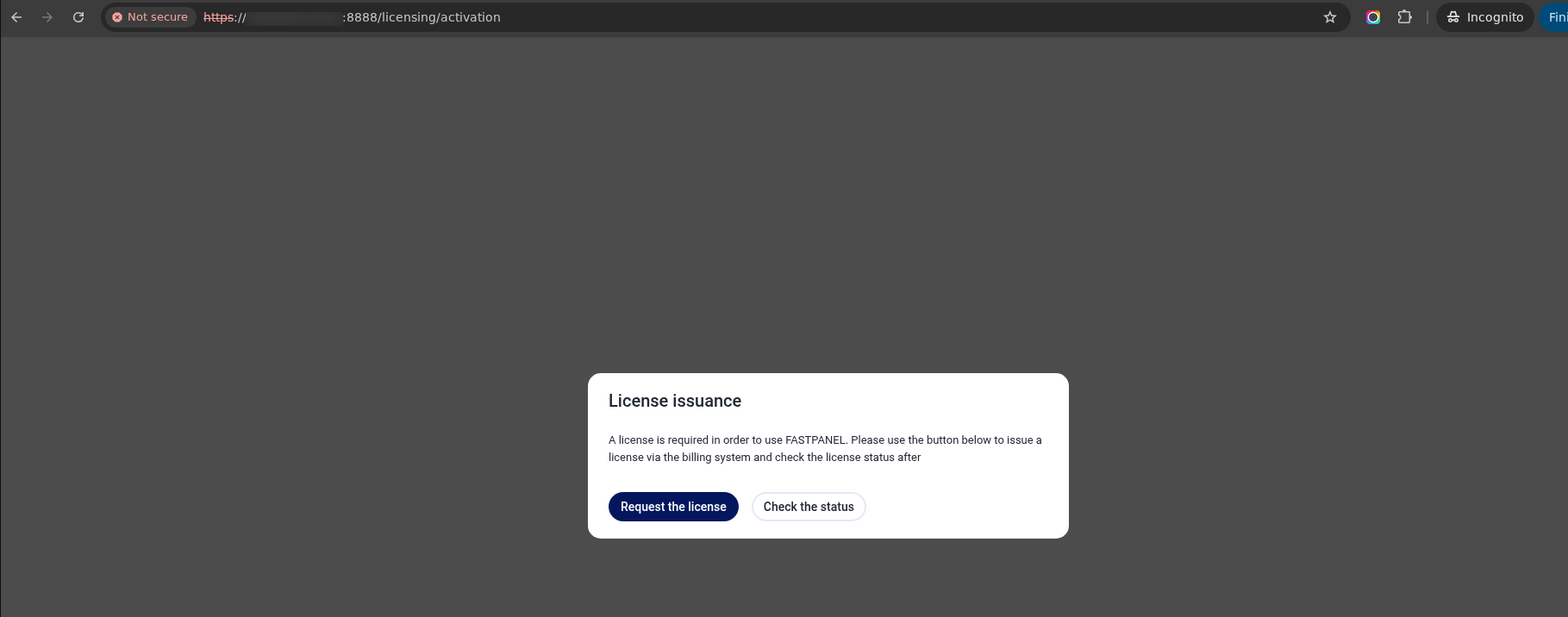

FastPanel will send an activation email.
Complete the activation process to enable the FastPanel license.
Once activated, you can start managing websites, domains, and server resources.
Best Practices After Installing FastPanel
After deploying FastPanel on your VPS, consider performing these additional steps.
Update the server
Keep the server packages updated for better security and stability.
Enable SSL certificates
Use Let’s Encrypt to secure your websites.
Configure backups
Set up automated backups to protect your website data.
Monitor server resources
Regularly check CPU, memory, and disk usage.
These practices help maintain a stable and secure hosting environment.
Frequently Asked Questions
Q) Is FastPanel free to use?
A) Yes, FastPanel offers a free license that includes most features required for managing hosting servers.
Q) How long does FastPanel installation take?
A) Using the AccuWeb.Cloud one-click installer, FastPanel deployment typically completes within a few minutes.
Q) Can I host multiple websites using FastPanel?
A) Yes. FastPanel supports hosting multiple domains, databases, and applications on a single VPS server.
Q) Do I need Linux knowledge to use FastPanel?
A) No. FastPanel provides a graphical interface that allows users to manage their server without extensive Linux command line knowledge.
Q) Is FastPanel better than cPanel?
A) FastPanel is a lightweight and free hosting control panel designed for Linux servers. While cPanel offers more enterprise features, FastPanel is popular among developers and small businesses because it is fast, simple, and cost effective.
Q) What operating system does FastPanel support?
A) FastPanel is mainly designed for Linux distributions such as Ubuntu and Debian.
Q) Can FastPanel run on a small VPS?
A) Yes. FastPanel is lightweight and can run smoothly on VPS servers with as little as 1 GB RAM, making it suitable for small hosting environments.
Conclusion
FastPanel is a powerful and lightweight web hosting control panel that simplifies server management.
By deploying FastPanel using AccuWeb.Cloud’s one-click installation, you can launch a fully configured hosting environment in just a few minutes without complex server setup.
This approach saves time, reduces configuration errors, and allows developers and businesses to focus on managing websites instead of configuring servers.