
Fixing Linux Boot Issues After Migration
A server that boots perfectly on its original host and then refuses to come up after a migration is one of the more stressful situations you can run into, mostly because the fix usually has to happen from a rescue shell or console access rather than a normal SSH session. The good news is that boot failures after migration almost always trace back to a small handful of causes, and once you know what to check, getting the system back up is usually a fifteen minute job rather than a rebuild. This article walks through diagnosing and fixing the most common ones.
Step 1: Find Out Why the Boot Actually Failed
Before changing anything, pull up the previous boot’s logs to see what the kernel was complaining about right before it dropped into emergency mode. Combined with a quick blkid check, this usually tells you exactly what is wrong:
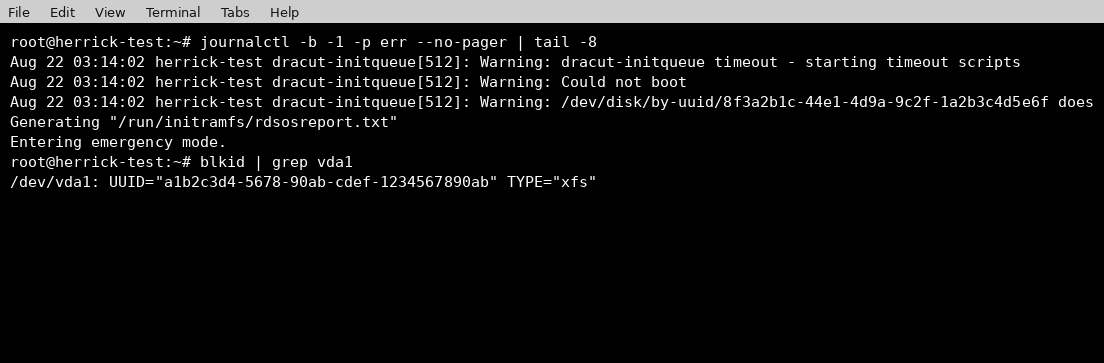
In this case the kernel is looking for a device by a UUID that no longer exists on this system. This is the single most common cause of boot failures after a migration. The disk itself came across fine, but its UUID changed, either because the disk was recreated during the migration or because it was attached as a fresh volume rather than a byte for byte clone of the original.
Step 2: Point the Bootloader at the Correct UUID
Once you know the real UUID of the root disk from blkid, the fix is to update the kernel command line in the grub configuration to reference it, then regenerate the actual grub config file that gets read at boot time:
grub2-mkconfig -o /boot/grub2/grub.cfg
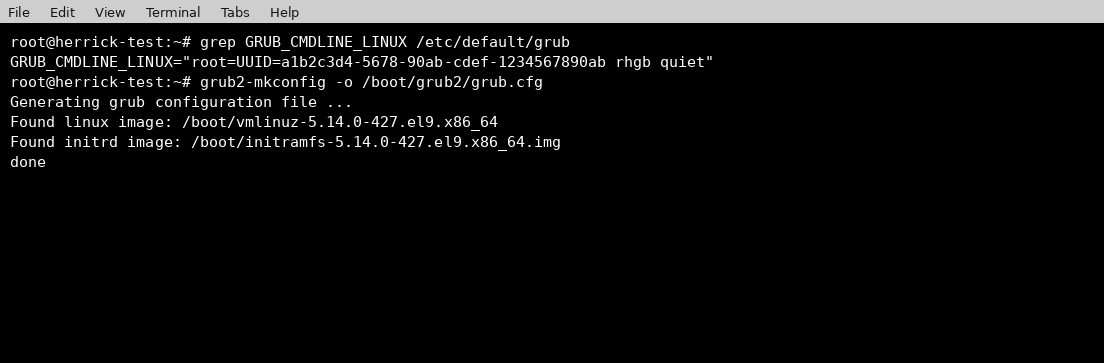
It is worth double checking /etc/default/grub before running this, since that is the file that actually defines what GRUB_CMDLINE_LINUX gets baked into the generated config. If the UUID in that file still points to the old disk, regenerating the config will just carry the wrong value forward.
Step 3: Rebuild the Initramfs and Reboot
The initramfs is what the kernel loads first, before your real root filesystem is even mounted, and it needs to contain the right drivers and device mappings for the new environment. If it was built for the old host, it can still cause a failed boot even after grub itself is fixed. Rebuilding it and rebooting closes the loop:
dracut -f -v /boot/initramfs-5.14.0-427.el9.x86_64.img 5.14.0-427.el9.x86_64
reboot
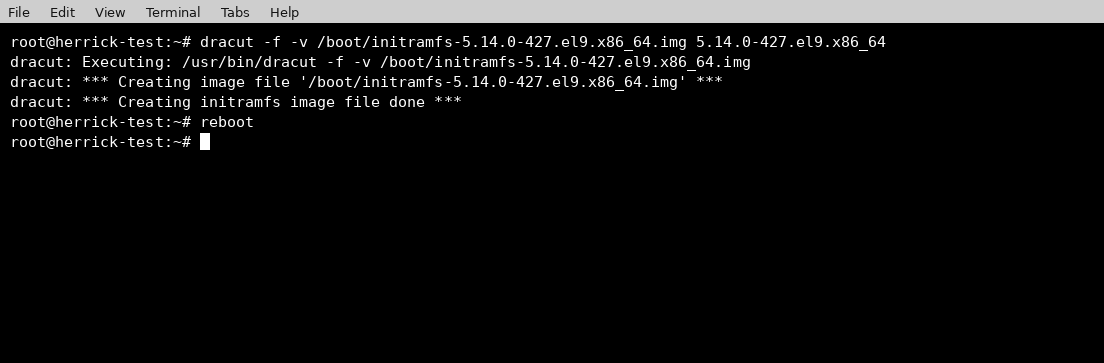
If the reboot comes up clean and you get a normal login prompt, the migration related boot issue is resolved. On CloudStack or KVM in general, this is also a good moment to double check the VM’s disk boot order in case the migration process attached the new disk in a different order than expected.
Other Common Causes Worth Checking
If UUID mismatches are not the issue, a few other things are worth ruling out:
- Missing virtio drivers in the initramfs. If you migrated from a hypervisor using different virtual disk or network controllers, the initramfs built on the old host may not have the right drivers included. Rebuilding it with dracut on the new host, as shown above, usually resolves this too.
- SELinux context mismatches. A relabel is sometimes needed after a raw disk migration. Touching /.autorelabel and rebooting will trigger a full relabel on next boot.
- Corrupted or missing bootloader on the new disk. If grub itself never installed correctly on the new virtual disk, grub2-install /dev/vda from a rescue shell will reinstall it.
Conclusion
Boot failures after a migration look alarming because the system will not even give you an SSH session to work with, but in practice they come down to a very small set of causes: a UUID that changed, an initramfs built for the wrong hardware, or a bootloader that was not carried over correctly. Working through the checks in this order, starting with the boot logs and blkid, will get you to the root cause quickly, and from there the fix itself is usually just a couple of commands away.