
How to Manage Notifications?
Overview
The Notifications section allows you to manage how and when you receive account notifications.
Steps:
- Log in to your Reseller Account.
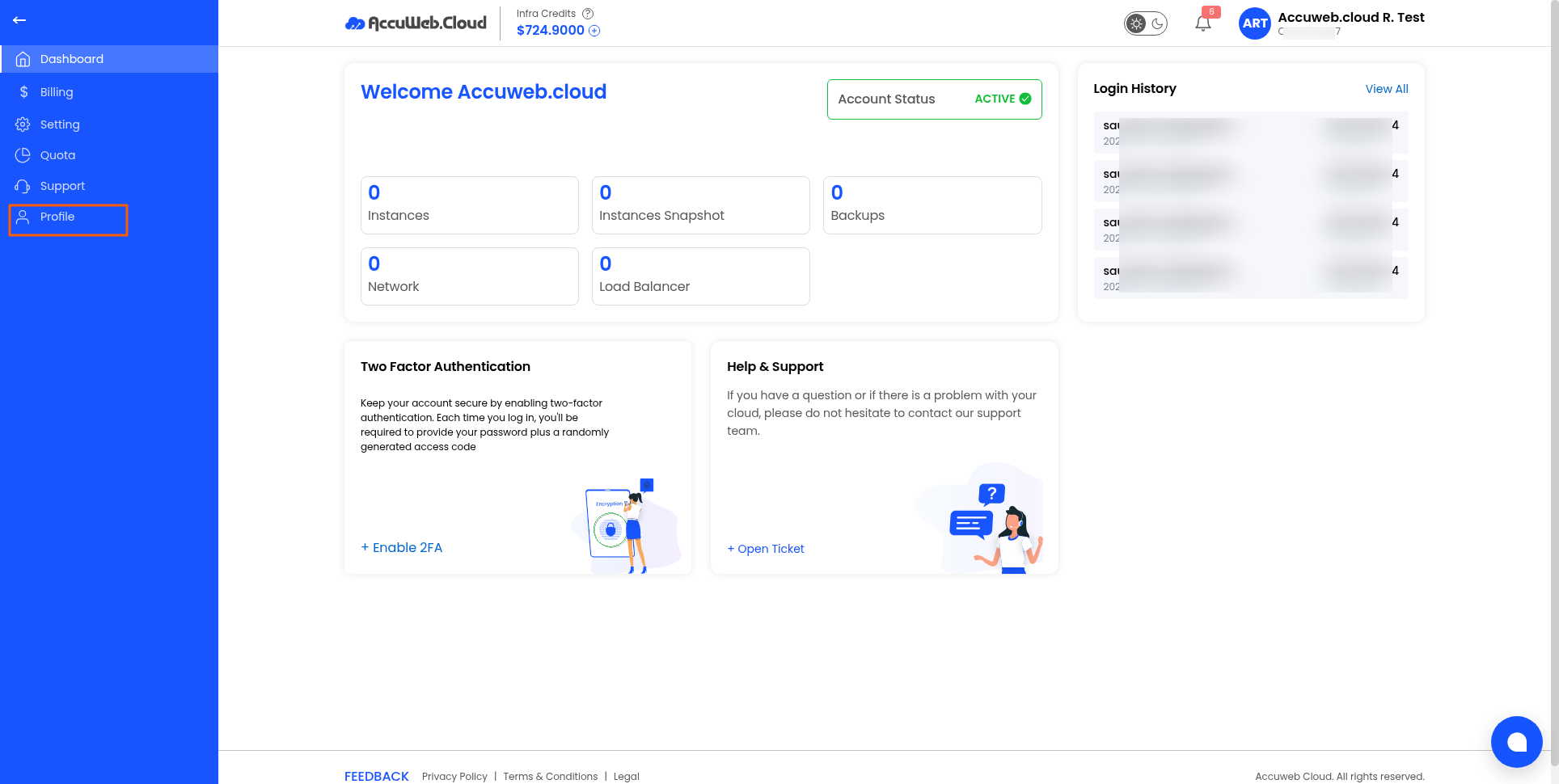
- Click Profile.
- Open the Notifications tab.
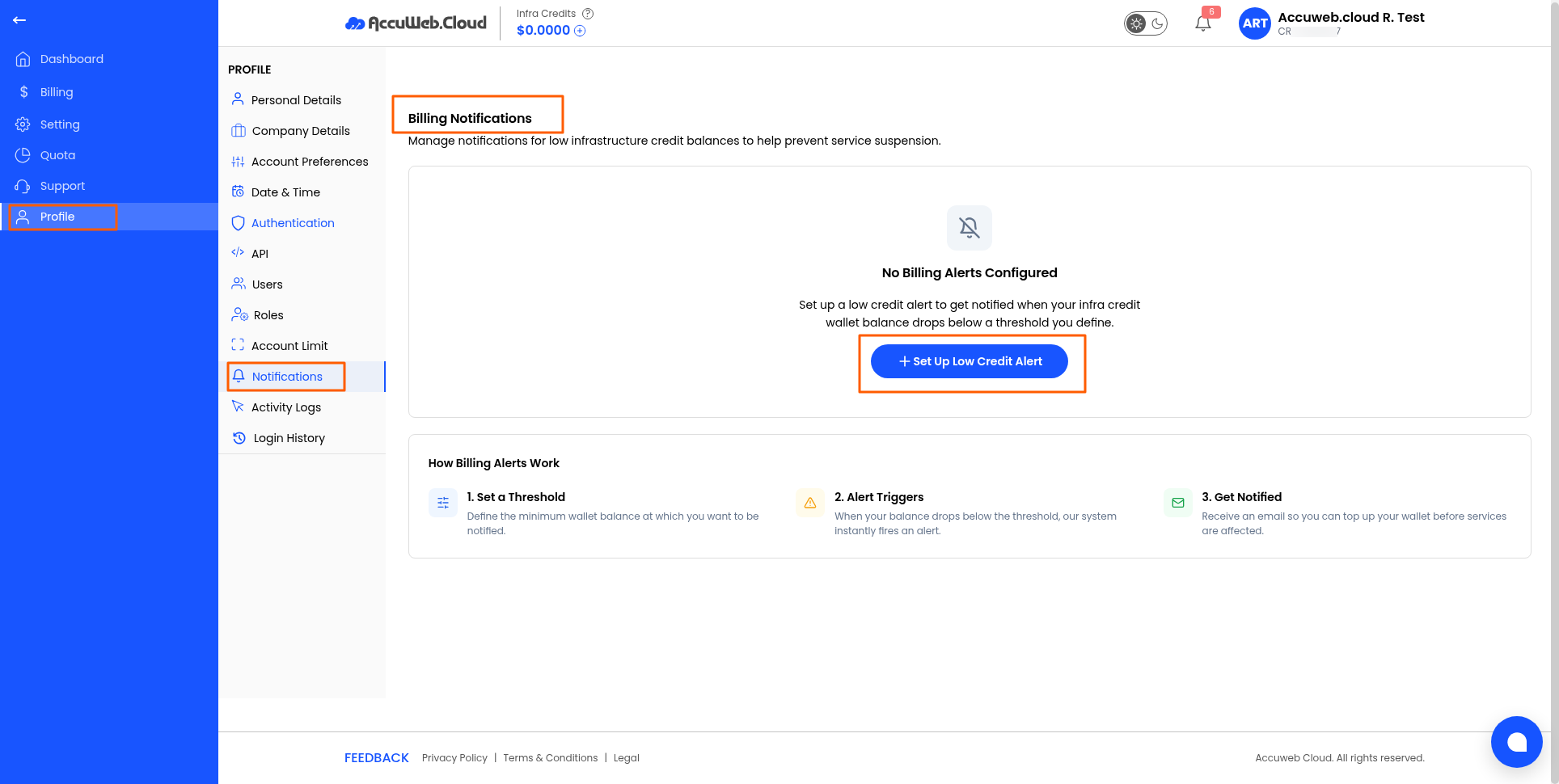
- Review the available notification settings.
- Manage notifications for low infrastructure credit balances to help prevent service suspension.
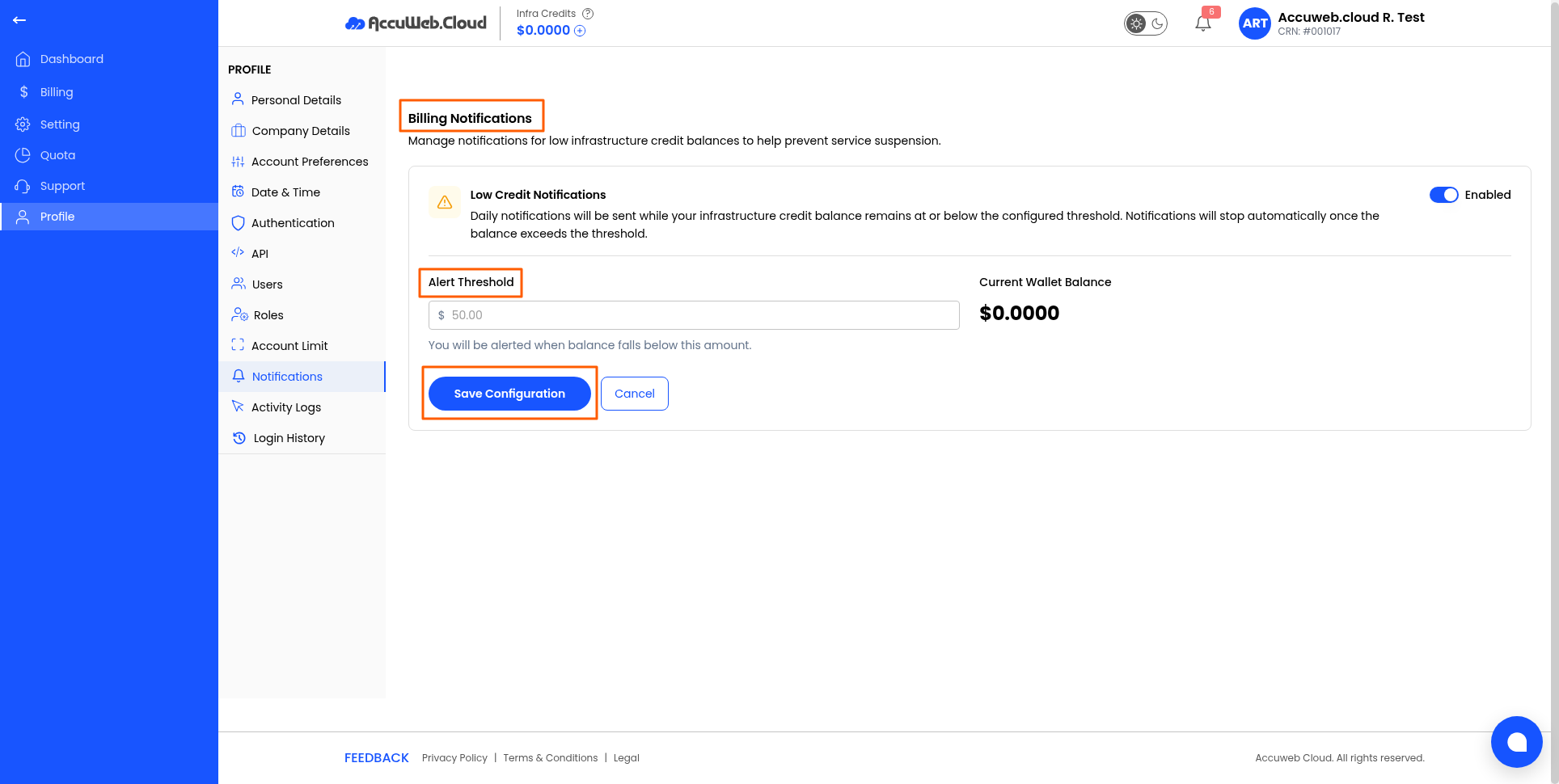
- Save your changes.
Tip: Keep important system and billing notifications enabled to stay informed about your account. pls add screenshots in all steps
Not registered yet?