
How to Configure Date & Time Settings?
Overview
The Date & Time section allows you to configure how dates and times are displayed throughout the portal.
Steps:
1. Log in to your Reseller Account.
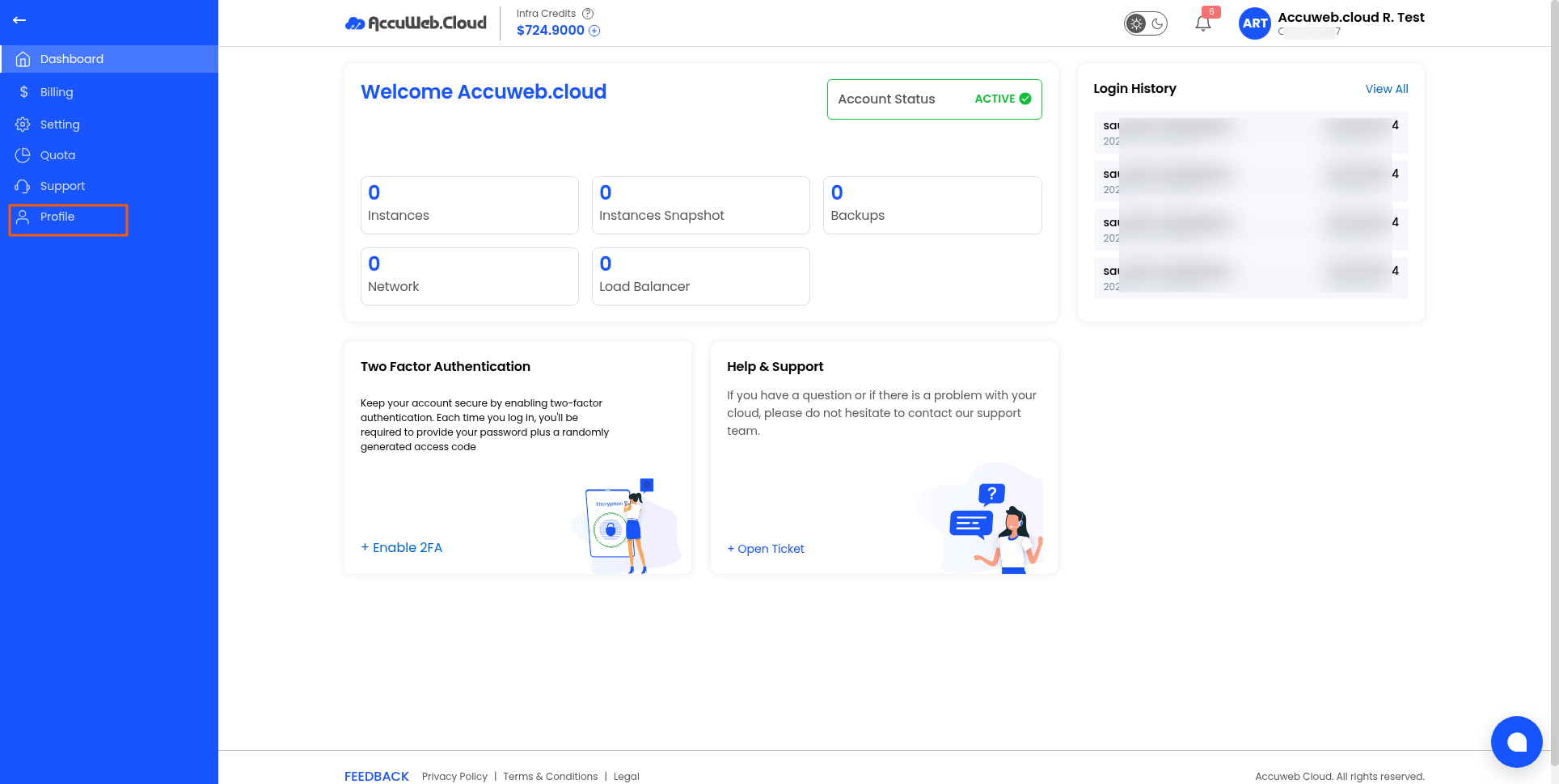
2. Click Profile.
3. Open the Date & Time tab.
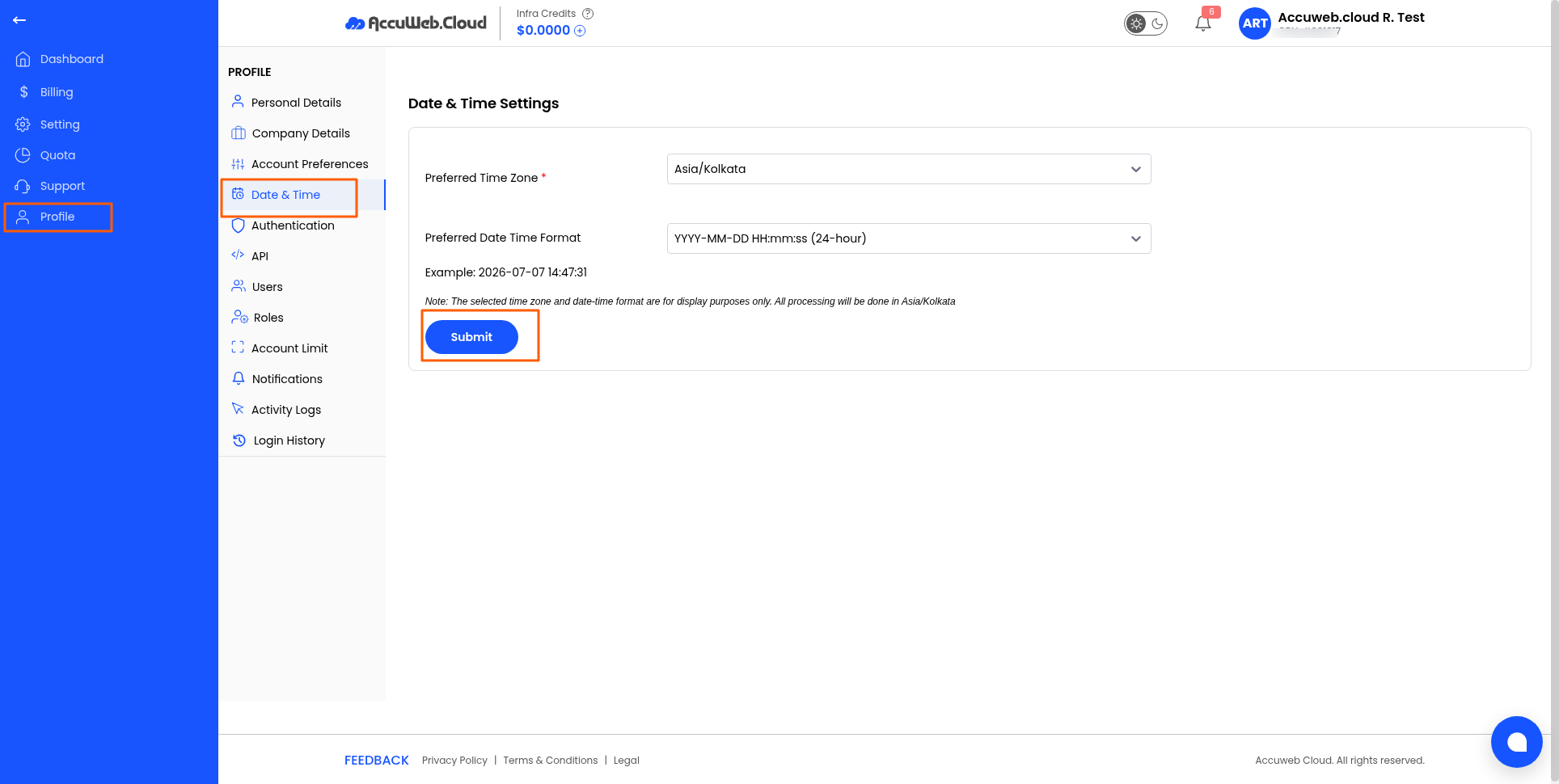
4. Configure your preferred:
-
- Date Format
- Time Format
- Time Zone (if available)
5. Save your changes.
Note: Correct date and time settings ensure logs and notifications display accurately.
Not registered yet?