
How to Add and Manage Users?
Overview
The Users section allows you to add additional users and manage their access to your reseller account.
Steps
- Log in to your Reseller Account
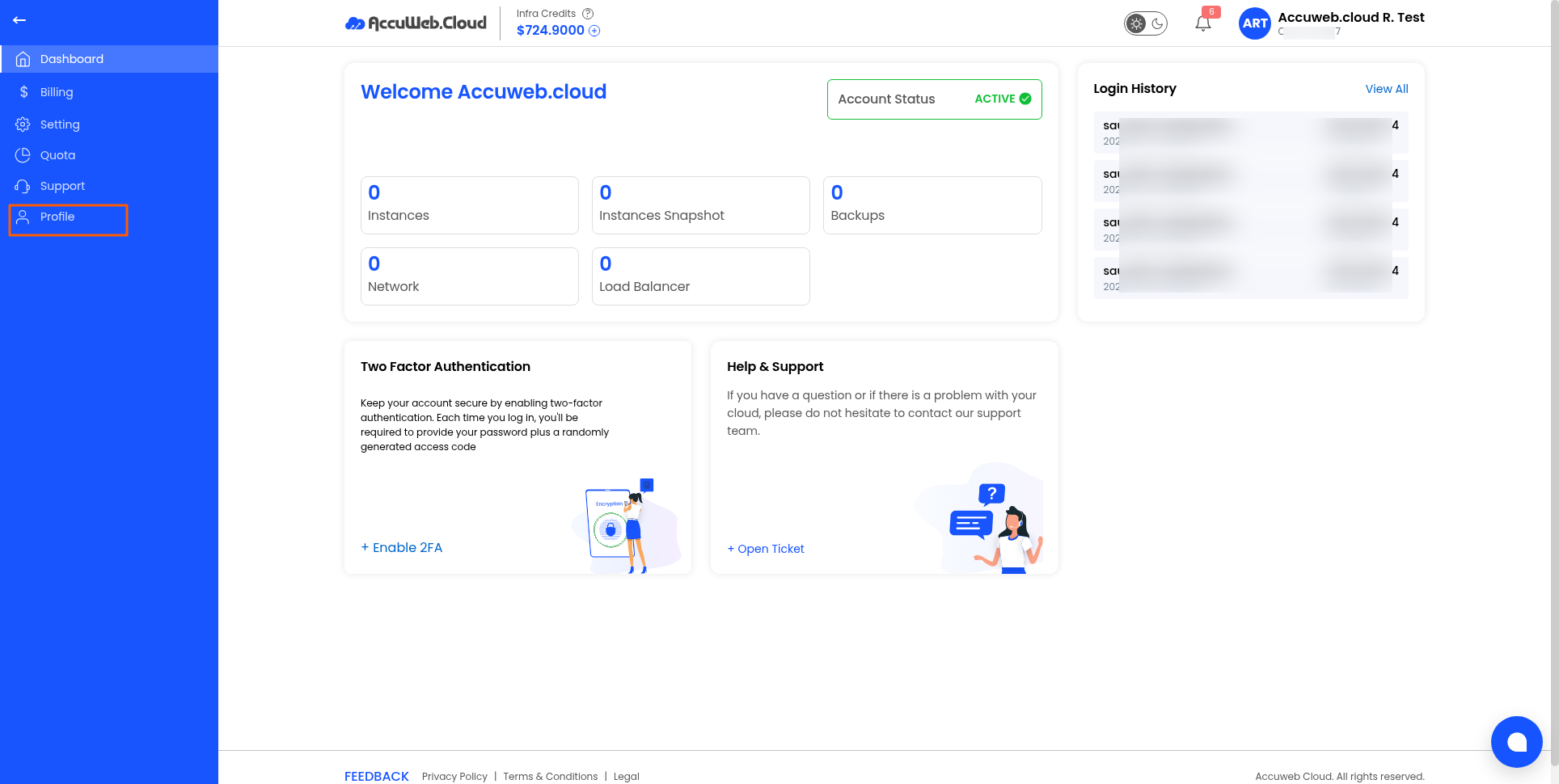
- Click Profile
3. Open the Users tab.
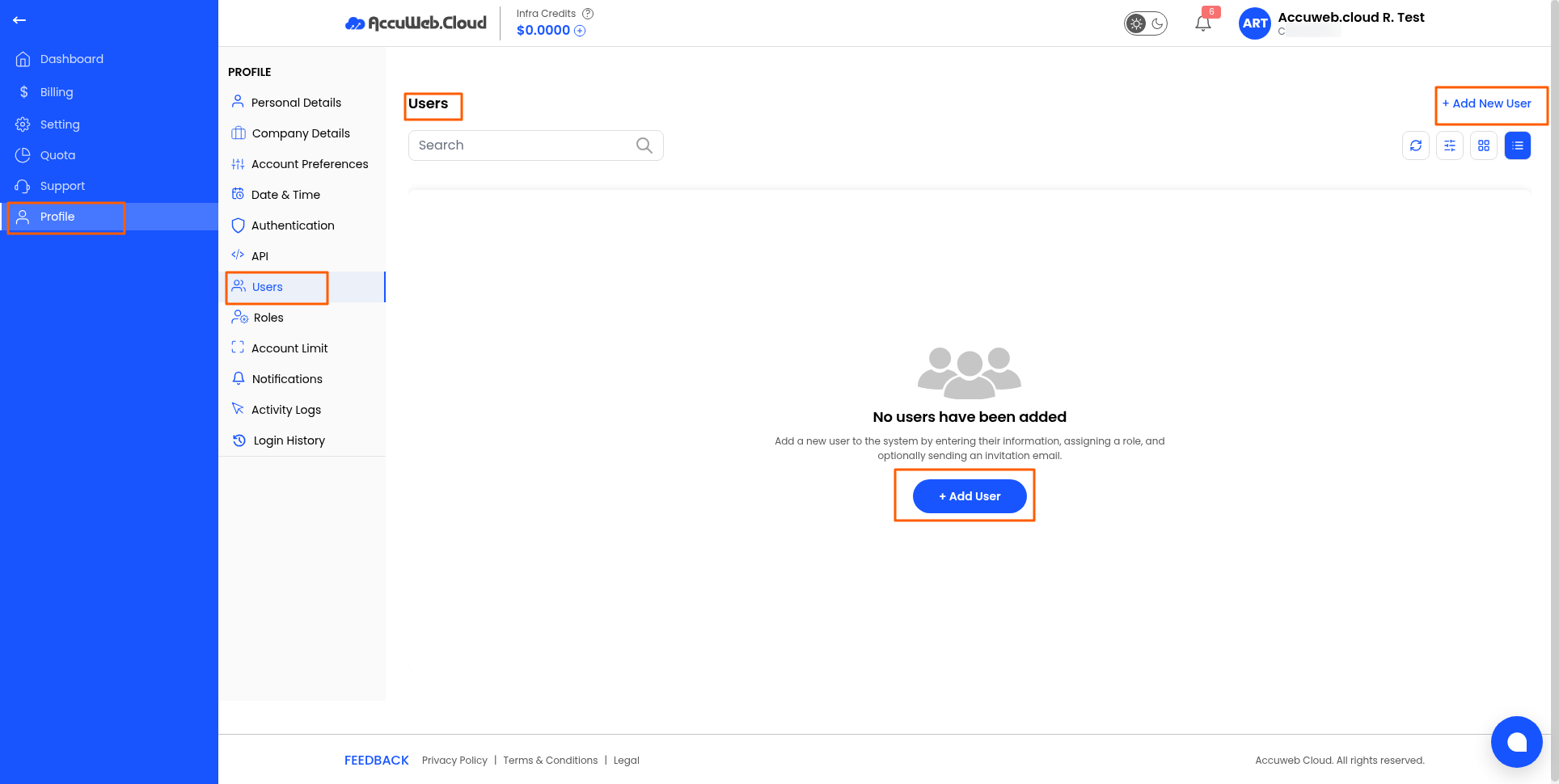
4. Click Add User
5. Enter the required user information.
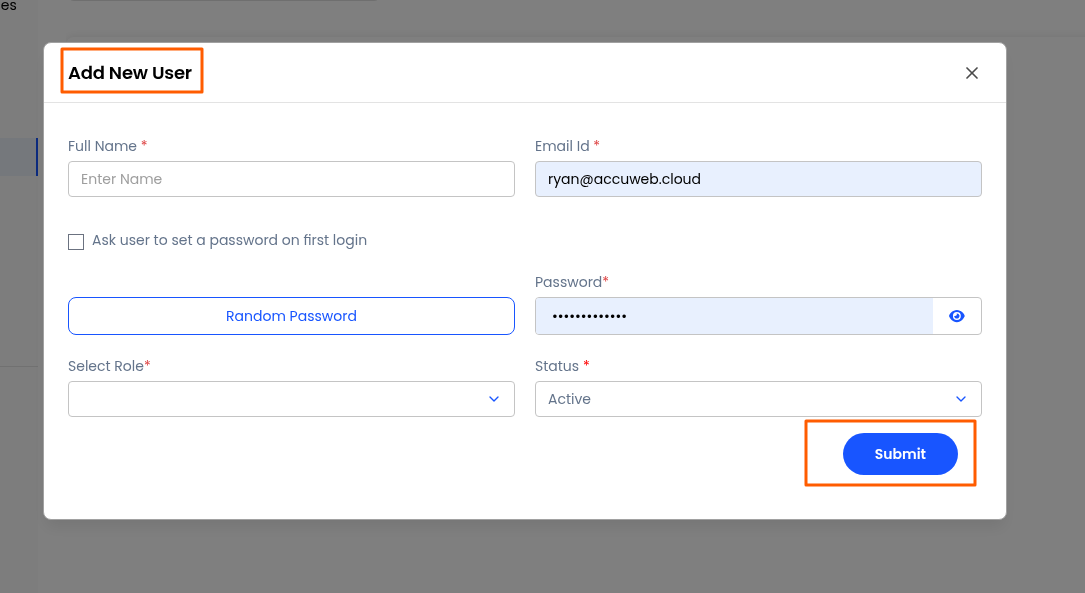
6. Assign the appropriate role.
7. Save the user.
Haven’t registered yet?