
How to Check and Edit Company Details?
Overview
The Company Details section allows you to manage your organization’s billing and contact information.
Steps:
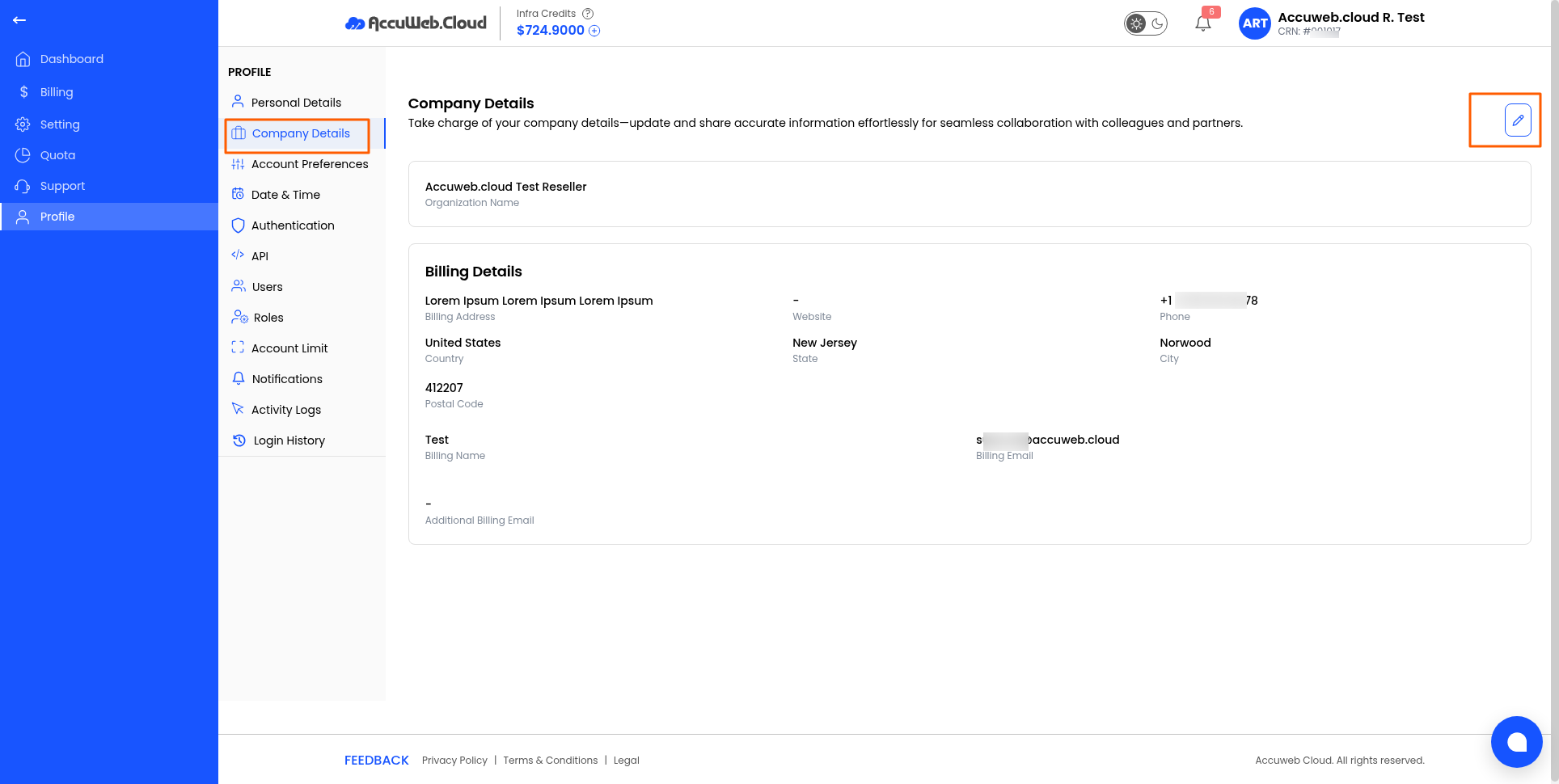
1. Log in to your Reseller Account.
2. Click Profile.

3. Open the Company Details tab.
4. Click the Edit (✏️) icon.
5. Update the required information, including:
-
- Organization Name
- Address Line 1
- Website
- Phone Number
- Country
- State
- City
- Postal Code
- Billing Name
- Billing Email
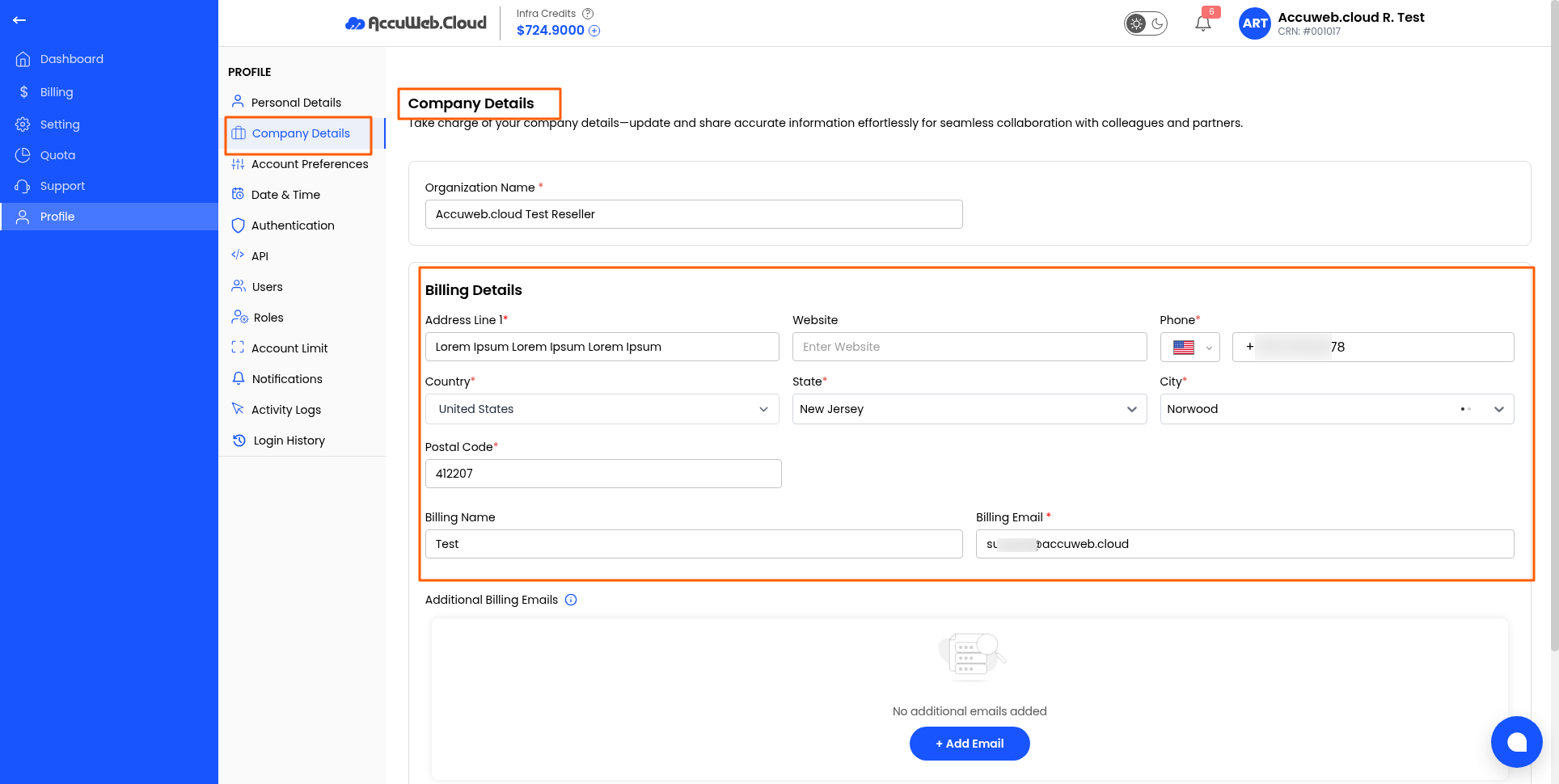
6. Click Save to update the information.
Note: Make sure your billing information is kept up to date to avoid billing or communication issues.
Still don’t have an account?