
How to Create and Manage Projects in AccuWeb.Cloud?
Projects in AccuWeb.Cloud provide a convenient way to organize cloud resources into separate workspaces. By grouping resources within a project, users can simplify resource management, control user access, monitor resource consumption, and manage quotas more efficiently.
This article explains how to create a project, review associated resources, add team members, and configure project quotas.
Create a New Project
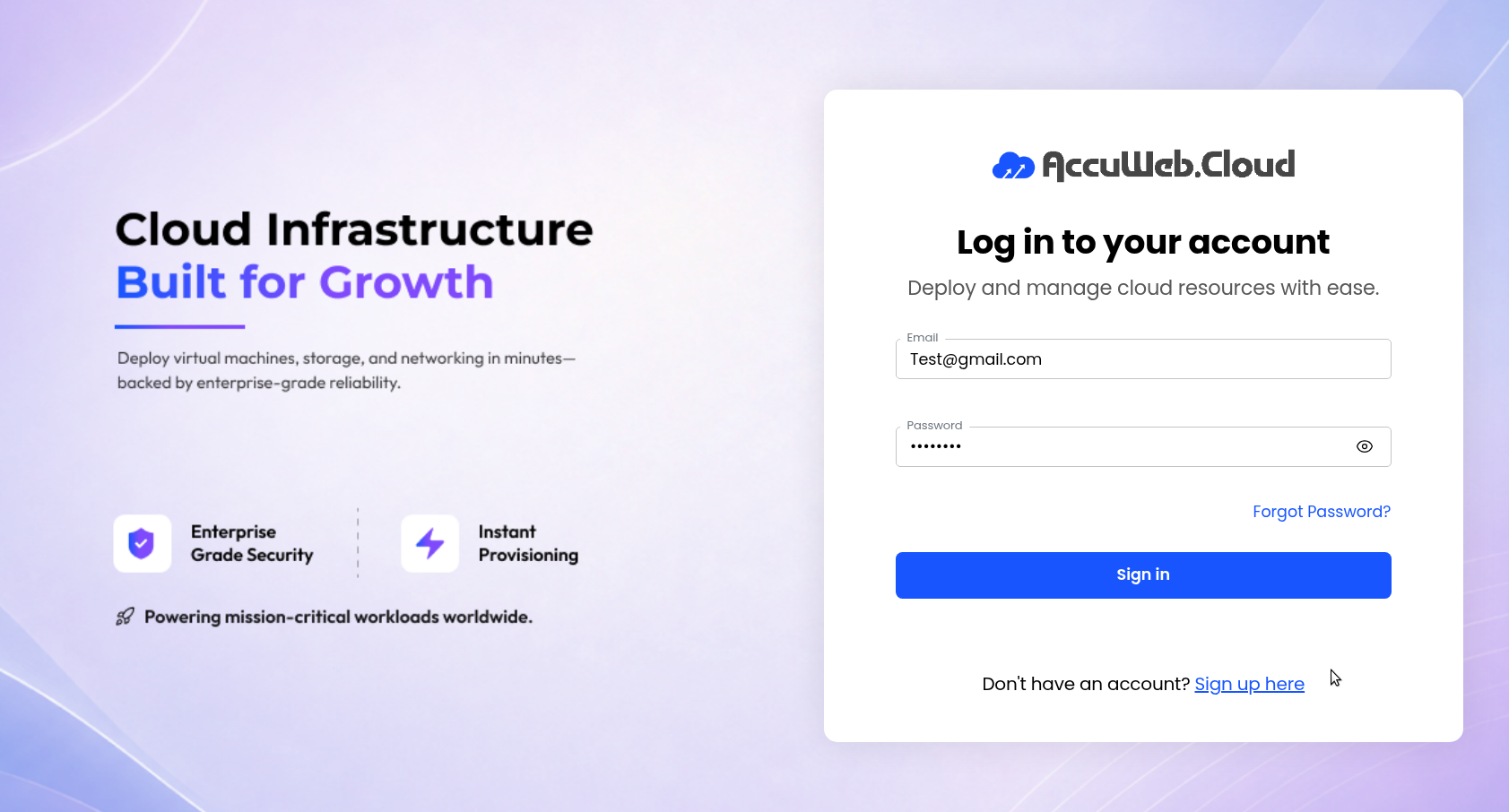
Step 1: Log in to AccuWeb.Cloud Panel.
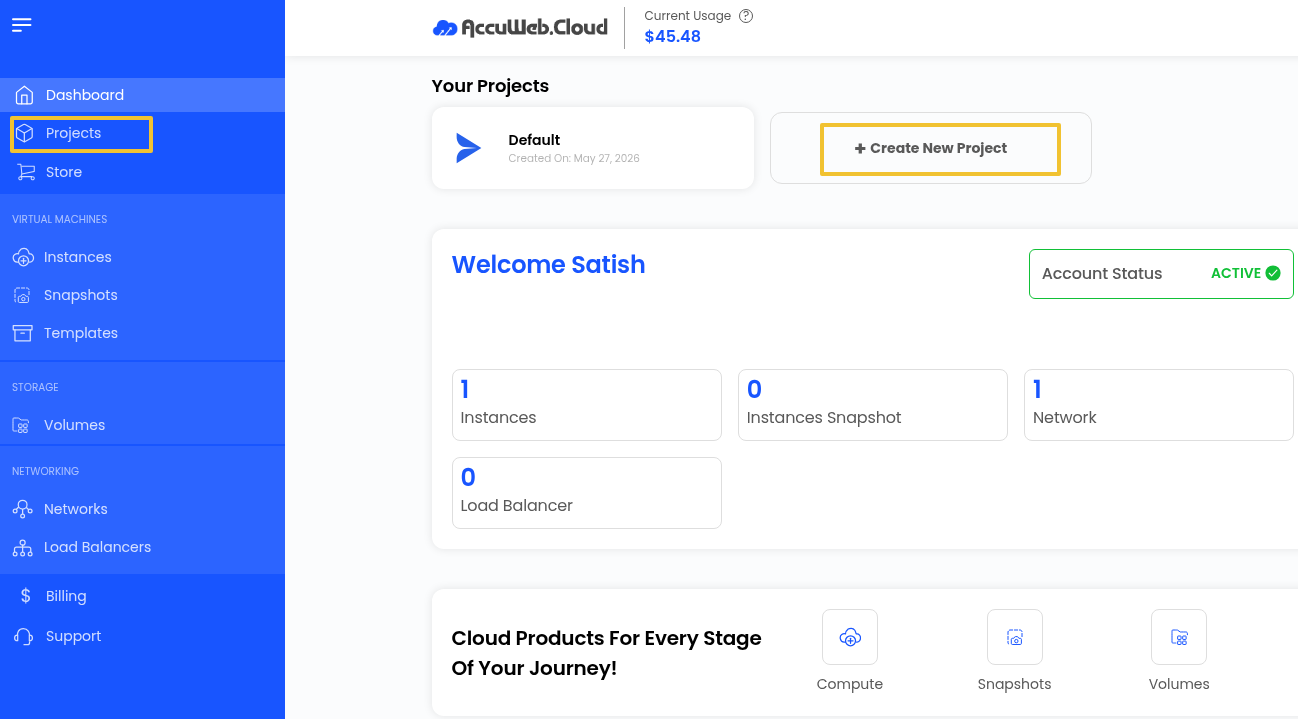
Step 2: From the left-side navigation menu, select Projects Click Create New Project.
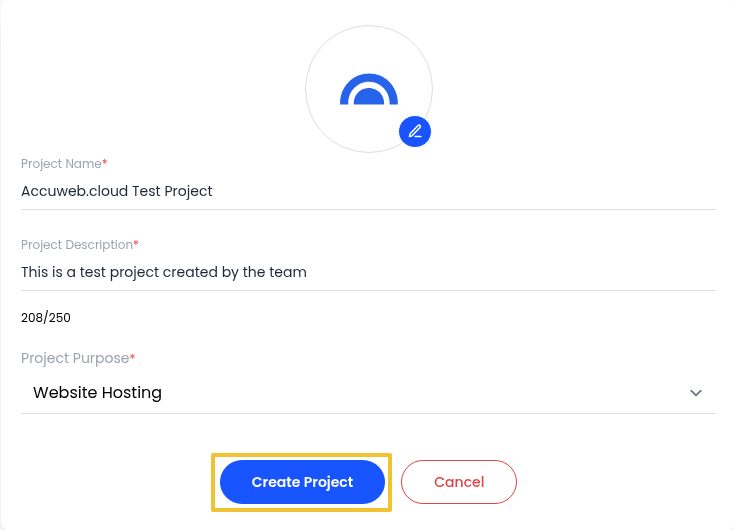
Step 3: Enter the required project information:
- Project Name
- Project Description
- Project Purpose
Click Create Project.
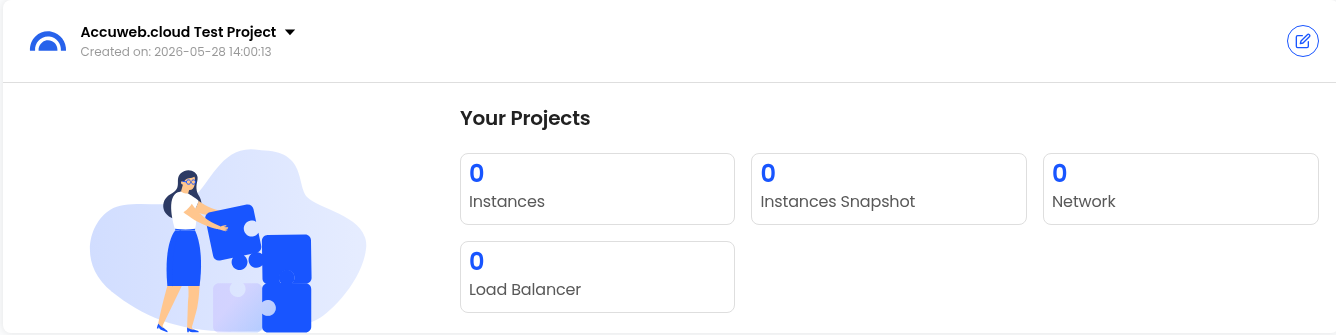
Once completed, the project will be added to your account and will be available for resource deployment and management.
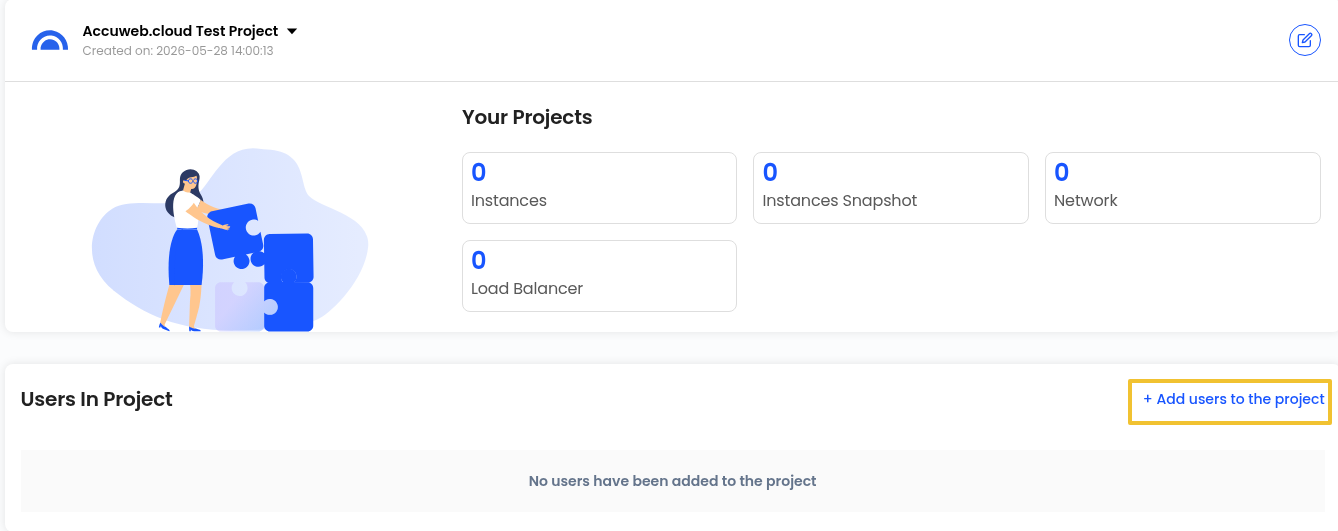
Review Project Resources
After creating a project, you can view all resources assigned to it from a centralized location.
Depending on your deployment, project resources may include:
Virtual Machines
Cloud servers used to host applications, websites, and business workloads.
VM Snapshots
Point-in-time copies of virtual machines that can be used for recovery purposes.
Backups
Data protection resources designed to help restore systems when required.
Block Storage
Additional storage volumes attached to virtual machines for expanding storage capacity.
Networks
Private and public networking resources used to connect cloud services.
Load Balancers
Services that distribute incoming traffic across multiple servers to improve availability and performance.
Add Users to a Project
Projects can be shared with other users to support collaboration and resource management.
Step 1: Open the project you want to manage.
Step 2: Click Add Users to Project.
Step 3: Search for the user using the search field or create new user.
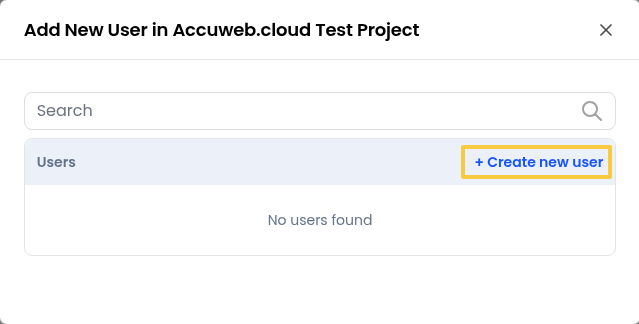
Step 4: Click Add next to the desired user.
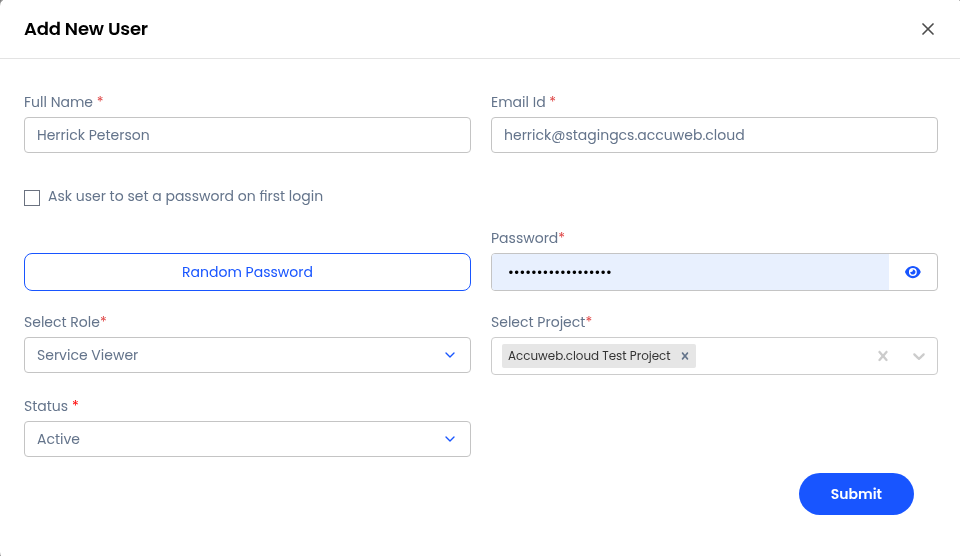
The selected user will then be associated with the project.
Configure Project Resource Limits
Resource quotas allow administrators to control how many cloud resources can be used within a project.
Step 1: Navigate to the Project Quota Limit section and Select the required availability zone.
Step 2: Click Edit Account Limit.
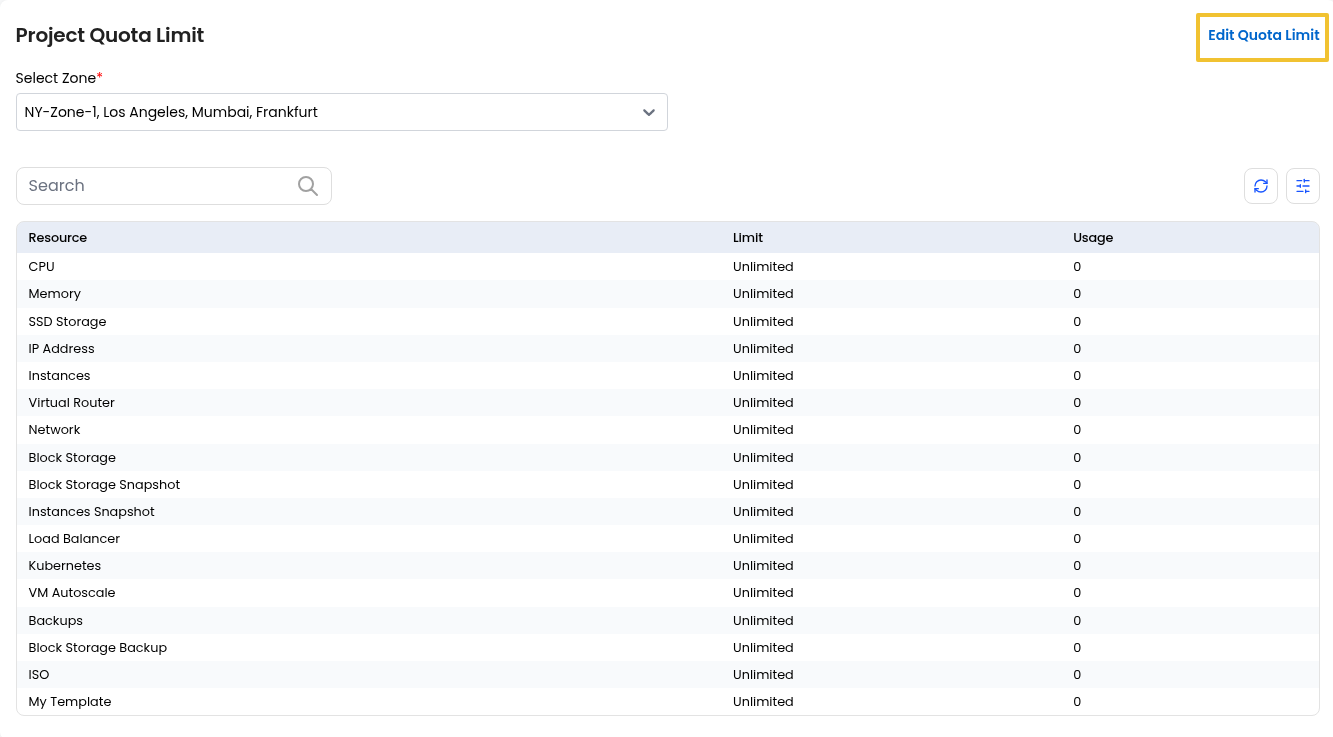
Step 3: Select the resource and zone you wish to modify.
Step 4: Specify the new quota value.
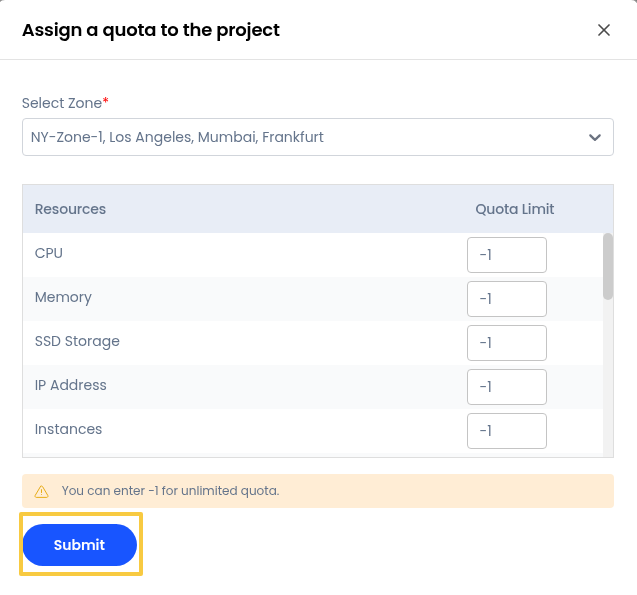
Note: Enter -1 if you want to remove restrictions and allow unlimited usage for that resource.
Step 6: Click Submit to save the updated quota settings.
Advantages of Using Projects
Projects offer several benefits for cloud resource management:
- Better organization of cloud infrastructure
- Simplified management of related resources
- Controlled user access and collaboration
- Improved visibility of resource usage
- Efficient quota and limit management
- Easier administration of multiple workloads
Summary
Projects help structure and manage cloud environments more effectively by grouping related resources into dedicated workspaces. With features such as user management, resource tracking, and quota controls, projects provide a practical way to maintain organization and operational efficiency within your AccuWeb.Cloud account.
Still don’t have an account?