
How can I enable an FTP account for an application from Accuweb.Cloud?
FTP stands for File Transfer Protocol. An FTP account is a login that allows you to connect your computer to a web server so you can move files between them.
Think of it like a bridge between your local system and your website server.
What is it used for?
Developers/Designers use FTP to:
- Upload website files such as HTML, CSS, images, or application code
- Download files from the server for backup or editing
- Update existing files when making changes to a website
- Fix issues directly on the server
- Manage folders and organize project files
How to Enable an FTP Account for an Application on AccuWeb.Cloud
Step 1: Log in to your AccuWeb.Cloud dashboard.
Step 2: Select the environment where you want to enable FTP and expand it. For example, you can choose the php-application environment.
Step 3: Open the Application Server and click on Add-Ons.
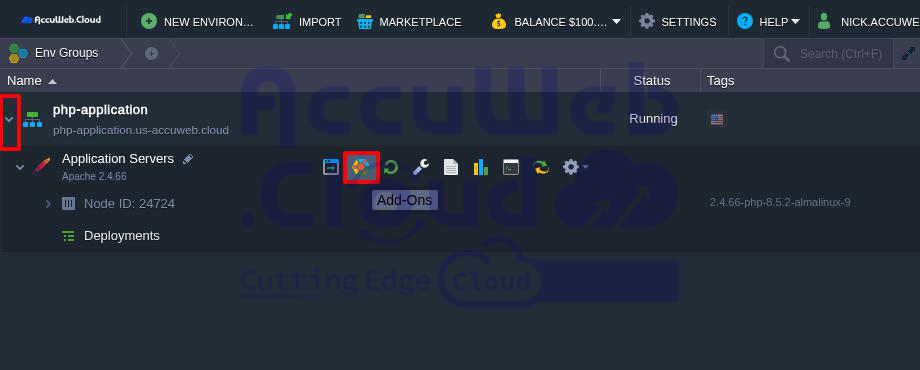
Step 4: A section called Application Servers: Add-Ons will open below.
Step 5: Find the FTP option and click Install.
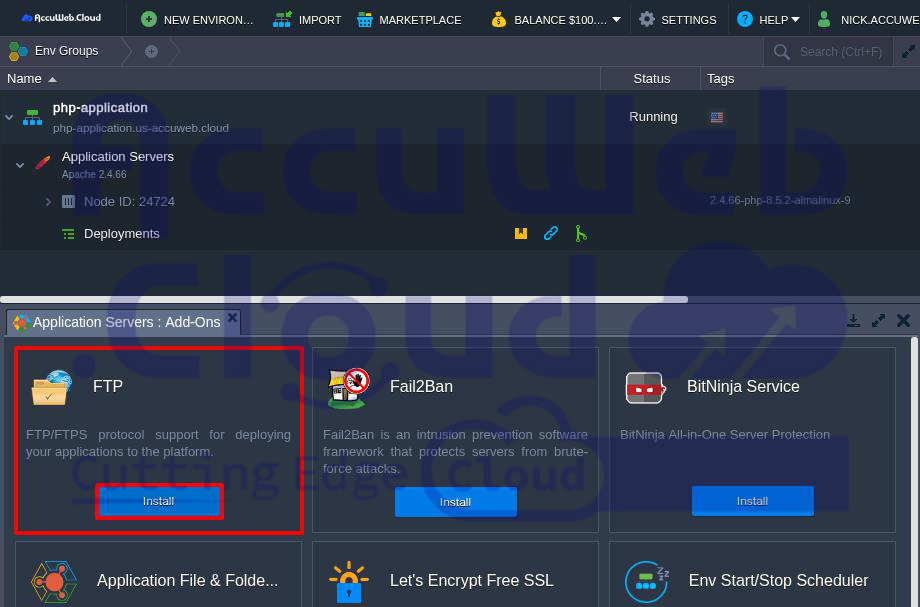
Note: If you do not see the FTP option, it means FTP is not supported for that application server. In this case, you cannot enable FTP for that application.
Step 6: Click Install in the FTP window. The installation will start and may take a few seconds.
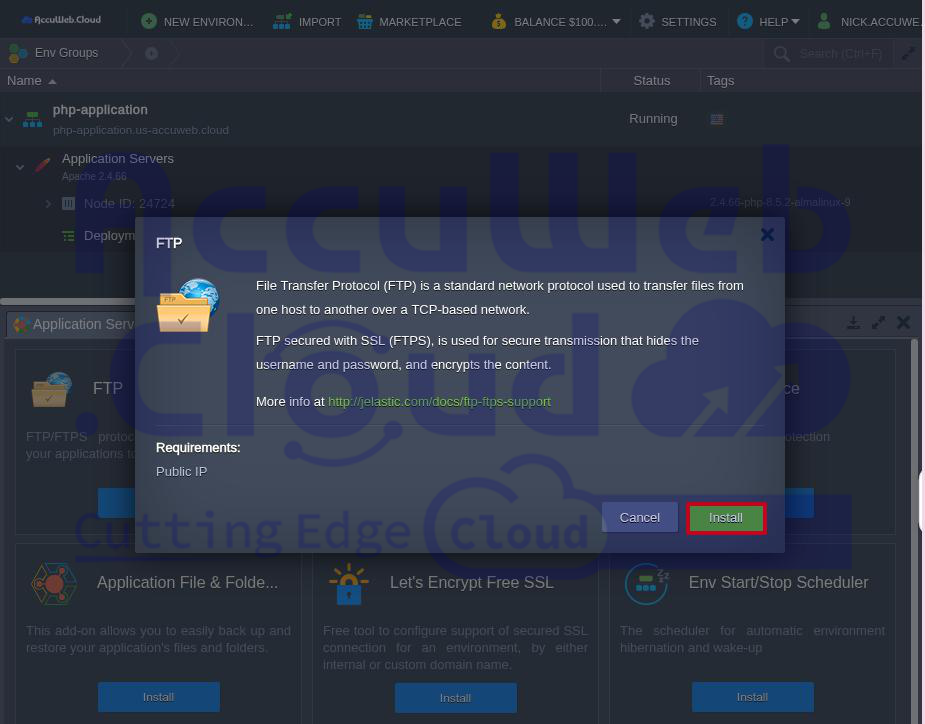
Once completed, you will see the message:
“Your FTP application has been successfully deployed.”
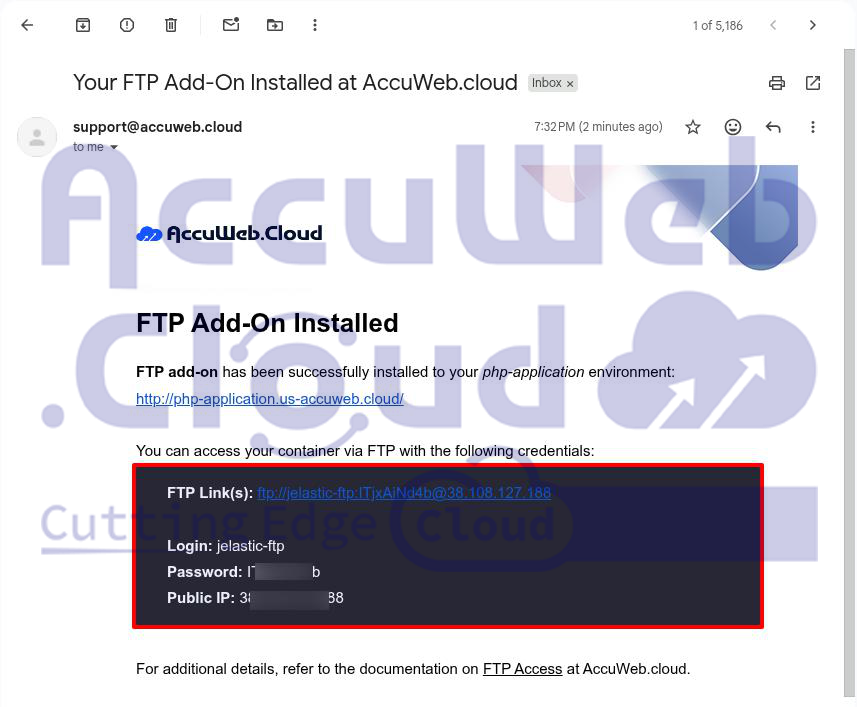
The FTP login details will also be sent to your registered email address.
How to Access the FTP Account from Your Local System
Step 1: Download and install an FTP client such as FileZilla on your computer.
Step 2: Open FileZilla and enter the Host, Username, and Password that you received by email.
Step 3: Click Quickconnect to connect to the application server.
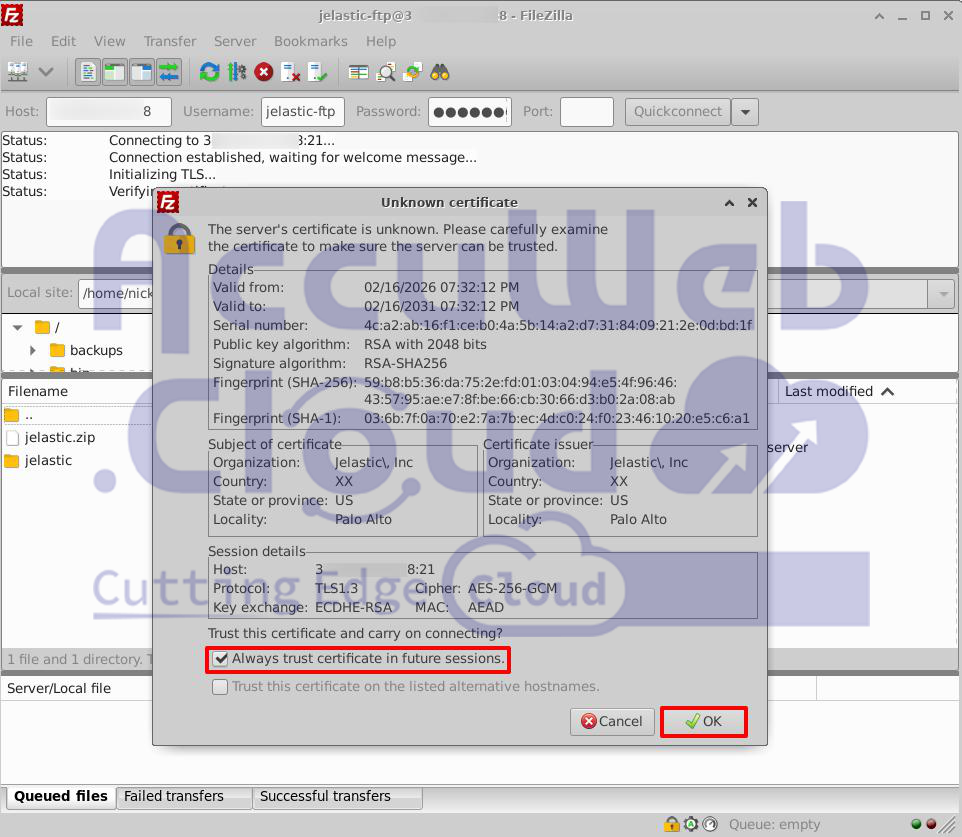
Step 4: If you see an SSL certificate warning, you can accept it. Select Always trust this certificate in future sessions, then click OK.
Step 5: Once connected, you will see your server files. This means the FTP connection is successful.
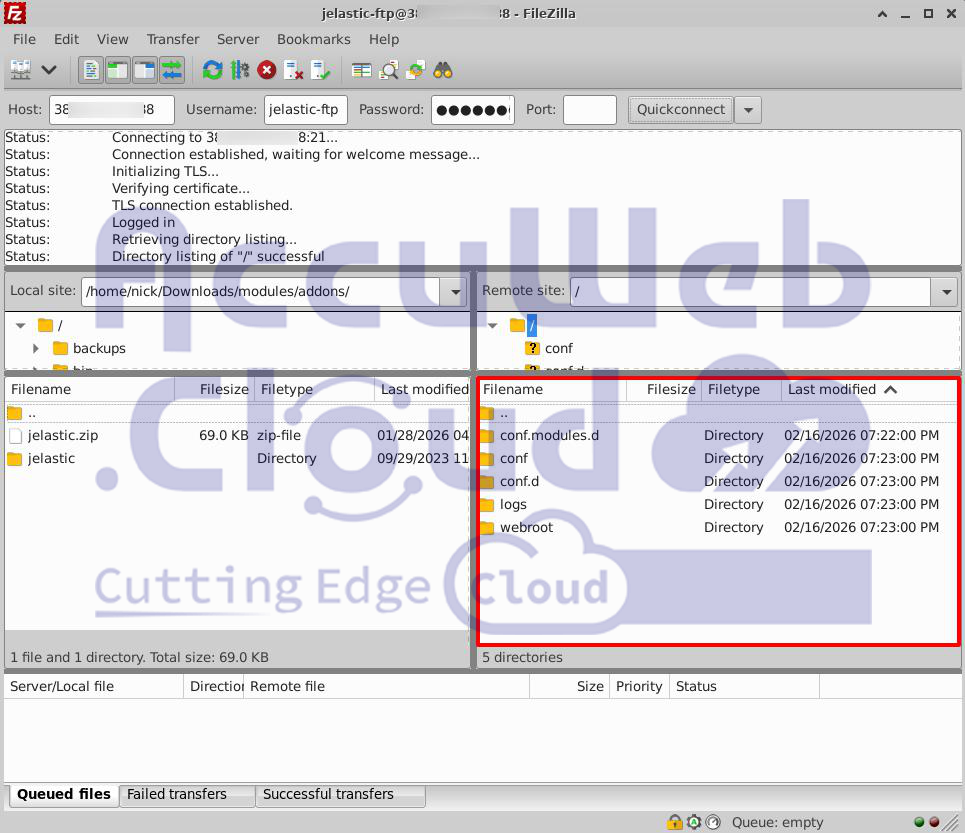
You can now upload and download files between your local system and the AccuWeb.Cloud application server easily.
Conclusion
An FTP account is a simple and useful tool for managing website files. It allows developers to upload, download, update, and organize files directly on the server. This makes website management faster, easier, and more secure.
For anyone working on websites or applications, using FTP is a practical way to maintain control and keep everything running smoothly.