
Note: This article applies to our previous Jelastic-based platform. AccuWeb.Cloud has now evolved to Apache CloudStack. For current documentation, visit: https://accuweb.cloud/resource/cs
How to Initiate a Service Cancellation Request?
Below are the steps on how to initiate a cancellation request for a product or service from AccuWeb.cloud client area.
Step 1: Log in to your AccuWeb.Cloud client area.
Step 2: Click on the Services tab, then select My Services.

Step 3: In the “My Products & Services” window, select the service you want to cancel (e.g., cPanel service).
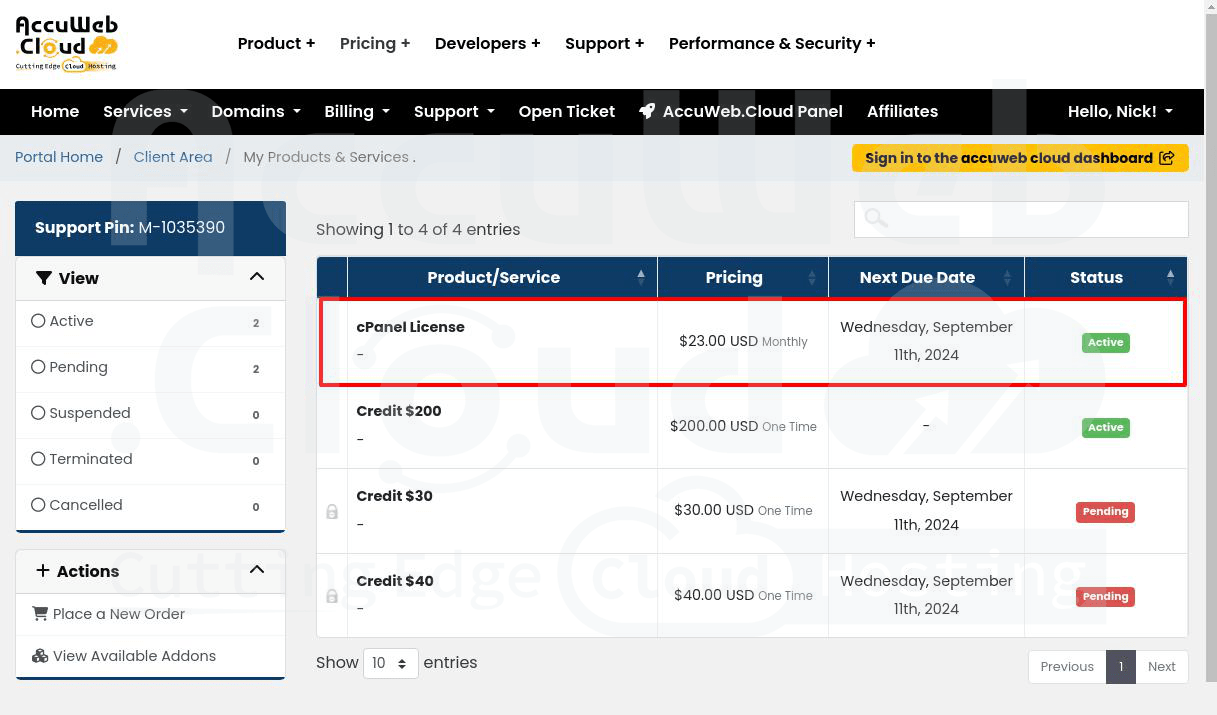
Step 4: In the “Product Details” window, click on “Request Cancellation” to submit a cancellation request for that service.

Step 5: You can add a reason for cancellation and choose the cancellation type, then click the “Request Cancellation” button.

Step 6: After submitting your request, you will receive a confirmation email at your billing email address.
That’s all.