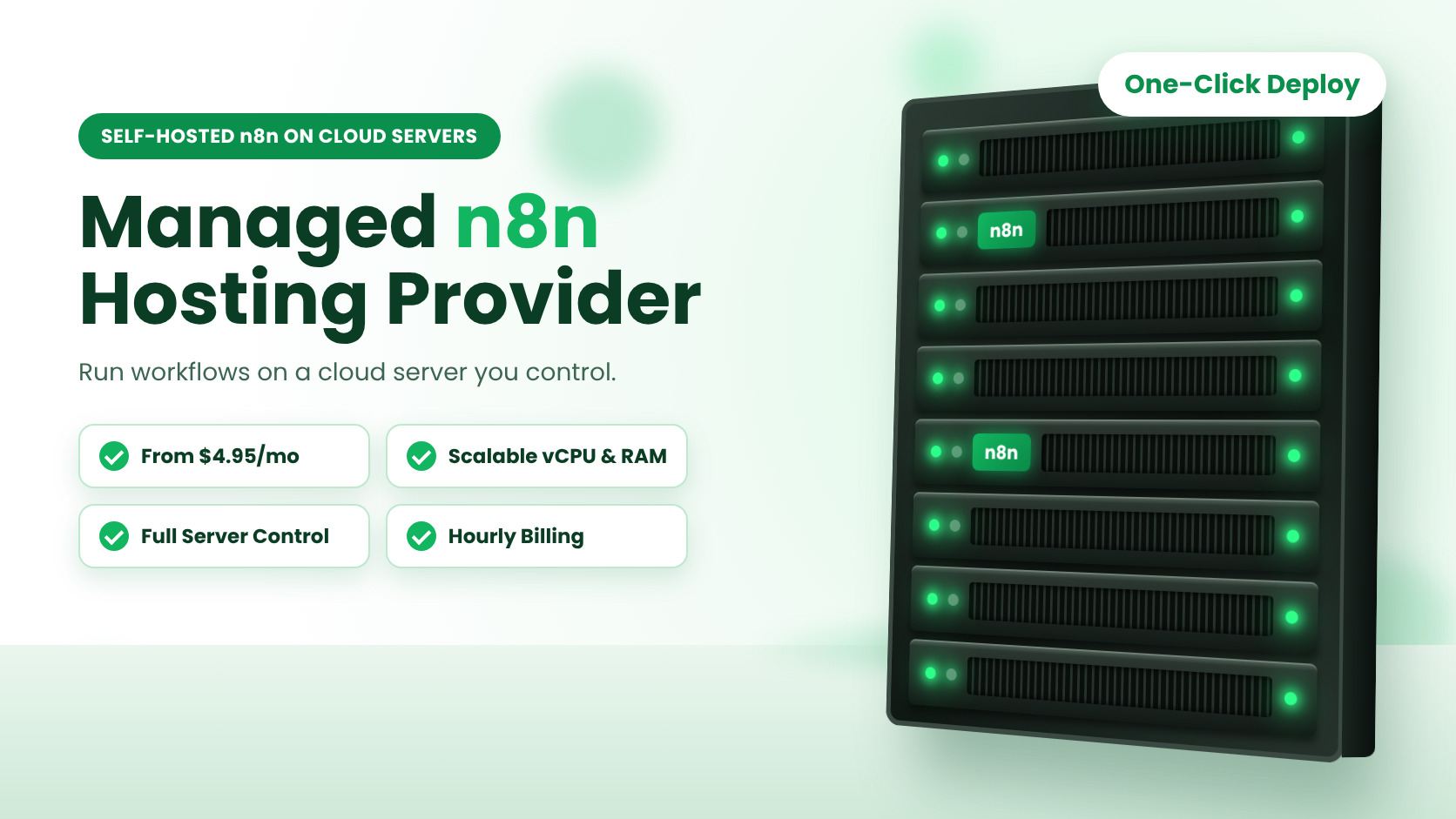
Managed n8n Hosting Provider: Self-Hosted n8n on Cloud Servers
Workflow automation has moved from a nice-to-have to a core business system. McKinsey research found that work occupying about 45% of employee time could be automated with technology that already exists, and n8n has become one of the most popular platforms for putting that potential to work. In 2025, n8n topped the JavaScript Rising Stars ranking after adding more than 112,000 GitHub stars, and the company closed a $180 million Series C round at a reported $2.5 billion valuation.
Once your team starts building automations, one practical question follows: where should n8n run? A managed n8n hosting provider gives you a cloud server, a one-click installation and a team that looks after the underlying infrastructure, so you can spend your time building workflows instead of maintaining servers. This guide explains what to look for, how the main options compare on price, and how to launch a production-ready n8n environment in minutes.
What Is a Managed n8n Hosting Provider?
A managed n8n hosting provider runs the cloud infrastructure that your n8n instance lives on. That includes the physical data center, the virtualization layer, networking, storage, backups and resource scaling. You get a ready-to-use n8n environment, and the provider takes care of the foundation underneath it.
This model sits between two familiar options. On one side, a fully hosted SaaS plan is convenient, but your workflows run inside someone else’s environment. On the other, building everything yourself on bare infrastructure gives you control, but it also means handling every layer of the stack. Managed self-hosting combines the best of both: your own n8n server, with professional infrastructure support behind it.
With AccuWeb.Cloud n8n hosting, n8n is available as a one-click Marketplace application on cloud infrastructure. You choose the plan and data center, deploy, and start connecting your apps, APIs, databases and AI services.
Why Self-Host n8n for Workflow Automation?
Self-hosted n8n means running the n8n workflow automation platform on cloud infrastructure that you control instead of relying entirely on a shared SaaS environment. For many teams, that choice comes down to four practical advantages.
- Your server: n8n runs on its own cloud instance rather than shared application hosting.
- Your data: you decide where your workflows, credentials and application data are hosted.
- Your resources: CPU, RAM and storage are chosen and scaled around your automation workload.
- Your configuration: you shape the n8n environment and its integrations to match your business processes.
There is also a cost model to consider. n8n Cloud plans are priced by execution volume, with the Starter plan listed at €20 per month (billed annually) for 2,500 executions and the Pro plan at €50 per month for 10,000 executions. When you self-host, your spend follows the cloud resources you provision, and a single workflow can include as many steps as your design requires. For teams running frequent or high-volume automations, resource-based pricing is often easier to plan around.
Key Features of Managed n8n Hosting on AccuWeb.Cloud
Four capabilities define the experience: a self-hosted n8n setup, scalable vCPU and RAM, full server control and pay-as-you-go billing. Here is how each one helps your automation projects.
Self-Hosted n8n With One-Click Deployment
Installing n8n by hand means preparing a server, configuring dependencies and testing the setup before the first workflow can be built. One-click deployment removes that preparation. You launch n8n from the Marketplace, and the environment is ready in minutes, with no manual installation and no initial configuration to complete. Your first workflow can be live the same day you sign up.
Scalable vCPU and RAM for Consistent Performance
Each plan pairs a defined amount of vCPU and RAM with NVMe storage, 1 TB of bandwidth and a dedicated public IP, so the essentials are in place from the first day. Automations that call APIs, process data and trigger downstream actions benefit from a configuration matched to the workload, especially when several workflows run at the same time. As concurrency grows, you can move to a larger plan and add compute and storage.
Full Server Control
You keep ownership of your n8n workflows, application credentials, third-party integrations, workflow logic and configuration. A single dashboard gives you real-time visibility into CPU usage, memory consumption and disk activity, so you can spot trends early. You can also configure firewall rules, manage SSH access and control network access to match your security policies.
Pay-As-You-Go Billing
Plans are billed by the hour and also shown with a monthly price. Charges are based on the resources you provision, not your actual CPU or RAM utilization.
You can start with a smaller plan for your first automations and increase resources as your workflow volume grows. With Pay-As-You-Go (PAYG) billing, there is no need to commit to a larger configuration before you need it. Some resource changes may require an instance reboot.
Who Manages What: Infrastructure vs Application
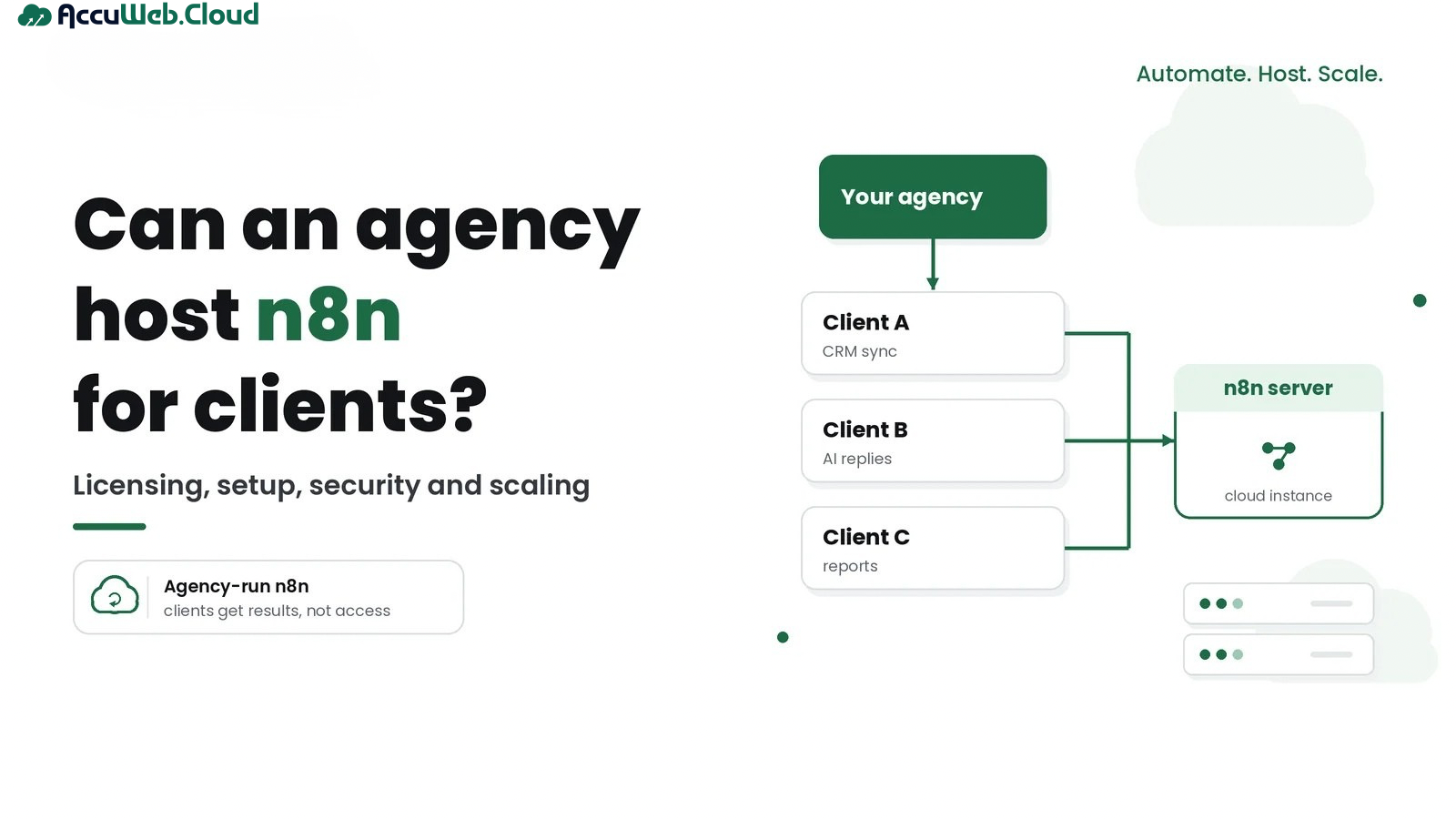
The clearest way to understand managed self-hosting is to look at how responsibilities are divided. You keep control of the n8n environment, and the provider manages the cloud foundation beneath it.

What AccuWeb.Cloud Helps Manage
- Cloud infrastructure and resource provisioning
- Network configuration
- Infrastructure troubleshooting
- Backups and snapshots
- Compute and storage scaling
What You Control
- n8n workflows and workflow logic
- Application credentials
- Third-party integrations
- n8n configuration
- Business automation strategy
This split lets your team focus on automation logic while experienced cloud engineers handle server availability and infrastructure-level support. With 23+ years of experience in the hosting business and a ticket response time of 10.6 minutes, 24/7 cloud support is part of the everyday experience.
How to Deploy n8n in Minutes
Launching a production-ready n8n server follows a simple path.
- Create your account. Register on AccuWeb.Cloud and open the dashboard.
- Select n8n from the Marketplace. Choose the one-click n8n application.
- Pick your plan. Select the vCPU, RAM and NVMe storage that fit your workload. You can always scale compute and storage later.
- Choose a data center. Select New York, Frankfurt, Mumbai or Los Angeles, whichever is closest to your users and connected systems.
- Deploy and build. Launch the server and start creating workflows with the visual builder.
Because data center choice affects latency and data residency, take a moment to review the global data center locations before you deploy. AccuWeb.Cloud deploys on Equinix data centers.
n8n Hosting Plans and Pricing
Seven plans cover everything from a first proof-of-concept to demanding multi-workflow environments. Every plan includes vCPU and RAM, NVMe storage, 1 TB bandwidth and one dedicated public IP, and every purchase is covered by a 30-day money-back guarantee.
| Plan | vCPU | RAM | NVMe Storage | Bandwidth | Hourly Price | Monthly Price |
|---|---|---|---|---|---|---|
| Start | 1 | 1 GB | 12 GB | 1 TB | $0.006781/hr | $4.95/mo |
| Essential | 1 | 2 GB | 15 GB | 1 TB | $0.009507/hr | $6.95/mo |
| Standard | 2 | 4 GB | 35 GB | 1 TB | $0.016096/hr | $11.75/mo |
| Plus | 2 | 8 GB | 50 GB | 1 TB | $0.021863/hr | $15.95/mo |
| Power | 4 | 8 GB | 85 GB | 1 TB | $0.030096/hr | $21.95/mo |
| Premium | 4 | 16 GB | 105 GB | 1 TB | $0.040795/hr | $29.75/mo |
| Ultimate | 8 | 32 GB | 140 GB | 1 TB | $0.072507/hr | $52.95/mo |
Which Plan Fits Your Automation Workload?
- Start and Essential: ideal for launching your first workflows, testing integrations and running lightweight scheduled automations.
- Standard and Plus: a balanced choice for business automations that connect CRMs, databases, webhooks and messaging tools.
- Power and Premium: well suited to higher workflow concurrency, AI-driven pipelines and data-heavy processing.
- Ultimate: built for large automation estates that need the most compute headroom on a single server.
If you want to model your budget before choosing, the cloud cost estimator tool helps you see hourly and monthly totals for different configurations.
AccuWeb.Cloud vs Other Cloud VPS Providers: Price Comparison
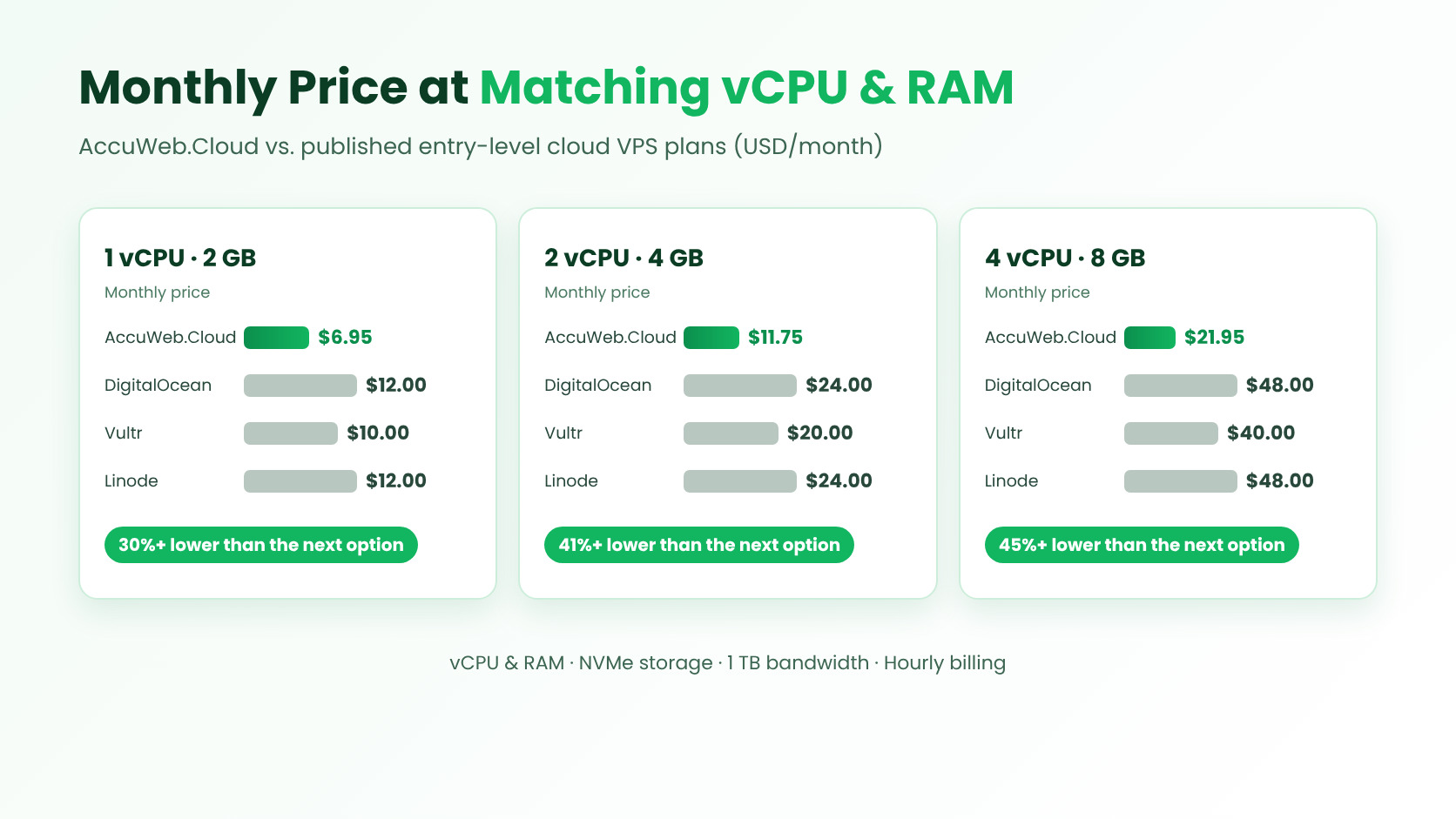
Cost is one of the first things teams compare when choosing where to host n8n, and it is easy to see why. The server underneath your automations runs around the clock, so even small differences in monthly pricing add up over a year. To make the comparison fair, the table below lines up entry-level cloud VPS plans from well-known providers at the same vCPU and RAM configurations. Each competitor price is the published monthly price for its standard Basic, Regular or Shared CPU plan.
| Configuration (vCPU / RAM) | AccuWeb.Cloud | DigitalOcean | Vultr | Linode (Akamai) | AccuWeb.Cloud Savings vs Lowest Competitor |
|---|---|---|---|---|---|
| 1 vCPU / 1 GB | $4.95/mo | $6.00/mo | $5.00/mo | $5.00/mo | 1% |
| 1 vCPU / 2 GB | $6.95/mo | $12.00/mo | $10.00/mo | $12.00/mo | 30%+ |
| 2 vCPU / 4 GB | $11.75/mo | $24.00/mo | $20.00/mo | $24.00/mo | 41% |
| 4 vCPU / 8 GB | $21.95/mo | $48.00/mo | $40.00/mo | $48.00/mo | 45% |
What the Numbers Show
Among the providers compared, AccuWeb.Cloud has the lowest published price in all four configurations. The gap widens as you scale: a 2 vCPU / 4 GB server costs $11.75 per month, which is less than half the $24.00 listed by DigitalOcean and Linode and 41% below the $20.00 Vultr price. At 4 vCPU / 8 GB, the $21.95 monthly price is more than 54% lower than the $48.00 plans and 45% lower than Vultr’s $40.00.
In yearly terms, choosing the Standard plan over a $24.00 equivalent saves about $147 per server, and choosing the Power plan over a $48.00 equivalent saves about $312. If you run separate servers for development, staging and production, those savings multiply quickly.
More Than a Low Monthly Price
Price is only part of the picture. Every AccuWeb.Cloud n8n plan comes with defined vCPU and RAM, NVMe storage, 1 TB of bandwidth, a dedicated public IP, hourly billing and a 30-day money-back guarantee. One customer who migrated their website to AccuWeb.Cloud reported that their cloud hosting costs dropped by over 80%, a result that shows how much the right provider choice can influence an infrastructure budget. You can explore the full range of Cloud VPS hosting plans if you also plan to run databases, websites or other applications alongside n8n.
Build AI Workflows With Self-Hosted n8n
AI is one of the biggest reasons teams are moving automation to their own cloud servers. Connecting large language models to business systems usually involves API keys, customer data and vector databases, and running n8n on infrastructure you control keeps those pieces together in one environment.
AI Agents
Connect LLM APIs with tools, databases and business systems so your agents can look up records, draft responses and trigger actions automatically.
RAG Workflows
Combine n8n with PostgreSQL and pgvector or another vector database to ground AI answers in your own documents. If you plan to build retrieval workflows, PostgreSQL database hosting on the same cloud platform keeps your data close to your automations.
AI Content Automation
Automate generation, processing, routing and publishing workflows, from drafting product descriptions to distributing finished content across channels.
API Automation
Connect OpenAI, Gemini, Anthropic, CRMs, databases and custom APIs in one visual workflow. With custom nodes and code steps, your automations can match the way your business actually operates.
Monitoring, Security and Backups for Your n8n Server
Automations often touch sensitive systems, so the server that runs them deserves careful attention. A managed environment gives you three layers of protection and visibility.
- Server health monitoring: track CPU usage, memory consumption and disk activity in real time, so you can identify bottlenecks and adjust resources before they affect your workflows.
- Security management: configure firewall rules, manage SSH access and control network access to keep your environment properly protected.
- Backups and snapshots: keep recovery options available so your n8n environment can be restored quickly if an unexpected issue occurs.
Your n8n deployment also runs on Equinix data centers, with locations available in New York, Frankfurt, Mumbai and Los Angeles. As your workload grows, vertical scaling options let you add compute and storage without rebuilding your setup.
What Customers Say About AccuWeb.Cloud
AccuWeb.Cloud holds a 4.1 out of 5 rating on Trustpilot and supports more than 10,000 cloud deployments. Customers regularly mention speed, support and value in their reviews.
- Dr. Ritesh Khokhar (India): “They provide fast, efficient and reliable service. They resolve queries quickly & to best satisfaction.”
- Leon Walton (United States): “Accuweb provides fast, secure, and affordable services with excellent customer support.”
- A verified customer shared that when they were stuck during a deployment, the support team helped them instantly and solved the issue.
Those experiences reflect the same priorities that matter most for automation hosting: quick setup, dependable infrastructure and help that arrives when you need it.
n8n Hosting FAQs
What is n8n used for?
n8n is a workflow automation platform that helps you connect apps, automate processes and build data pipelines between systems and APIs without manual effort.
Is this a self-hosted n8n setup?
Yes. n8n runs on your own cloud server, so you control the server, resources, configuration and data location while the underlying cloud infrastructure is managed for you.
Do I need technical knowledge to use n8n?
n8n uses a visual workflow builder, and one-click deployment removes the installation steps. Many users start with simple app-to-app automations and add custom code or API calls as their needs grow, and the support team is available if you want help along the way.
Can I scale my n8n server later?
Yes. You can increase compute resources and storage as your workflow volume, concurrency and processing requirements grow.
Which applications can I integrate with n8n?
n8n connects business applications, APIs, databases, webhooks, AI services and custom nodes, so you can automate across the tools your team already uses.
Is my data secure on AccuWeb.Cloud?
Your environment includes firewall rules, SSH access management, network access controls, and backups and snapshots, all hosted in Equinix data centers.
Can I use n8n for AI workflows?
Yes. Self-hosted n8n works with AI agents, RAG workflows, AI content automation and API automation using providers such as OpenAI, Gemini and Anthropic.
Is n8n suitable for production use?
Yes. Scalable vCPU and RAM, NVMe storage, real-time execution and scalable resources make the platform a strong fit for production automation.
Conclusion
Choosing a managed n8n hosting provider comes down to a few clear questions: Do you get the vCPU and RAM your workflows need? Do you keep control of your workflows and data? Can you scale smoothly? And does the pricing make sense for the long term? AccuWeb.Cloud answers each one with self-hosted n8n on cloud servers, full server control, one-click deployment and hourly pay-as-you-go billing, starting from $4.95 per month.
The price comparison above shows the lowest published monthly price among the compared providers in every matched configuration, which leaves more of your budget for building automations that move your business forward. Pick the plan that fits your first workflow today, and scale whenever your automations are ready to grow.

Jilesh Patadiya, the visionary Founder and Chief Technology Officer (CTO) behind AccuWeb.Cloud. Founder & CTO at AccuWebHosting.com. He shares his web hosting insights on the AccuWeb.Cloud blog. He mostly writes on the latest web hosting trends, WordPress, storage technologies, and Windows and Linux hosting platforms.