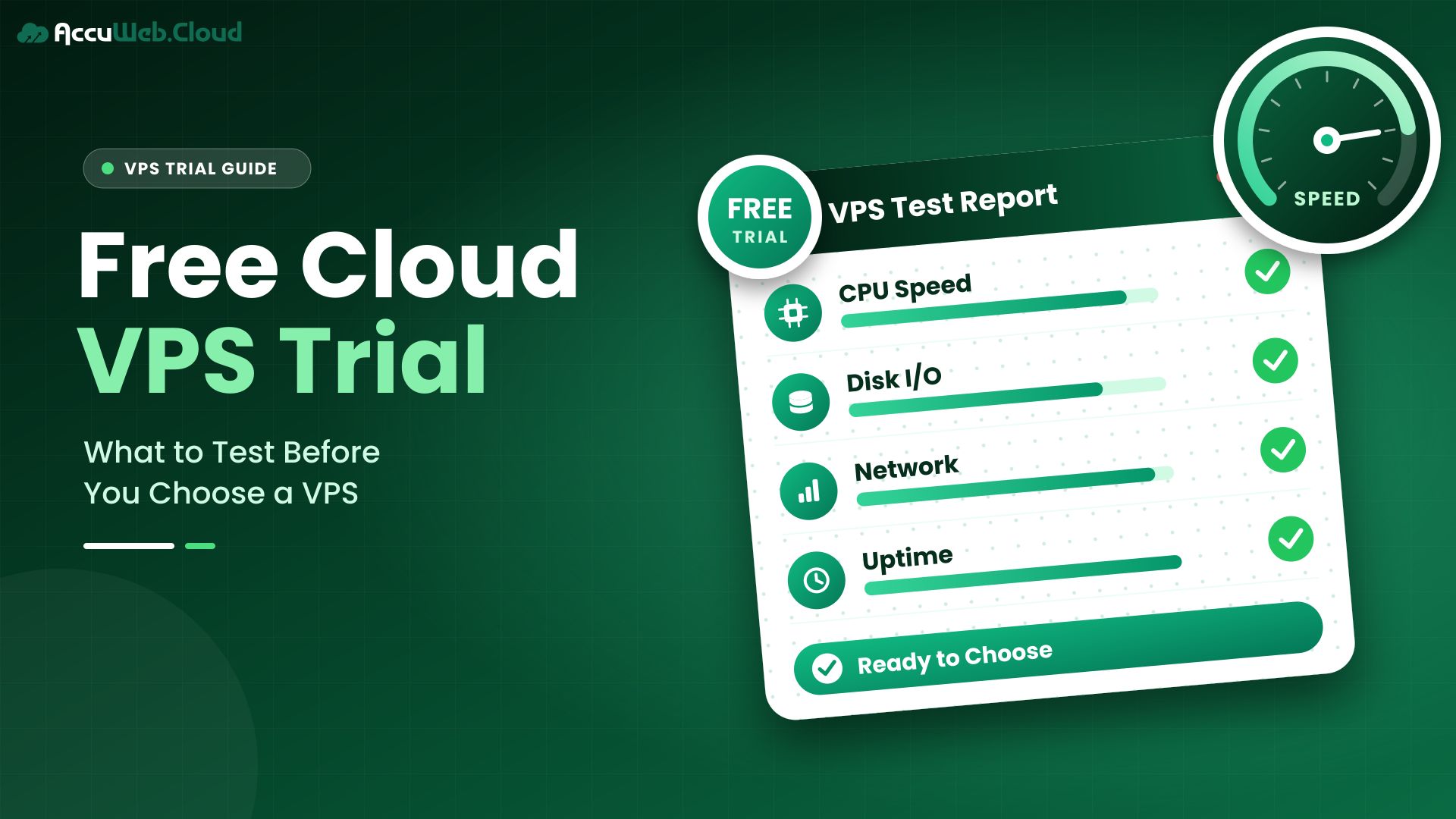
Free Cloud VPS Trial: What to Test Before You Choose a VPS
A free cloud VPS trial lets you run a real virtual server at no cost for a limited time, so you can test a provider’s speed, setup and support with your own workload before you pay. Unlike free hosting, which gives you a limited shared account, a VPS trial gives you full control of your own server.
Trial days disappear quickly, though. Most people log in, look around, and run out of time before testing anything that matters. This guide shows you what a [free cloud VPS trial] includes, how it differs from free hosting, and exactly what to test each day, so you finish the trial with a clear decision instead of a guess.
TL;DR
A free VPS trial gives you a real server for a limited time, so you can test it before you buy. Trial length, resources and rules differ from one provider to the next, and a trial is not the same as permanently free hosting. Some providers verify a payment method to prevent abuse, so check the terms before you sign up. Two weeks is enough for a structured test if you plan it in advance, and the trial is also the best time to try out support. AccuWeb.Cloud’s trial runs for up to 14 days with 1 vCPU, 1 GB RAM and 10 GB storage, so you can test your real workload with no commitment.
I added “with no commitment” at the end as a soft CTA. Please confirm it’s accurate for the trial terms, and remove it if a card is required. I can write a shorter version if you need one.
Ready to Try a Cloud VPS for Free?
Test AccuWeb.Cloud with a real cloud server for up to 14 days. Explore performance, deployment, and cloud management before choosing a paid plan.
What Is a Free Cloud VPS Trial?
A free cloud VPS trial is a time-limited, no-cost period on a provider’s paid virtual private server service. You get a real VPS with its own CPU, memory and storage, so you can test it with your own software.
The goal is evaluation. The provider is betting that once you see the service work, you’ll stay as a paying customer. You’re checking whether that bet is justified.
A trial is different from a demo or a sandbox. You can usually install packages, deploy an app and connect to it over the internet, just as you would on a paid server. The limits are mainly time and resources.
Free Cloud VPS Trial vs Free VPS Hosting
A trial is a test of a paid service. Free VPS hosting is a service that’s meant to stay free, usually with tight limits. Mixing them up leads to the wrong expectations.
| Criteria | VPS trial | Permanently free VPS hosting |
|---|---|---|
| Duration | Fixed, often days or weeks | Ongoing, as long as the offer lasts |
| Purpose | Evaluate a paid service | Provide a small free server |
| Resources | Close to an entry-level paid plan | Usually very limited |
| Production suitability | Not intended for production | Rarely suitable for business use |
| Provider support | Often similar to paid customers | Often limited or community-only |
| After it ends | Upgrade to paid or stop | Continues, subject to the provider’s terms |
| Upgrade path | Built in, since it’s the same service | Varies |
If you need a server for a hobby project that must stay free, look for a free tier. If you’re choosing a host for a business site or app, a trial gives you a far more realistic picture.
Why Use a Cloud VPS Trial Before Buying?
A cloud VPS trial removes guesswork. Spec sheets tell you the CPU count and disk size, but they don’t tell you how your own app behaves on that hardware.
- Real performance data: you see how your site or app responds, not how a benchmark responds.
- Location fit: you can measure latency from where your users actually are.
- Support quality: you find out how fast and how helpful the support team is before you depend on it.
- Usability: you learn whether the control panel and tools suit the way you work.
- Cost confidence: you can size the paid plan you’ll need based on real usage.
The cost of switching hosts later is high. Migrating a live site takes time and carries risk. A short trial now can save a painful move in six months.
Test Your Website or App Before You Pay
Experience AccuWeb.Cloud with a 14-day free trial featuring 1 vCPU, 1 GB RAM, and 10 GB storage. Evaluate your workload before making a hosting decision.
What Should You Test During a Cloud Server Free Trial?
Test the things you’ll rely on every day: compute, storage, network, deployment, support and usability. Focus on your real workload rather than synthetic scores.

CPU and RAM Performance
Run your application and watch how it uses resources under normal and busy conditions. Tools like top or htop show CPU and memory use in real time. Note how much memory is free once your full stack is running, because that headroom decides when you’ll need to upgrade.
Storage Performance
Disk speed affects databases, file uploads and page generation. A tool such as fio, the flexible I/O tester can measure read and write speed. Also check how much space is left after you install your operating system, app and data.
Network and Latency
Measure response times from the regions where your users live, not just from your own desk. Check download and upload speeds, and confirm you can open the ports your app needs. Slow networks often show up as slow pages even when the server itself is fast.
Application Deployment
Deploy the actual thing you plan to run. That might be WordPress, a Node.js or Python app, or a Docker container. Watch for missing packages, permission problems or setup steps that take longer than expected.
Support Experience
Open at least two support requests: one simple and one technical. Note how long the first reply takes and whether the answer actually solves the problem. This is the only safe time to find out. If you’re trialling AccuWeb.Cloud, its 24/7 cloud support team is the place to send those requests.
Control Panel and Usability
Try the everyday tasks: rebooting the server, resizing it, checking usage and finding your bills. A clear control panel saves time every week you stay with the provider.
How Long Should a Cloud Free Trial Last?
A cloud free trial should last long enough to deploy your workload, watch it under real conditions and test support. For most small and mid-sized projects, one to two weeks is enough if you plan the tests in advance.
Longer trials are not automatically better. Without a plan, people tend to use the first few days and forget the rest. A 14-day cloud free trial with a clear checklist usually gives more useful answers than a month of occasional logins.
A short trial of a few days can work for a quick check. However, it rarely gives you time to see weekday and weekend traffic or to test a support request properly.
What to Look for in a VPS Free Trial
Before you sign up for any VPS free trial, check these points in the provider’s terms:
-
- Trial duration: how many days you get, and when the clock starts.
- VPS resources: vCPU, RAM and storage, and whether they match the plan you’d buy.
- Support: whether trial users get the same support as paying customers.
- Management level: whether the provider helps manage the server or leaves everything to you.
- Data center: which locations you can use during the trial.
- Verification requirements: whether a card or other check is needed, and whether any charge is refunded or credited.
- Billing clarity: what happens automatically when the trial ends.
- Restrictions: common limits include blocked email ports, bandwidth caps or one trial per person.
- Upgrade process: whether you can keep your server and data when you move to a paid plan.
Want to Know What’s Included in Our Free Trial?
Explore the 14-day trial resources, activation process, eligibility requirements, and what you can test with AccuWeb.Cloud.
Why Providers Ask for Payment Verification
Free servers attract abuse, such as spam, crypto mining and attacks on other networks. Many providers verify a payment method or identity to keep that out. Some place a small charge to confirm a card is real.
Verification isn’t a red flag on its own. What matters is that the terms are clear: how much is charged, whether it’s returned or credited, and whether billing starts automatically when the trial ends.
Red Flags in a Free Trial Offer
Most cloud hosting free trial offers are straightforward, but a few warning signs are worth knowing. Treat these as reasons to read the terms twice:
- Vague end-of-trial terms: if the page doesn’t say what happens on the last day, ask before you sign up.
- Hidden automatic billing: a trial that silently turns into a paid plan should say so clearly.
- Resources far below any paid plan: if the trial server is much smaller than what you’d buy, your results won’t carry over.
- Support excluded: a cloud server free trial without support hides one of the most important things to test.
- No upgrade path: having to rebuild everything on a new server after the trial wastes the work you’ve done.
None of these automatically rules out a provider. They simply tell you which questions to ask first.
How AccuWeb.Cloud’s Free Cloud VPS Trial Works
AccuWeb.Cloud offers a free cloud VPS trial of up to 14 days for testing and evaluation. The trial page describes it as a way to test performance, scalability and managed support before choosing a paid plan.
| Trial feature | AccuWeb.Cloud |
|---|---|
| Trial duration | Up to 14 days |
| vCPU | 1 |
| RAM | 1 GB |
| Storage | 10 GB |
| Purpose | Testing and evaluation |
| How to start | Submit the trial request form on the free trial page |
| After the trial | Upgrade to a paid account to keep using the service without disruption |
Getting started is simple:
- Go to the AccuWeb.Cloud free trial page and submit the trial request form.
- Follow the instructions you receive to access your trial VPS.
- Deploy and test your workload for up to 14 days.
- Before the trial ends, decide whether to upgrade to a paid account.
Read the signup form carefully as you go. Any verification steps will appear there, and the form is the most up-to-date source for the current terms.
Ready to test a VPS with your own workload? You can start a free cloud VPS trial on AccuWeb.Cloud and run it for up to 14 days.
Your 14-Day Free Cloud VPS Trial Starts Here
Get started with 1 vCPU, 1 GB RAM, and 10 GB storage. Submit your request and experience AccuWeb.Cloud before upgrading to a paid plan.
What Comes After the Trial
If the trial works for you, AccuWeb.Cloud’s Cloud VPS Hosting plans start from $4.99 per month, with hourly or monthly billing. Paid plans use NVMe SSD storage and dedicated resources.
You can scale CPU and RAM as your needs grow, so you don’t have to guess the perfect size on day one. You can view cloud VPS pricing for current rates.
Every paid AccuWeb.Cloud plan is fully managed cloud hosting by default. The team helps with server setup, security updates, monitoring and troubleshooting within a published scope. Your own code and content stay your responsibility.
What to Test During Your 14-Day Cloud Free Trial
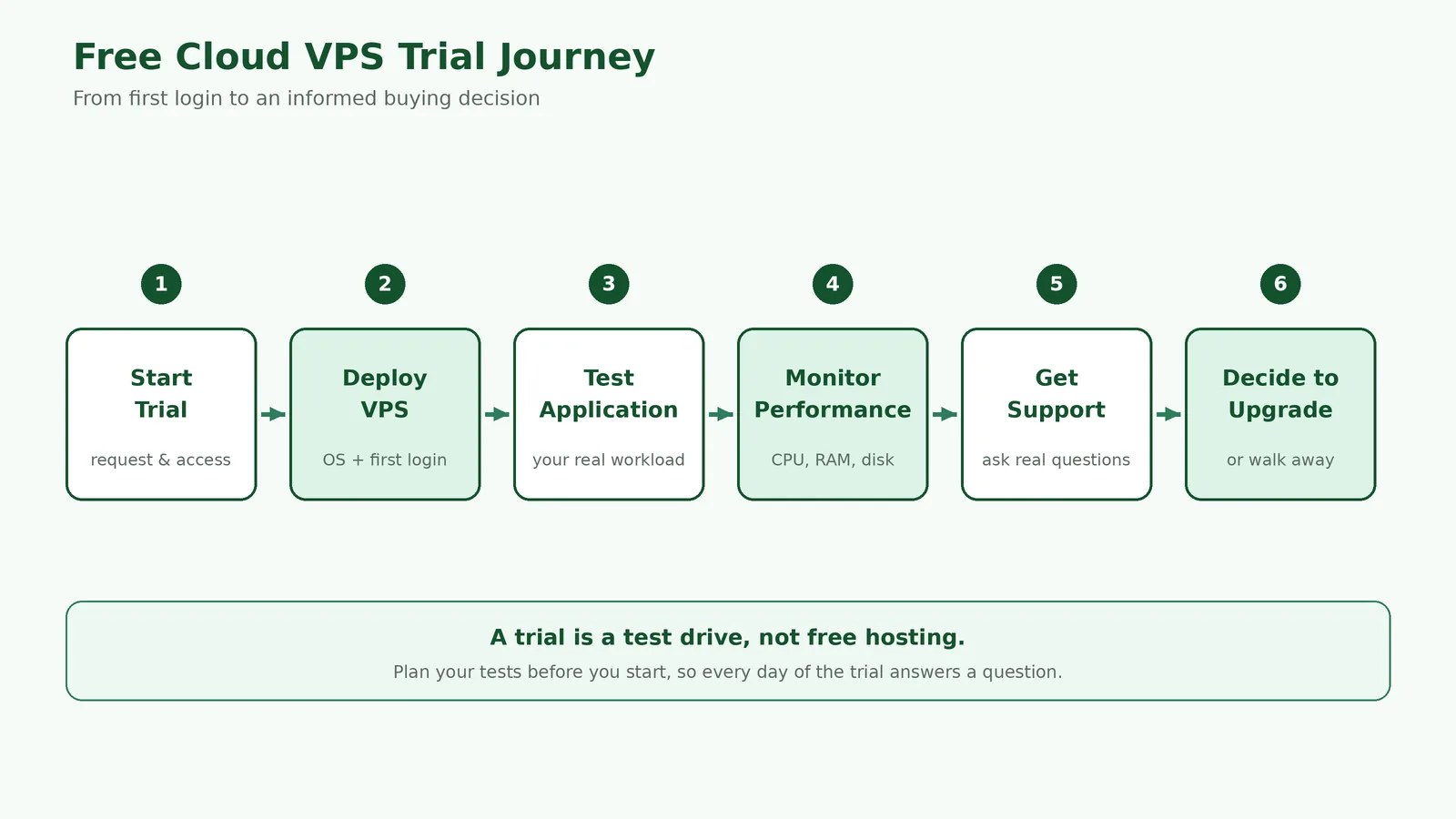
Use this plan to turn a 14-day trial into a clear decision. Adjust it to your project, but keep the order: set up, deploy, stress, verify, decide.
| Days | Focus | What to do |
|---|---|---|
| 1–2 | Set up | Log in, secure SSH access, update the OS and explore the control panel. Send a simple support question. |
| 3–5 | Deploy | Install your website or app, connect a database and confirm everything works over the internet. |
| 6–9 | Measure | Watch CPU, RAM and disk under normal and busy use. Test latency from your users’ regions. |
| 10–12 | Verify | Send a technical support request. Ask how backups and snapshots work on paid plans and test a restore if available. |
| 13–14 | Decide | Estimate the paid plan you need, compare the monthly cost and plan your migration or launch. |
Keep notes as you go. A simple list of “worked”, “didn’t work” and “questions” makes the final decision much easier.
On AccuWeb.Cloud’s paid Cloud VPS plans, a 7-day disaster-recovery backup is included at no extra cost. Scheduled backups and snapshots are paid add-ons, with cloud backup storage available separately. Ask support which of these you can try during the trial.
Free Cloud VPS Trial vs Cloud Credits vs Free Tier
Providers use three main ways to let you try their services. Each one suits a different goal.
| Criteria | Free trial | Cloud credits | Free tier |
|---|---|---|---|
| How it works | Free access for a set period | A dollar balance to spend | An ongoing small allowance |
| Duration | Days or weeks | Until the credit expires or runs out | Often long-term, within limits |
| Resource model | Fixed resources | You choose; usage draws down credit | Specific services up to a limit |
| Payment requirement | Varies by provider | Often requires a card | Often requires a card |
| What happens at the end | Upgrade or stop | Normal billing may begin | Charges apply above the limits |
| Best for | Testing one VPS with a real workload | Exploring many cloud services | Very small, long-running projects |
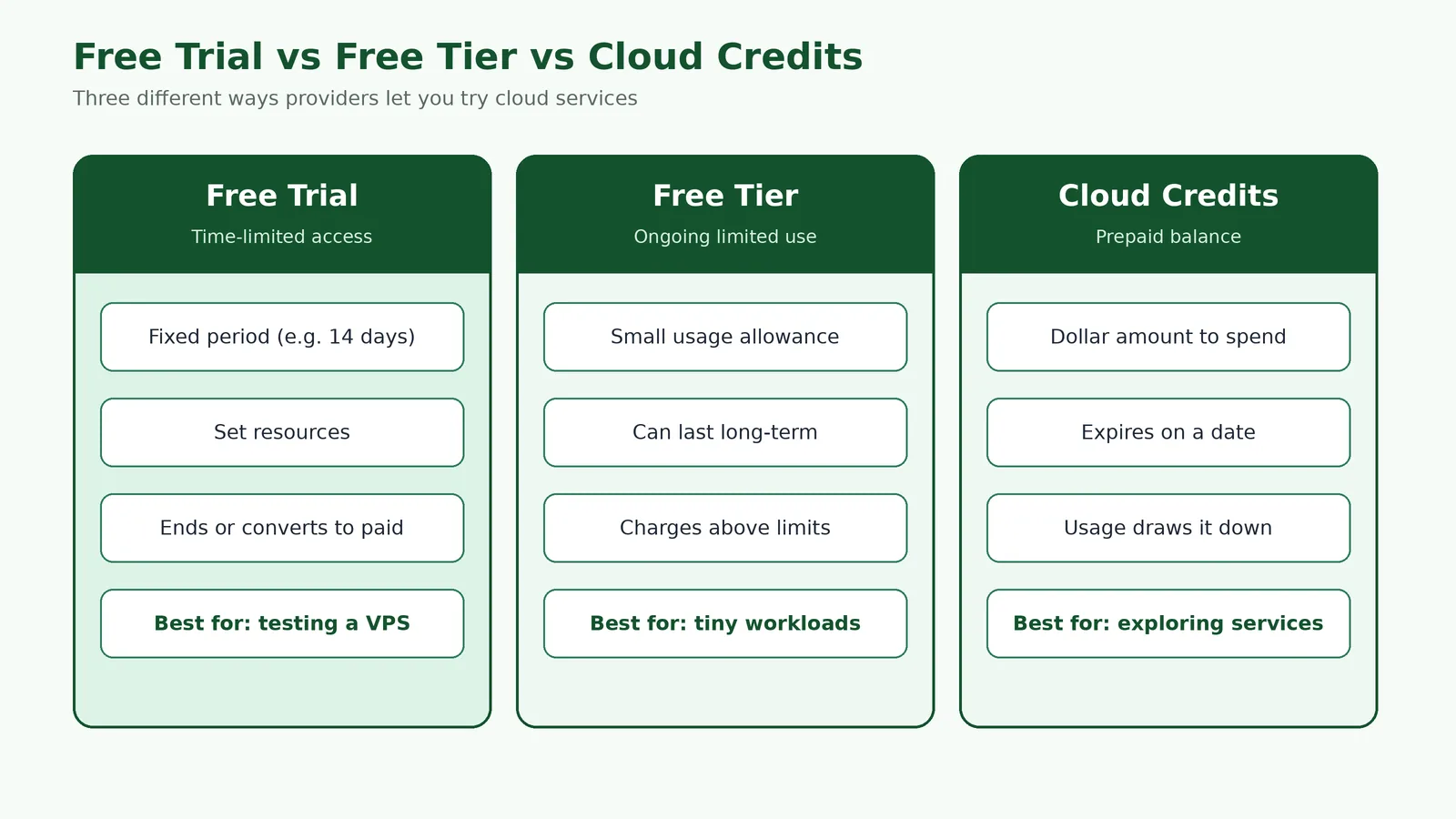
Credits can look generous, but they are easy to misread. A large balance on a platform with complex pricing can disappear faster than expected. A fixed-resource trial is simpler, because you know exactly what you’re testing.
Who Is a Free Cloud Server Trial Best For?
A free cloud server trial suits anyone choosing a VPS for a real project who wants evidence before paying.
- Small business owners moving a website off shared hosting.
- Developers testing a new app, API or Docker setup.
- Agencies checking a host before moving client sites.
- Students and learners practising Linux server administration.
A trial is less suitable when you need a server for production right away, or when your workload needs far more than the trial resources. A small trial VPS with 1 GB of RAM handles a lightweight site or app, but a large database or busy store won’t show its real behaviour there. In that case, test the core setup on the trial, then move to a paid plan sized for the full load.
Common Mistakes to Avoid During a VPS Trial
- Starting without a plan. Write down what you need to test before day one.
- Testing only the default page. Deploy your actual workload, or the results mean little.
- Ignoring support. Open real support tickets while the stakes are low.
- Running production traffic. A trial isn’t meant for live customers.
- Forgetting the end date. Set a reminder a few days before the trial expires.
- Not saving your work. Back up anything you want to keep before the trial ends.
- Skipping the terms. Check verification, billing and data retention rules up front.
When to Upgrade to a Paid Cloud VPS
Upgrade when the trial has answered your key questions and the results are good. Typical signs include steady performance with your real workload, support answers you trust, and a clear idea of the plan size you need.
If you’re close to the trial’s limits, size your paid plan with headroom. Running at full memory on day one leaves no room for growth or traffic spikes. If you’re moving an existing site, AccuWeb.Cloud offers free migration to a paid account after assessing the move.
Frequently Asked Questions
Is there a free cloud VPS trial?
Yes. Several providers offer one, including AccuWeb.Cloud, whose trial runs for up to 14 days with 1 vCPU, 1 GB RAM and 10 GB storage.
How long is a cloud VPS trial?
It depends on the provider. Trials commonly range from a few days to about a month. AccuWeb.Cloud’s trial lasts up to 14 days.
Can I get a VPS free trial without a credit card?
Some providers allow it, while others require card or identity verification to prevent abuse. Check the signup form for the current requirement before you start.
What is the difference between a free VPS trial and free VPS hosting?
A free VPS trial is a short test of a paid service. Free VPS hosting is meant to stay free long-term, usually with much tighter limits and less support.
Can I host a website during a VPS free trial?
Yes, you can deploy and test a website during most trials. However, trials are meant for evaluation, so don’t rely on one for live customer traffic.
Is 14 days enough to test a VPS?
Yes, for most small and mid-sized projects, if you plan your tests. Two weeks lets you deploy, measure performance, test support and estimate costs.
What happens after a VPS trial ends?
Usually you either upgrade to a paid plan or the trial stops. On AccuWeb.Cloud, you can upgrade to a paid account to keep using the service without disruption.
Is a free cloud VPS trial suitable for production?
No. A trial is designed for testing and evaluation. Move to a paid plan before you serve real customers.
Why do cloud providers ask for payment verification?
Free servers attract spam, mining and other abuse. Verifying a payment method or identity helps providers keep trials available for genuine users.
Final Thoughts
A trial is only as useful as the tests you run. Treat it as a short project: plan it, deploy your real workload, measure what matters and test support before you need it.
Compare trials on clear terms, not headlines. Duration, resources, support, verification rules and the upgrade path tell you far more than the word “free”.
If you’re ready to test a fully managed cloud provider with your own workload, you can request AccuWeb.Cloud’s 14-day cloud VPS trial today.

Jilesh Patadiya, the visionary Founder and Chief Technology Officer (CTO) behind AccuWeb.Cloud. Founder & CTO at AccuWebHosting.com. He shares his web hosting insights on the AccuWeb.Cloud blog. He mostly writes on the latest web hosting trends, WordPress, storage technologies, and Windows and Linux hosting platforms.