Microsoft 365 Alternative: Self-Hosted NextCloud for Business
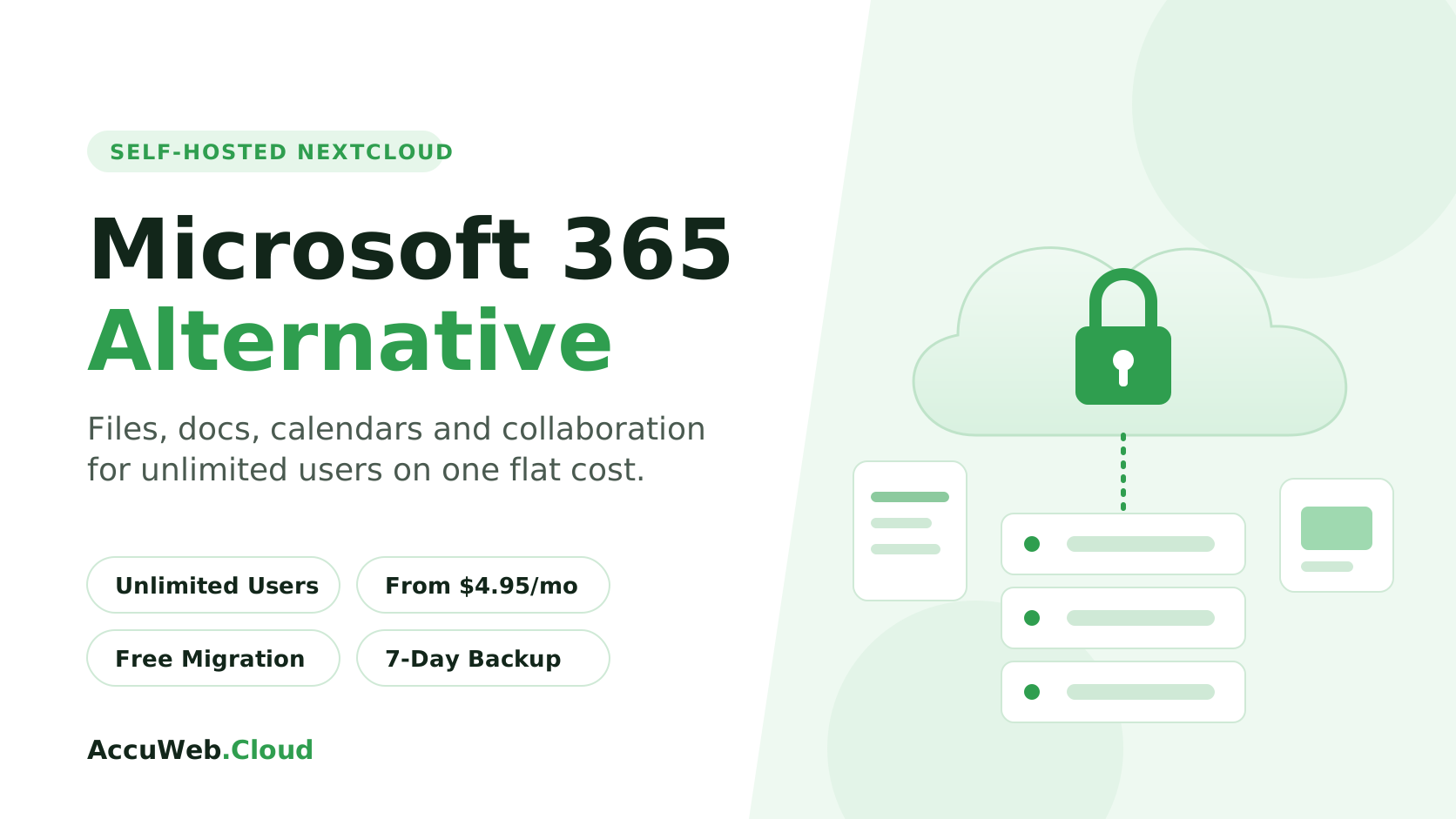
A Microsoft 365 alternative gives your team file storage, document editing, calendars and collaboration in one workspace, without a license fee for every employee. Self-hosted Nextcloud on AccuWeb.Cloud is one of the simplest ways to build that workspace on infrastructure you control.
With Nextcloud hosting on AccuWeb.Cloud, you get unlimited users on one flat cost, starting from $4.95 per month. Your files stay on your own server, and every plan includes free migration, a 7-day recovery backup and fully managed support, so your team can focus on work instead of server upkeep.
This guide covers the available plans, a cost comparison for growing teams and a step-by-step walkthrough for moving your files across.
TL;DR
- What it is: Nextcloud is a self-hosted Microsoft 365 alternative for file storage, sharing, document editing and team collaboration.
- Pricing: Cloud instances start at $4.95 per month, billed hourly or monthly. The cost depends on your instance and storage, not on headcount, so users are unlimited.
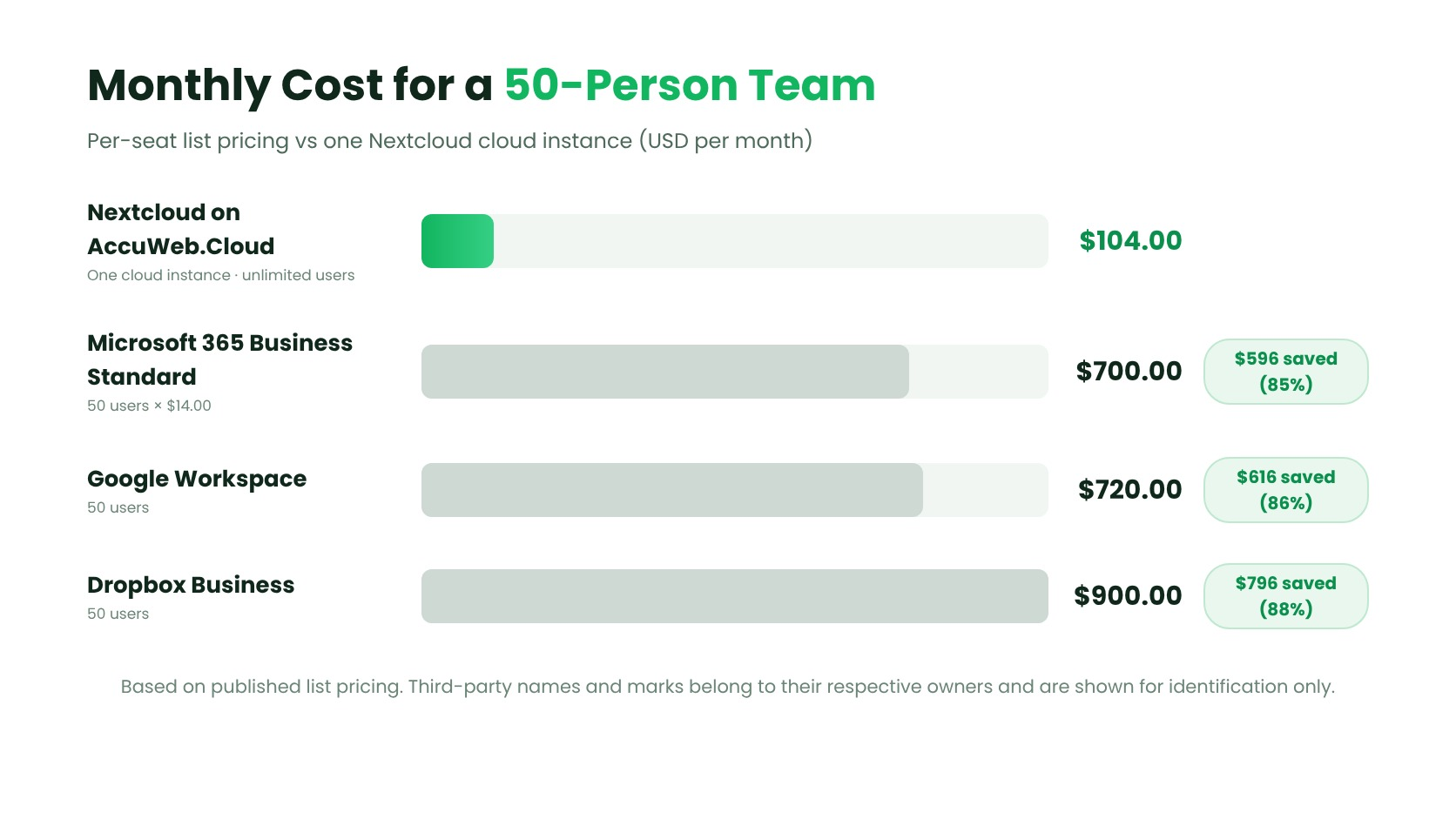
- Savings: a 50-person team pays about $104 per month on AccuWeb.Cloud, compared with $700 for Microsoft 365 Business Standard, $720 for Google Workspace and $900 for Dropbox Business at list pricing.
- Control: your data stays on your own server, with a 7-day disaster recovery backup included on every plan.
- Support: one-click deployment, free migration from Google Drive or Dropbox, and fully managed support with a 10.6-minute median ticket response.
Nextcloud Hosting Plans and Pricing
Seven cloud instance plans cover everything from a small team to a large organization. Each plan includes vCPU, RAM, NVMe storage, 1 TB bandwidth and one dedicated public IP, along with free SSL, backups and snapshots, free migration, fully managed support and an app marketplace. Every purchase is covered by a 30-day money-back guarantee, and plans are available in New York, Los Angeles, Frankfurt and Mumbai.
| Plan | Best For | vCPU | RAM | NVMe Storage | Hourly Price | Monthly Price |
|---|---|---|---|---|---|---|
| Start | Personal sites and testing | 1 | 1 GB | 12 GB | $0.006781/hr | $4.95/mo |
| Essential | Small blogs and starter projects | 1 | 2 GB | 15 GB | $0.009507/hr | $6.95/mo |
| Standard | Growing sites and small teams | 2 | 4 GB | 35 GB | $0.016096/hr | $11.75/mo |
| Plus | High-traffic sites and web apps | 2 | 8 GB | 50 GB | $0.021863/hr | $15.95/mo |
| Power | Agencies and active teams | 4 | 8 GB | 85 GB | $0.030096/hr | $21.95/mo |
| Premium | Intensive multi-user workloads | 4 | 16 GB | 105 GB | $0.040795/hr | $29.75/mo |
| Ultimate | High-demand enterprise apps | 8 | 32 GB | 140 GB | $0.072507/hr | $52.95/mo |
Dedicated plans for workloads that need dedicated resources start from $9.50 per month, and custom vCPU, RAM and NVMe configurations are available for an exact fit. Use the cloud cost estimator tool to total your monthly plan before you order.
What Makes a Good Microsoft 365 Alternative?
A good Microsoft 365 alternative covers the daily jobs your team relies on: storing and sharing files, editing documents together, managing calendars and contacts, and keeping everything backed up. It should also give you a cost model that stays steady as your company grows.
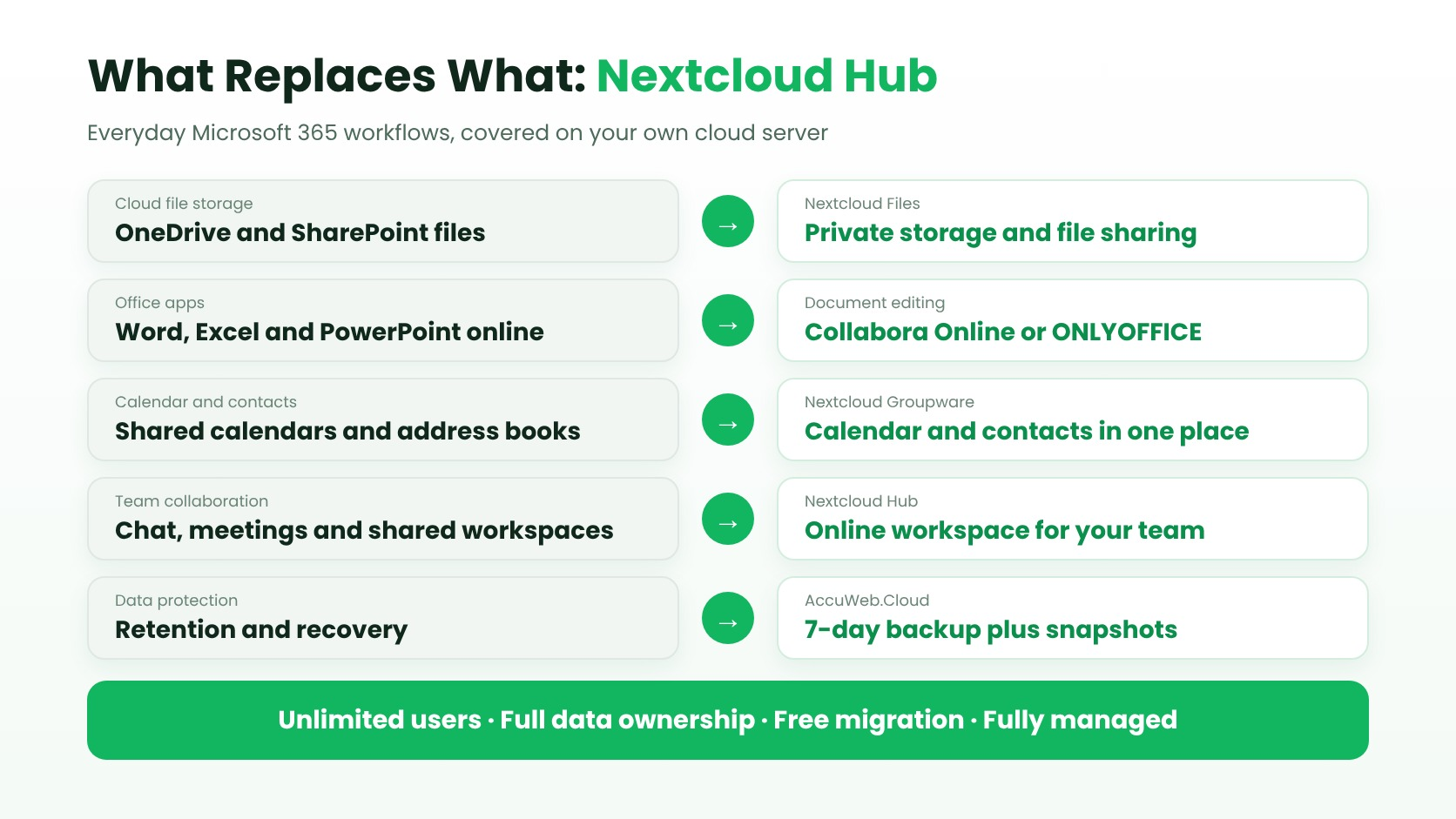
Most businesses start by listing the tools they use every day. File sync and sharing come first, followed by document editing, calendars, team chat and recovery from accidental deletions. Nextcloud brings these together in one workspace, and AccuWeb.Cloud supplies the cloud server, the backups and the engineers who keep it running.
Core Capabilities to Compare
- File storage and sharing: private storage with sync clients for desktop and mobile, and sharing links for colleagues and clients.
- Document editing: online editing for documents, spreadsheets and presentations through Collabora Online or ONLYOFFICE.
- Calendars and contacts: shared calendars and address books in the same workspace as your files.
- Collaboration: one place where teammates open, comment on and update the same file.
- Protection: backups, snapshots and a clear recovery path for your data.
Why Choose Self-Hosted Nextcloud for Business?
Self-hosted Nextcloud gives your business full ownership of its files, a flat cost model and an open-source platform you can export from at any time. Adoption is growing quickly. Nextcloud reported more than 2 million new professional users across schools, government bodies and businesses in 2025, and the French Ministry of Education rolled it out to 400,000 administrative staff, with plans to reach all 1.2 million employees.
Unlimited Users on a Flat Cost
Traditional office suites charge for every person you add. With Nextcloud on AccuWeb.Cloud, you pay for the cloud instance and storage, so a new hire does not change your bill. Your cost rises with storage and load, not with headcount.
Full Data Ownership
Your files live on your own server in the data center you choose. You decide who has access, how long files are kept and where backups are stored. For teams that handle client documents, contracts or internal records, that clarity is a real advantage.
Open-Source Flexibility
Nextcloud is open source, so you can export your data whenever you need to and add apps as your workflows grow. You are never tied to a single vendor’s roadmap.
Fully Managed Setup and Care
Nextcloud, PostgreSQL, PHP-FPM, Nginx and a TLS certificate come configured and running before you first log in. Guest OS patching, daemon health, firewall rules, Fail2Ban and monitoring are handled for you, with two hours of hands-on engineer time included every month. See how fully managed support works.
Microsoft 365 Alternative Cost Comparison
Cost is where the difference shows up fastest. Per-seat suites multiply the price by the number of people, while a Nextcloud cloud instance charges for the server. The table below compares monthly costs at four team sizes using published list pricing for Microsoft 365 Business Standard ($14.00 per user per month on an annual commitment), Google Workspace and Dropbox Business, set beside the monthly cost of Nextcloud on AccuWeb.Cloud.
| Team Size | Microsoft 365 Business Standard | Google Workspace | Dropbox Business | Nextcloud on AccuWeb.Cloud | Monthly Saving vs Microsoft 365 |
|---|---|---|---|---|---|
| 10 users | $140 | $144 | $180 | $61 | $79 (56%) |
| 25 users | $350 | $360 | $450 | $104 | $246 (70%) |
| 50 users | $700 | $720 | $900 | $104 | $596 (85%) |
| 100 users | $1,400 | $1,440 | $1,800 | $219 | $1,181 (84%) |
Monthly costs in USD for comparable storage tiers, based on published list pricing as of 1 August 2026. Third-party names and marks belong to their respective owners and are used for identification only.
What the Comparison Shows
AccuWeb.Cloud has the lowest monthly cost at every team size in the comparison. For a 10-person team, the monthly bill is $61 against $140 for Microsoft 365 Business Standard. At 50 users, the same $104 instance that serves 25 users handles the whole team, and the gap reaches $596 per month, or $7,152 per year.
At 100 users, Nextcloud works out to about $2.19 per person per month, compared with $14.00 per person for Microsoft 365 Business Standard. The more your team grows, the further the gap widens, because your Nextcloud bill follows storage and load rather than headcount.
Savings Backed by a Guarantee
AccuWeb.Cloud backs its pricing with a guaranteed 40% cloud savings offer: save at least 40% or get your money back. One customer who migrated their website reported that their cloud hosting costs dropped by over 80%. Billing is pay-as-you-go, charged by the hour with a monthly price shown for planning. Learn more about pay-as-you-go cloud hosting.
How Many Users Can One Nextcloud Instance Support?
A 2 vCPU / 4 GB RAM Nextcloud instance supports approximately 18 to 20 simultaneous users under normal workloads. The number of registered accounts matters less than how many people are actively opening files, syncing data or uploading documents at the same time, so size your plan around simultaneous activity.
| Team Profile | Typical Users | Suggested Resources | Good Fit For |
|---|---|---|---|
| Routine Sync | 1 to 10 | 2 vCPU / 4 GB RAM | Standard file sync, mobile backup and folder sharing |
| Active Teams | 10 to 25 | 4 vCPU / 8 GB RAM | Simultaneous syncing, regular uploads and group work |
| Heavy Workloads | 25 to 50+ | 4 to 8 vCPU / 16 to 32 GB RAM | Peak concurrent activity and multi-gigabyte transfers |
| Document Editing | Any size | Plus a document server | Real-time co-authoring with Collabora or ONLYOFFICE |
These are planning estimates based on typical usage, and your results will depend on file sizes, installed apps and activity patterns. Start with the profile closest to your team and grow from there. You can increase vCPU, RAM and storage at any time through vertical scaling options.
Online Document Editing with Nextcloud Office
Nextcloud turns your file server into an online workspace. With Collabora Online or ONLYOFFICE, your team opens and edits documents, spreadsheets and presentations directly in the browser, without downloading and re-uploading files each time.
- Edit online: work on documents and spreadsheets from any browser.
- Collaborate live: several teammates can work on the same file together.
- Choose your suite: pick the office suite that matches your team’s workflow.
- Scale cleanly: connect a separate document server so editing has its own resources and room to grow.
A separate document server keeps real-time co-authoring smooth even when many people edit at once, which makes it a popular choice for teams that live in documents all day.
How to Migrate from Microsoft 365 to Nextcloud
Moving to a new platform is easier with a plan. The steps below take a team from a per-seat suite to a Nextcloud workspace, and AccuWeb.Cloud offers a free migration service to help with the move from Google Drive or Dropbox.
- Audit your current setup. List the users, shared folders, file volume and the apps your team uses every day.
- Choose your instance. Pick a plan from the sizing table, with enough NVMe storage for your files and growth.
- Deploy Nextcloud. Select your size and data center, set an admin password and let the one-click deployment finish. Nextcloud, the database and TLS are ready before you log in.
- Add your users. Create accounts and groups that match your teams and folders.
- Move your files. Transfer data in batches and keep the source files until you have checked the results.
- Connect devices and editing. Install the desktop and mobile sync clients and enable Collabora Online or ONLYOFFICE.
- Switch over. Point your team to the new workspace, then retire the old per-seat licenses at the end of your term.
Want to try it first? You can request a 14-day free trial and test the platform with your own files before you commit.
Security, Backups and Managed Support
Protecting business files is a top priority. IBM’s Cost of a Data Breach Report 2026 puts the global average cost of a data breach at $4.99 million and the U.S. average at $11.5 million, which is why reliable backups and well-maintained servers matter for any file platform.
Backups and Recovery
A complimentary 7-day disaster recovery backup runs on every plan, and you can add hourly, daily or weekly backup policies on top. Instance and volume snapshots capture your data directory as well as the database, so a restore brings back files and file metadata together. Explore the available backup storage options for longer retention.
Server Protection
- Patching and monitoring: guest OS patching, daemon health checks and monitoring are handled for you.
- Firewall and Fail2Ban: firewall rules and Fail2Ban help protect your login pages and ports.
- Private networking: isolated private networks keep traffic between your instances secure.
- Free SSL: a TLS certificate is configured so your team connects over HTTPS.
Engineers Who Respond Quickly
Support is fully managed, with two hours of hands-on engineer time included every month. The median first response on a ticket is 10.6 minutes, from a named engineer rather than a queue, backed by more than 23 years of hosting experience and 10,000+ cloud deployments. Review the cloud security and compliance details and choose the location closest to your team from the global data center locations.
Conclusion
Self-hosted Nextcloud gives your business a practical Microsoft 365 alternative: unlimited users, full data ownership, online document editing and a flat, predictable cost. On AccuWeb.Cloud it comes with one-click deployment, free migration, a 7-day recovery backup and fully managed support.
The comparison shows the lowest monthly cost at every team size, including $104 per month for a 50-person team against $700 for Microsoft 365 Business Standard. Choose the plan that fits your team today, deploy in minutes and scale whenever your storage and activity grow.
Microsoft 365 Alternative FAQs
What is the best Microsoft 365 alternative for business?
Self-hosted Nextcloud is a strong choice for businesses that want file sharing, document editing, calendars and collaboration with full data ownership and a cost that does not rise with every new user.
How much does Nextcloud hosting cost?
Cloud instances start at $4.95 per month, or $0.006781 per hour, and scale up to 8 vCPU, 32 GB RAM and 140 GB NVMe storage at $52.95 per month. Dedicated plans start from $9.50 per month.
Is there a per-user charge?
No. Your cost follows your instance and storage, so you can add users without adding per-seat fees.
Can you migrate my files from Google Drive or Dropbox?
Yes. AccuWeb.Cloud offers free migration from Google Drive and Dropbox, with expert help for the move.
Does Nextcloud include document editing?
Yes. Connect Collabora Online or ONLYOFFICE to edit documents, spreadsheets and presentations in the browser with your teammates.
How long does deployment take?
A few minutes. Pick a size and a data center, and the instance starts with Nextcloud, the database and TLS already configured. You set the admin password and start using it.
Are backups included?
Yes. Every plan includes a complimentary 7-day disaster recovery backup, and you can add hourly, daily or weekly backup policies and snapshots.
Can I use my own domain?
Yes. You can point your own domain to your Nextcloud workspace so your team signs in at an address you control.
Do the desktop and mobile sync clients work?
Yes. Nextcloud’s desktop and mobile apps sync your files across devices, so your team has access wherever they work.
What if my team outgrows the instance?
Increase vCPU, RAM and storage as your usage grows, or add a separate document server for heavier editing workloads.

Jilesh Patadiya, the visionary Founder and Chief Technology Officer (CTO) behind AccuWeb.Cloud. Founder & CTO at AccuWebHosting.com. He shares his web hosting insights on the AccuWeb.Cloud blog. He mostly writes on the latest web hosting trends, WordPress, storage technologies, and Windows and Linux hosting platforms.