Laravel Development and Testing Server with Full Root Access
“It works on my machine” is not a release plan. A migration that behaves on your laptop can still break on a real web server, and a queued job that passes locally can fail once Apache, permissions and a live database enter the picture. The safest fix is a separate place to break things before your users ever see them.
A laravel development and testing server with full root access gives you exactly that. AccuWeb.Cloud Laravel hosting starts at $4.95 per month, with hourly billing also available for short-lived sandboxes.
Laravel, PHP, Apache, Composer and SQLite are installed natively on a dedicated instance. You control the server as root, so you can add the extensions, databases, Redis and queue workers your project needs. This guide covers sizing, entry-level pricing, hourly sandbox costs, and how to keep test data and services safely apart from production.
TL;DR
- Start with Laravel hosting from $4.95 per month.
- Use a separate instance to test changes before production.
- Install extra extensions, databases, Redis and queue workers with root access.
- Choose hourly billing without a long-term contract for temporary projects.
Choose a Server for Laravel Development
The Laravel instance gives developers a native application stack and full root access. That makes it suitable for a shared development environment, a testing server or a staging copy.
A staging server is a separate environment used to examine changes before release. Unlike a developer’s laptop, it lets a team test the application through a server-based web stack.
AccuWeb.Cloud offers Laravel instances in four locations: New York, Los Angeles, Frankfurt and Mumbai. Choose a location close to the people who will use the environment most often.
Compare the Cloud VPS Sizes
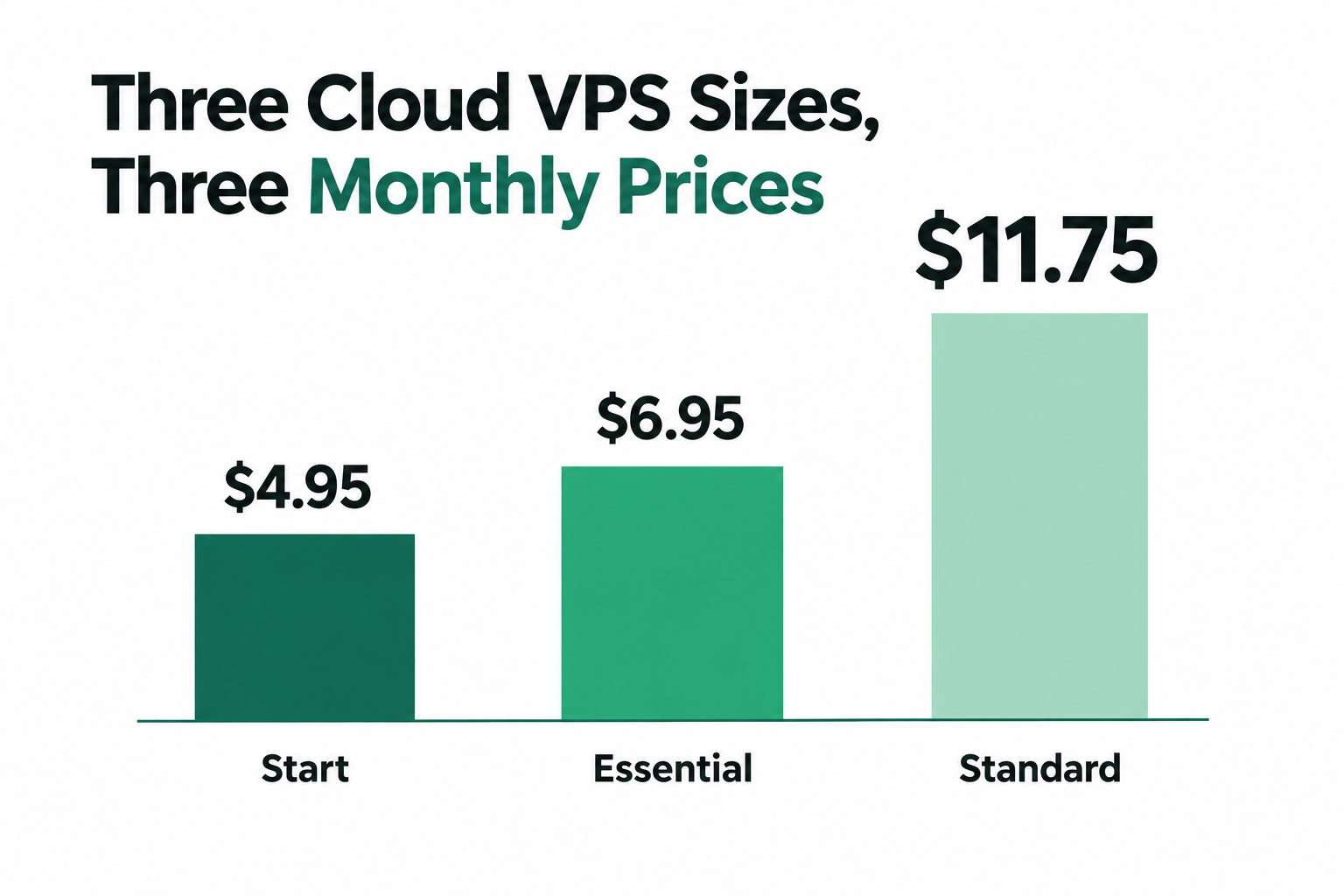
For infrastructure sizing, the bundled Cloud VPS range includes the following monthly and hourly prices. These are Cloud VPS configurations; select your Laravel instance through the Laravel product page.
| Cloud VPS plan | CPU and RAM | NVMe storage | Monthly price | Hourly price |
|---|---|---|---|---|
| Start | 1 vCPU, 1 GB | 12 GB | $4.95 | $0.006781 |
| Essential | 1 vCPU, 2 GB | 15 GB | $6.95 | $0.009507 |
| Standard | 2 vCPUs, 4 GB | 35 GB | $11.75 | $0.016096 |
| Plus | 2 vCPUs, 8 GB | 50 GB | $15.95 | $0.021863 |
| Power | 4 vCPUs, 8 GB | 85 GB | $21.95 | $0.030096 |
| Premium | 4 vCPUs, 16 GB | 105 GB | $29.75 | $0.040795 |
| Ultimate | 8 vCPUs, 32 GB | 140 GB | $52.95 | $0.072507 |
Bundled Cloud VPS plans also include 1 TB of bandwidth and a dedicated public IP. Fully managed support, free SSL and free migration are platform features.
For a small test application, compare Start with Essential if memory matters more than processor count. For larger test suites or customer-installed workers, compare Standard’s two vCPUs with the smaller configurations.
Read the hourly Cloud VPS pricing guide for the bundled configurations, or explore the Cloud VPS range for infrastructure options.
Compare Entry-Level Server Costs
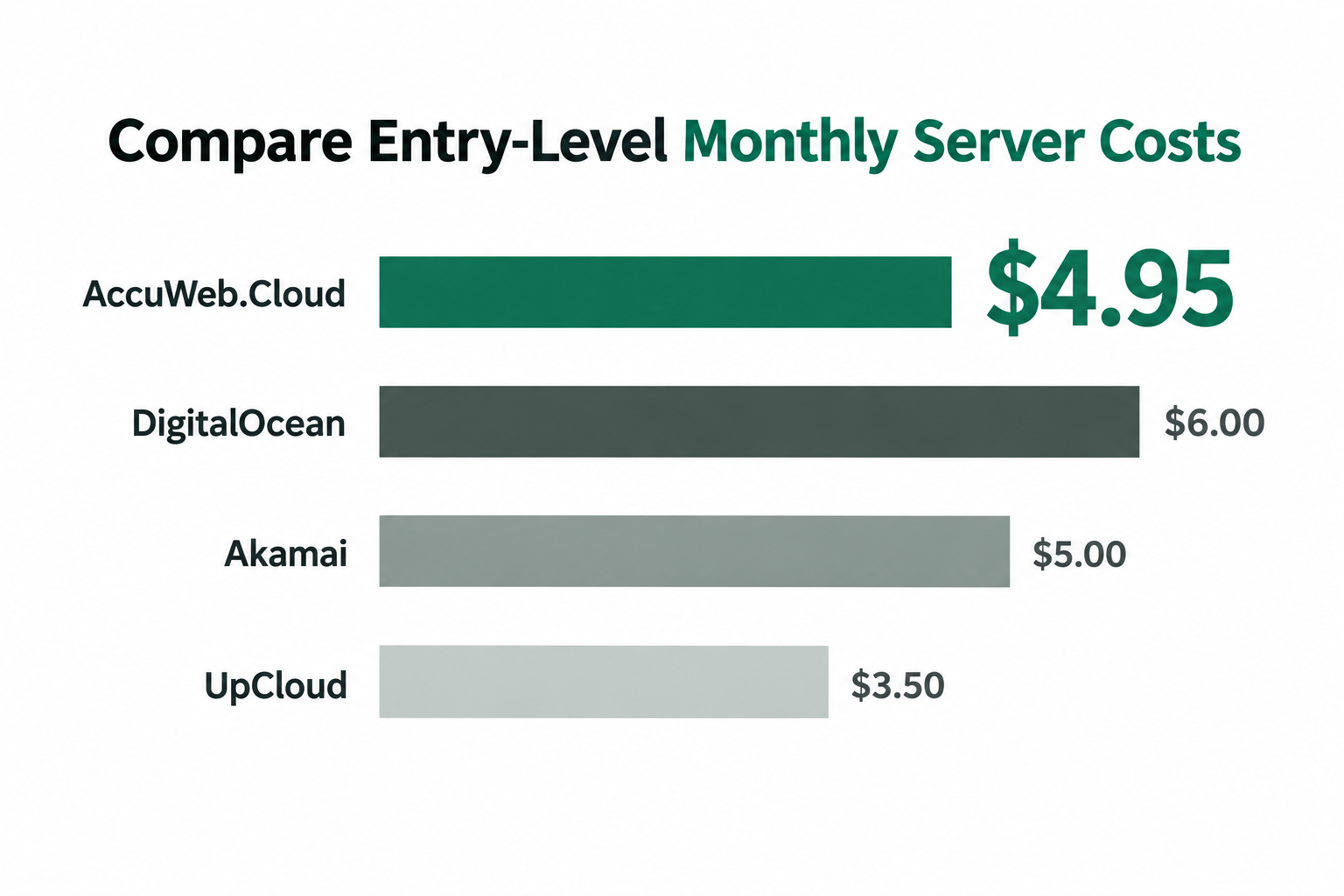
For a small development server, AccuWeb.Cloud Start costs $4.95 per month. The table compares entry-level plans with one CPU and roughly one GB of memory.
The AccuWeb.Cloud column uses bundled Cloud VPS Start as the infrastructure comparison. Laravel hosting adds a native Laravel stack; competing server prices represent their respective entry-level cloud servers.
| Feature | AccuWeb.Cloud | DigitalOcean | Akamai | UpCloud |
|---|---|---|---|---|
| Plan | Cloud VPS Start | Basic Droplet | Shared CPU Nanode | Starter |
| Starting monthly price | $4.95 per month | $6.00 per month | $5.00 per month | $3.50 per month |
| Processor | 1 vCPU | 1 vCPU | 1 CPU | 1 CPU core |
| Memory | 1 GB | 1 GiB | 1 GB | 1 GB |
| Storage | 12 GB NVMe | 25 GiB SSD | 25 GB | 10 GB standard SSD |
| Billing | Monthly or hourly | Usage-based with monthly cap | Monthly or hourly | Starting hour, capped at 28 days per month |
For one month at the displayed entry prices, the costs are $4.95, $6.00, $5.00 and $3.50, respectively. Each plan has one CPU, so each monthly price is also its price per CPU for this comparison.
UpCloud has the lowest monthly price in this group. AccuWeb.Cloud costs less than DigitalOcean and Akamai, while its Laravel offer includes the native development stack and full root access.
DigitalOcean’s 1 GiB memory unit is slightly larger than one decimal GB. Its plan also has more storage, so consider disk needs alongside the monthly price.
On Trustpilot, DigitalOcean reviewers praise responsive support and stable infrastructure. Akamai reviewers praise performance but also discuss account access and support. UpCloud reviewers discuss mixed support experiences, while a Reddit commenter praises its dashboard and technical support.
For a development team, the decision is not only about the smallest bill. Consider who will install the application stack, whether the project needs more disk space and how the server will be used.
Choose the Laravel instance when you need the native tools already installed and want root access for project-specific changes. Choose a larger infrastructure size when your test workload needs more memory or processing capacity.
What Hourly Billing Means for a Sandbox
Hourly billing lets a team price a short-lived sandbox by its provisioned hours. Laravel instances offer hourly billing without a long-term contract.
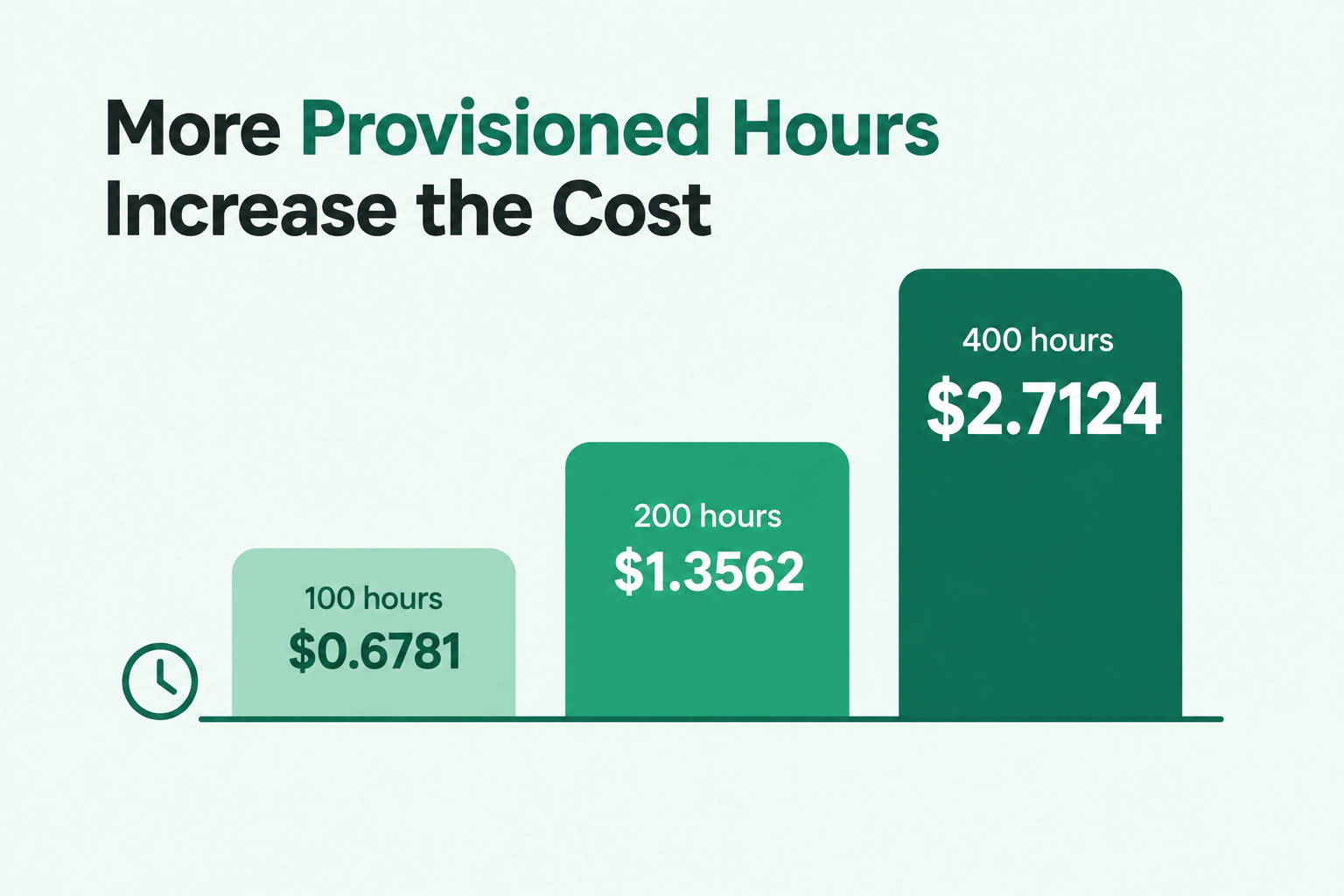
As a sizing example, use the bundled Cloud VPS Start rate of $0.006781 per hour. At that rate, the following provisioned durations have these compute-and-storage plan costs:
- 100 hours: 100 × $0.006781 = $0.6781.
- 200 hours: 200 × $0.006781 = $1.3562.
- 400 hours: 400 × $0.006781 = $2.7124.
This example assumes the published Start hourly rate applies throughout. It does not calculate other charges or retained-resource billing.
Decide Between a Short Test and a Standing Server
Choose an hourly sandbox when you need an environment for a defined test window. A standing monthly environment suits a team that returns to the same server throughout the month.
Track the actual provisioned period when estimating costs. A test that runs overnight uses more hours than one confined to a working session, even if both use the same application.
A persistent server also gives reviewers a stable place to inspect changes between test runs. Decide whether that convenience matters more than a shorter provisioned window.
For other infrastructure options, AccuWeb.Cloud pricing separates dedicated compute from NVMe storage. Additional NVMe storage is $0.06 per GB per month.
Keep bundled VPS prices and separate compute-and-storage prices distinct when estimating a project. A complete server needs storage as well as processing capacity.
Prepare the Laravel Development and Testing Server with Full Root Access
A useful test server separates application configuration, data and external services from production. Start with the native Laravel, PHP, Apache, Composer and SQLite stack, then add what the project requires.
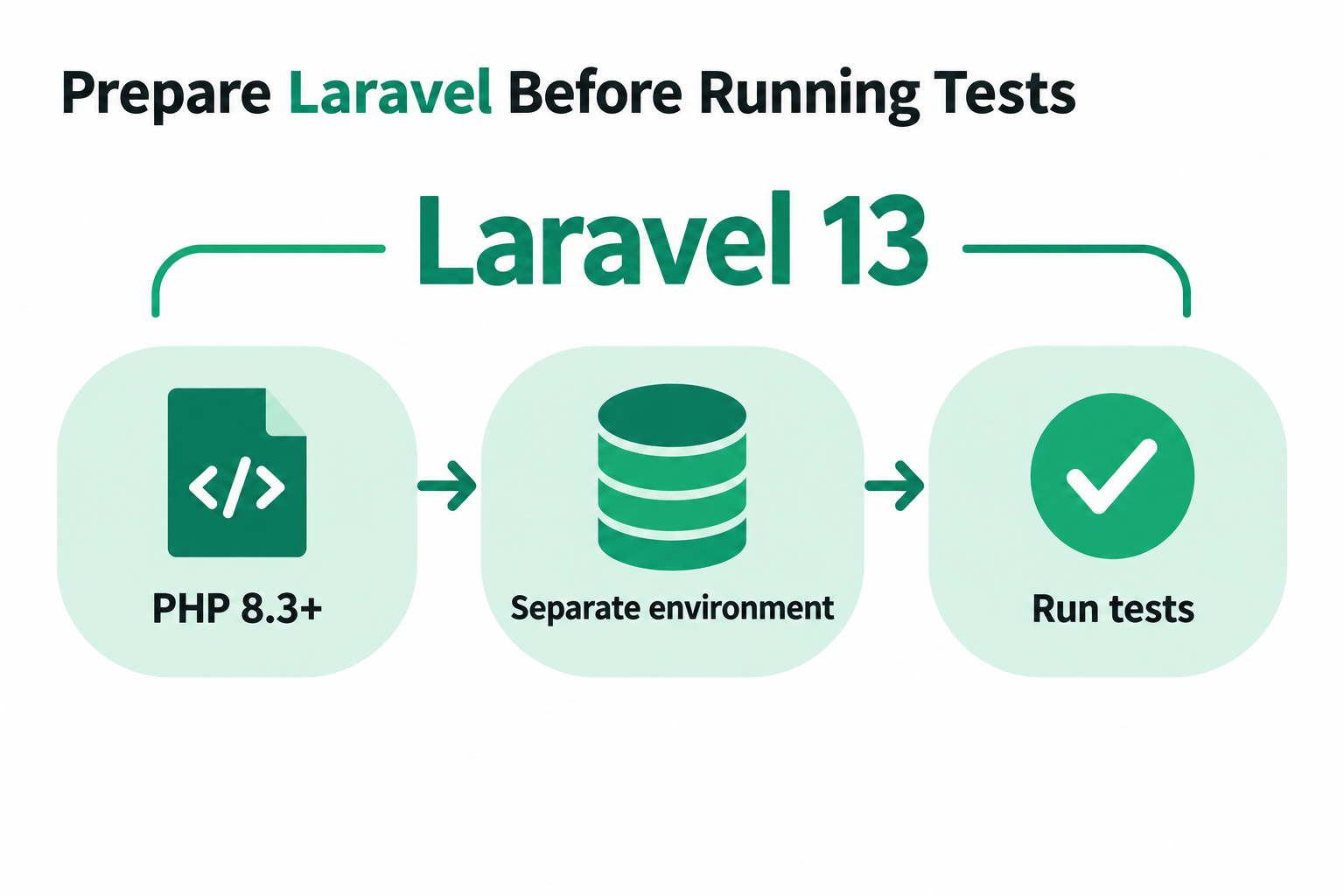
The following sequence applies to a native Laravel instance. Laravel 13 details below apply when your project uses that version; the installed software versions are not specified here.
- Identify the application requirements. Check the project’s Laravel version, PHP requirements, extensions and database before configuring the instance.
- Separate the environment. Give the test server its own configuration, database and credentials rather than reusing production secrets.
- Install project dependencies. Use Composer on the server for the application’s dependencies and add any required PHP extensions.
- Configure the web application. Point Apache at the application’s public directory and grant the web-server process the required write access.
- Run the test suite. Use test-specific settings and inspect failures before making the change available for review.
Check PHP and File Permissions
Laravel 13 requires PHP 8.3 or later. Match the PHP version and extensions to your application before installing dependencies or diagnosing framework errors.
Laravel 13 also requires the web-server process to write to storage and bootstrap/cache. A page that fails after deployment can indicate a permissions issue in either directory.
Give the web-server process the access it needs without making sensitive configuration files public. Root access lets an administrator change permissions, but routine application work does not need to run as root.
Use the PHP server configuration guide as a starting point for server-side PHP decisions. The PHP development resources cover related development topics.
Keep Test Data and Services Separate
Laravel 13 supports a dedicated testing configuration through .env.testing. When present, it replaces .env for Pest and PHPUnit tests and Artisan commands run with the testing environment selected.
Use that distinction to point tests at test-only resources. A separate database prevents a test migration or reset from changing live application data.
SQLite is installed on the Laravel instance and can serve a lightweight test workflow. If production relies on another database, install and configure that database for tests that depend on its behavior.
Add Redis and Workers When the Application Needs Them
Redis is an in-memory data service often used for caching and queues. A queue worker processes jobs outside the web request, such as background tasks.
Both are customer-installed on the Laravel instance. Root access lets you install them and configure the application to use test-specific services.
Test a queued job end to end: submit it from the test application, run the test worker and inspect the result. Keep test email, payment and other external-service credentials separate from live credentials.
For a broader view of automated testing workflows, read the PHP testing environment guide. A staging review can then focus on behavior that automated tests do not cover.
Promote Changes, Not Test Secrets
A staging copy helps reviewers examine a release through Apache before it reaches production. Keep the code change separate from environment-specific values such as database passwords and service keys.
When moving an existing application, inventory its dependencies and data connections first. The Laravel migration guide provides a starting point for the move.
After the move, exercise login, database access and background jobs against the test environment. A successful homepage alone does not prove that the full application workflow works.
Laravel Server Questions
Why use a separate Laravel staging server?
A separate server lets a team inspect changes without using the production application’s configuration and data. It also exposes the application through a server-based web stack.
Is Composer installed on the Laravel instance?
Yes. Composer is installed natively alongside Laravel, PHP, Apache and SQLite.
Can I install another database for Laravel tests?
Yes. Full root access lets you install an additional database and configure your application to use it.
Does Laravel use a separate file for automated test settings?
Laravel 13 uses .env.testing when present for Pest and PHPUnit tests, and for Artisan commands run with the testing environment selected.
Can I add Redis and queue workers?
Yes. You can install and configure Redis and queue workers for your application’s development or test workload.
Is AccuWeb.Cloud cheaper than DigitalOcean for an entry-level server?
Cloud VPS Start is $4.95 per month, compared with $6.00 for the DigitalOcean Basic Droplet shown above. Storage and installed application tooling also matter when choosing.
Which compared provider has the lowest entry-level monthly price?
UpCloud’s Starter is $3.50 per month in the comparison. AccuWeb.Cloud’s Laravel offer includes a native Laravel stack and root access.
What should I check before moving a Laravel application?
Check its PHP requirements, extensions, database connections and external-service credentials. Test those connections on the separate instance before directing users to it.
Can I choose a location for the test server?
Yes. Laravel instances are available in New York, Los Angeles, Frankfurt and Mumbai.
Give Changes a Safe Place to Run
A laravel development and testing server with full root access gives your team control over the application stack without testing directly on production. Start with the native tools, isolate test data and add the services your application actually uses.
Choose a server size for your workload, then use the separate environment to check dependencies, web behavior and background jobs before release.

Jilesh Patadiya, the visionary Founder and Chief Technology Officer (CTO) behind AccuWeb.Cloud. Founder & CTO at AccuWebHosting.com. He shares his web hosting insights on the AccuWeb.Cloud blog. He mostly writes on the latest web hosting trends, WordPress, storage technologies, and Windows and Linux hosting platforms.