CDN vs Caching: A Comparative Analysis
TL;DR
- A CDN (Content Delivery Network) is a global network of edge servers that delivers website content from the closest geographic location to reduce latency.
- Caching is the process of storing frequently accessed data in temporary storage such as browser, server, or proxy cache to reduce repeat processing and improve speed.
- A CDN uses caching across multiple locations, while caching can exist independently. For best performance, websites should use both CDN and caching together.
What is a CDN?

A CDN, or Content Delivery Network, is a geographically distributed network of edge servers that stores cached copies of website content and delivers them from the location closest to the user. This reduces latency, improves load time, and decreases strain on the origin server.
How a CDN Works
1. A user requests a webpage.
2. DNS routes the request to the nearest CDN Point of Presence.
3. If content is cached, it is delivered instantly.
4. If not, the CDN retrieves it from the origin server, caches it, and serves it.
Key Components of a CDN
- Origin server
- Edge servers (Points of Presence)
- DNS routing system
- Caching policies
Performance Impact of a CDN
Studies show that delivering content from a geographically closer server can reduce Time to First Byte by up to 50 percent depending on distance from the origin server. CDNs also reduce bandwidth usage and improve uptime during traffic spikes.
What is Caching?
Caching is the process of storing frequently accessed data such as HTML, images, scripts, or database queries in temporary storage so future requests can be served faster without contacting the origin server again.
Caching improves performance by reducing server load, minimizing repeated processing, and lowering bandwidth consumption.
Types of Caching
1. Browser Caching
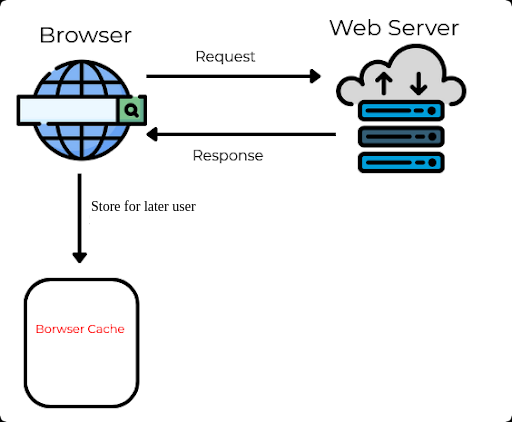
Stores static assets locally on the user’s device. Returning visitors load pages faster because files are retrieved from local storage.
2. Server Side Caching

Stores generated responses or database queries on the web server using tools like Redis, Memcached, or file cache.
3. Reverse Proxy Caching
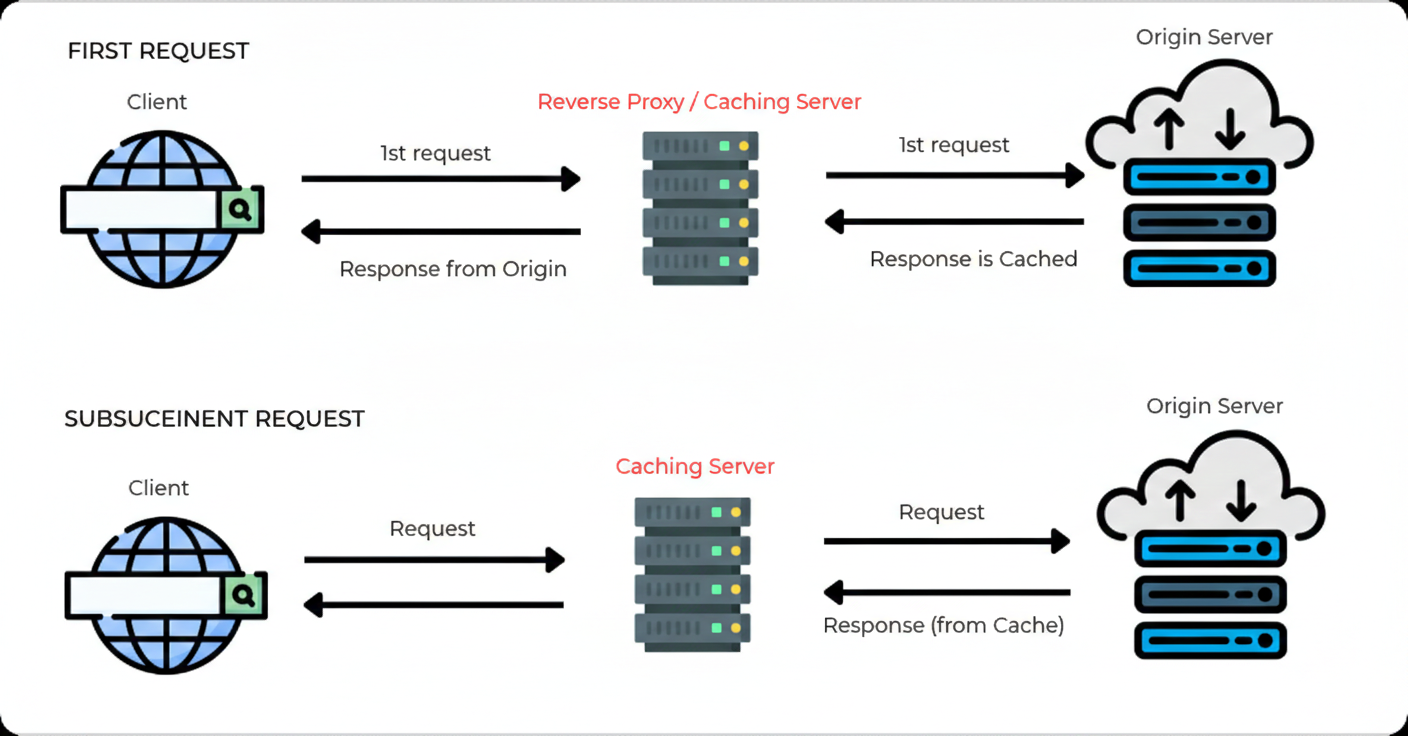
Caches content in front of the web server using tools like Nginx or Varnish to reduce backend load.
Performance Impact of Caching
Server level caching can reduce database load by up to 70 percent for content heavy websites and significantly improve page load speed for repeat visits.
CDN vs Caching: What’s the Difference?
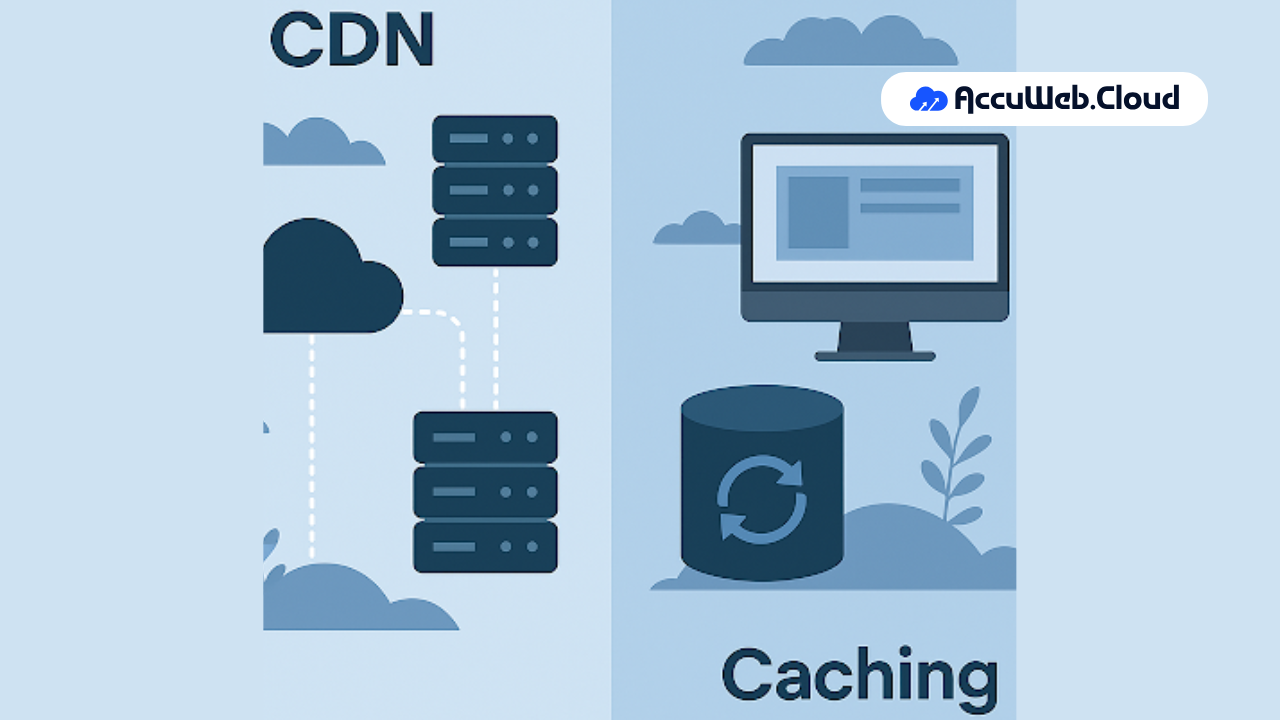
A CDN is a distributed network that delivers cached content globally, while caching is the general technique of storing data temporarily to reduce processing time. A CDN uses caching as part of its infrastructure, but caching can function independently without a CDN.
| Factor | CDN | Caching |
| Definition | Global network delivering content from nearest server | Technique of storing frequently used data |
| Geographic Scope | Global | Local or server level |
| Infrastructure | Third party distributed network | Built into browser or server |
| Purpose | Reduce global latency | Reduce repeated processing |
| Best For | Global audiences | Performance optimization |
Is a CDN the Same as Caching?
No. A CDN relies on caching to function, but caching does not require a CDN.
All CDNs use caching mechanisms. However, browser caching and server side caching can work without a CDN.
Real World Use Cases: When to Use CDN vs Caching
Use Case 1: Global SaaS Application
If your SaaS platform serves users across Asia, Europe, and North America, a CDN ensures users receive static assets from the nearest location. Combine it with application level caching for optimal performance.
Use Case 2: Local Business Website
If your audience is primarily in one region, server side caching may be sufficient without a CDN.
Use Case 3: WordPress Website
WordPress websites benefit significantly from combining:
- Page caching
- Object caching
- CDN for media files
This combination improves Core Web Vitals and SEO performance.
Does CDN Improve SEO?
Yes. Page speed is a ranking factor under Google’s Core Web Vitals framework. By reducing latency and improving load time, CDNs indirectly support better SEO performance and lower bounce rates.
Best Practice: Use CDN and Caching Together
For modern cloud environments, the recommended architecture includes:
- Server side caching
- Browser caching
- CDN for static assets
- Object storage for scalable media delivery
This layered approach ensures performance, reliability, and scalability.
People Also Ask(And You Should Too!)
Q) What is CDN cache?
A) CDN cache refers to the stored copy of website content located on distributed edge servers. When users request content, the CDN delivers the cached version from the closest location to reduce latency.
Q) What is the difference between CDN and caching?
A) A CDN is a global network of servers that delivers cached content from geographically closer locations. Caching is the method of storing frequently accessed data to speed up delivery and reduce server load.
Q) Does a CDN replace caching?
A) No. A CDN depends on caching mechanisms. However, caching can operate independently at browser or server level.
Q) Is CDN only for static content?
A) Traditionally yes, but modern CDNs can also accelerate dynamic content using intelligent routing and edge computing.
Q) Is caching enough without CDN?
A) Caching may be enough for local websites. However, global websites benefit from CDN deployment for reduced latency.
Q) Does CDN reduce server load?
A) Yes. By serving cached content from edge servers, CDNs reduce the number of requests reaching the origin server.
Q) Is CDN expensive?
A) CDN pricing depends on bandwidth usage. Many cloud hosting providers include CDN services within hosting packages.

Jilesh Patadiya, the visionary Founder and Chief Technology Officer (CTO) behind AccuWeb.Cloud. Founder & CTO at AccuWebHosting.com. He shares his web hosting insights on the AccuWeb.Cloud blog. He mostly writes on the latest web hosting trends, WordPress, storage technologies, and Windows and Linux hosting platforms.